> For the complete documentation index, see [llms.txt](https://help.semoreport.com/guide/llms.txt). Markdown versions of documentation pages are available by appending `.md` to page URLs; this page is available as [Markdown](https://help.semoreport.com/guide/faqlist/b1/5.md).
# 부서사용자 등록이 안되는 경우
{% hint style="info" %}
공인인증서로 로그인하세요.라는 메세지가 뜬다면\
입력한 부서사용자 아이디와 패스워드가 잘못된 경우에요
{% endhint %}
**\*부서사용자는 세무사 아이디와 비밀번호가 아닌** \
**부서사용자 아이디와 비밀번호를 입력해야 해요**
## 부서사용자 계정 확인 방법
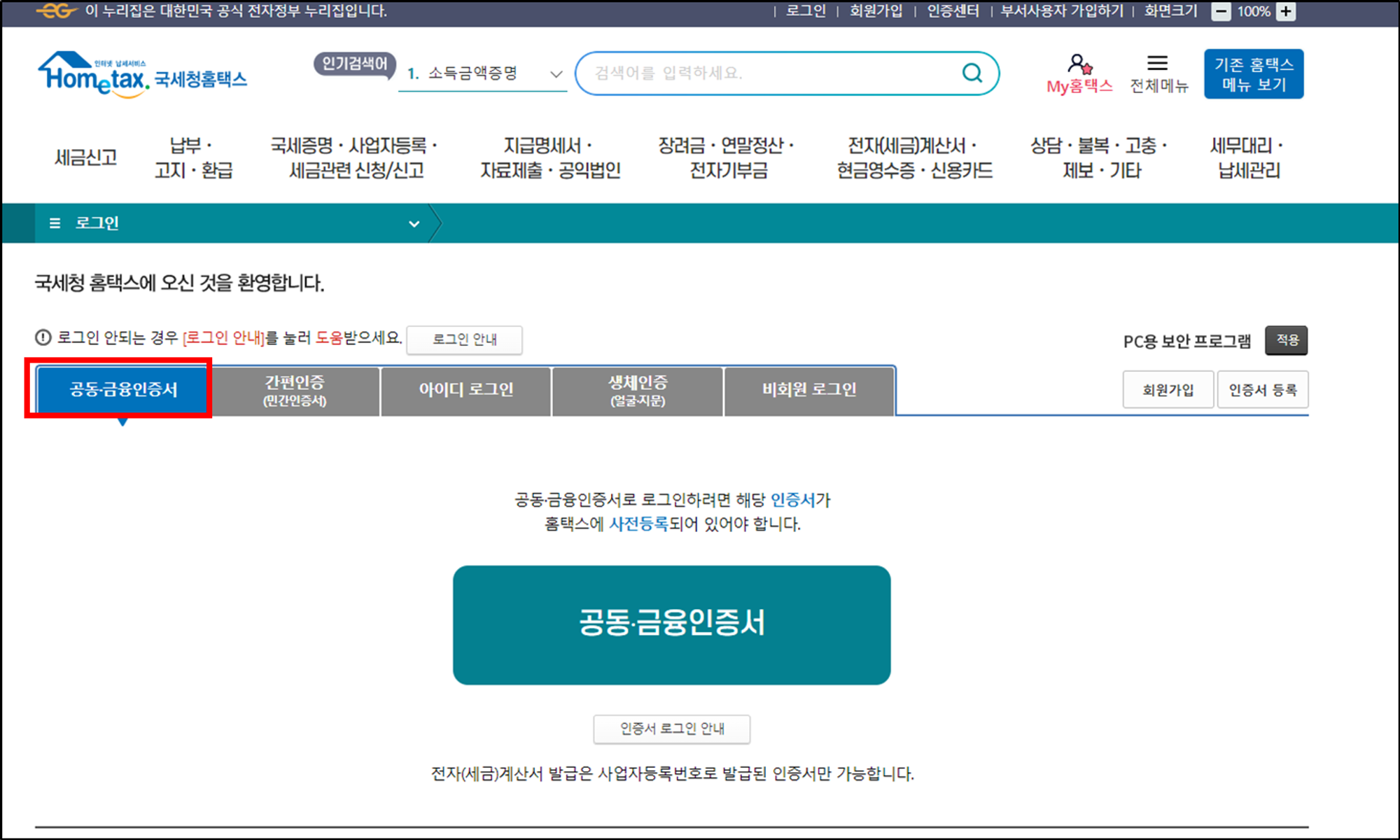
### 1. 홈택스 로그인
{% hint style="info" %}
홈택스 > 세무사무소 공동인증서로 로그인
{% endhint %}
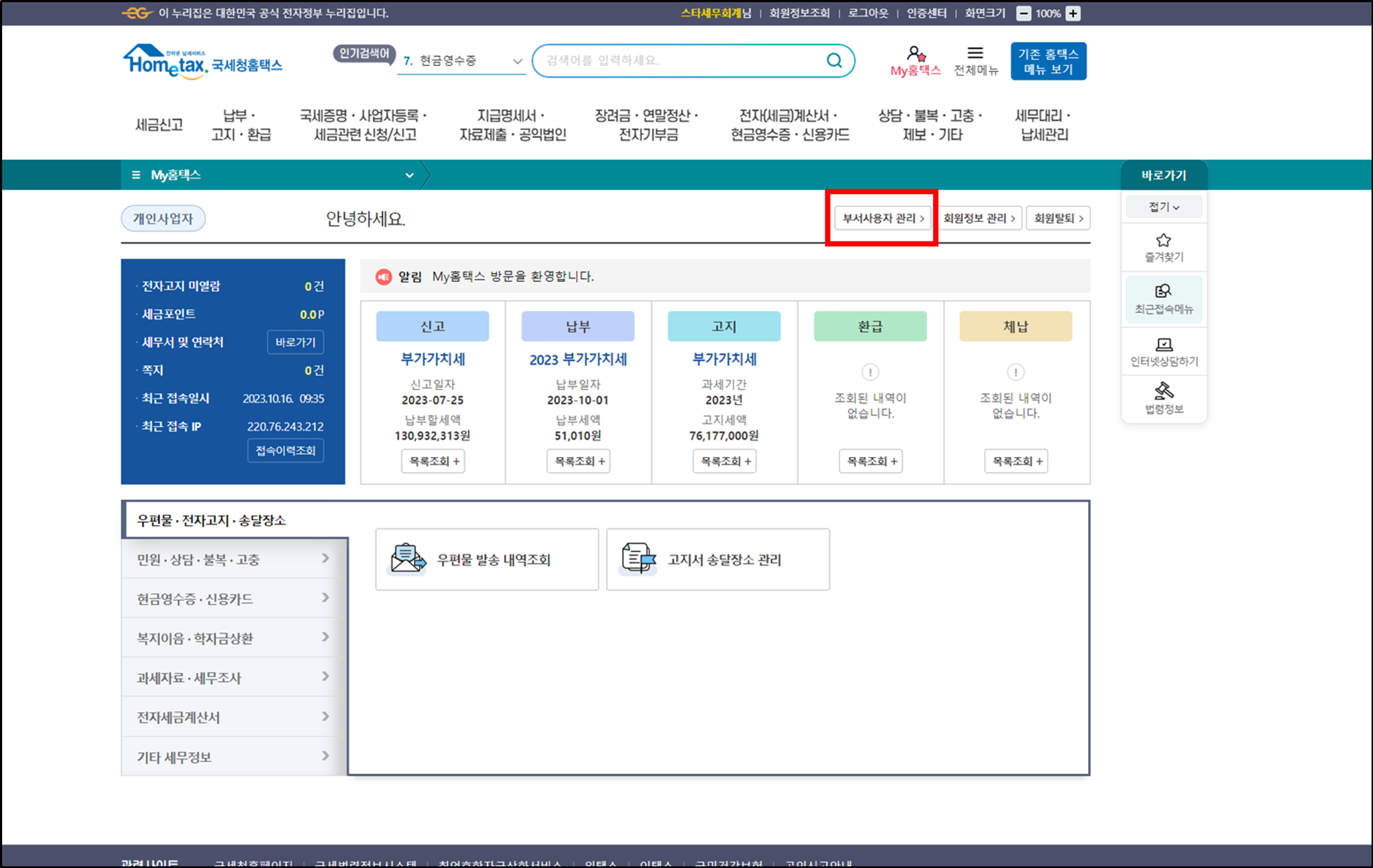
 ### **2. My홈택스>부서사용자 관리**
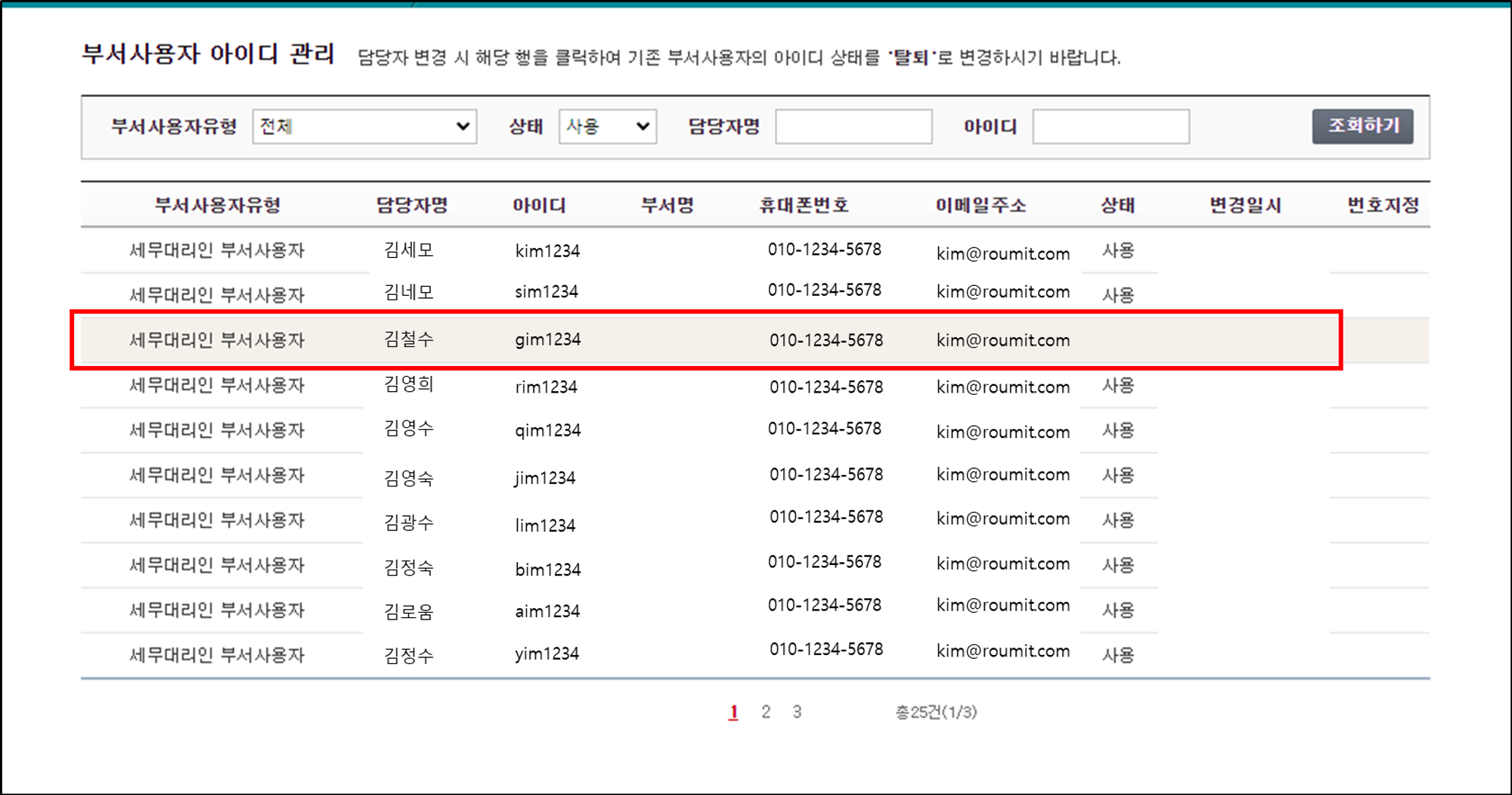
 ### **3. 부서사용자 아이디 클릭**
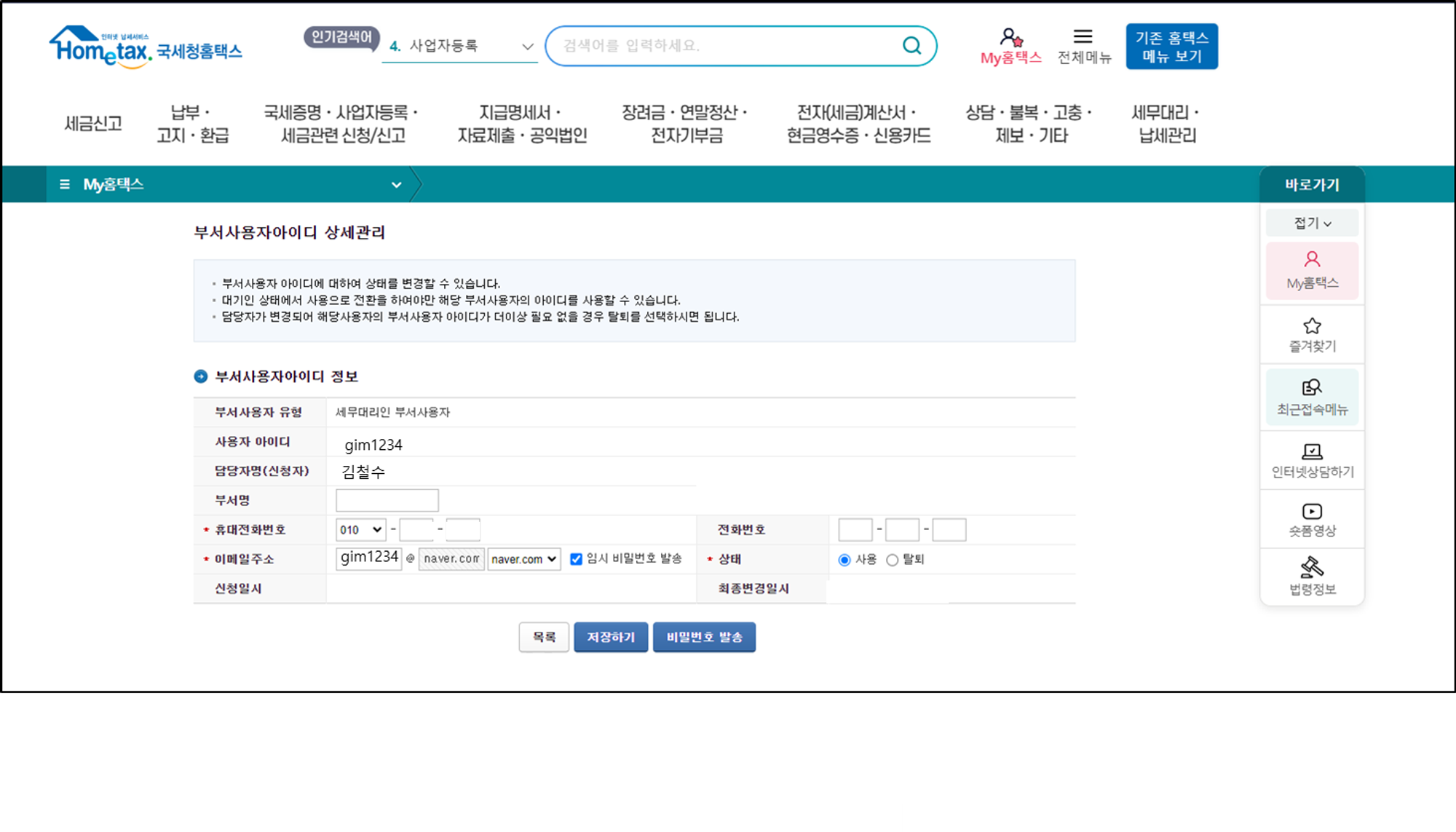
 ### **\*비밀번호를 잊은 경우**
{% hint style="info" %}
임시 비밀번호 발송
{% endhint %}
### **\*비밀번호를 잊은 경우**
{% hint style="info" %}
임시 비밀번호 발송
{% endhint %}
 ### [Q. 부서사용자가 없다면? ](/guide/faqlist/b1/4.md)