> For the complete documentation index, see [llms.txt](https://help.semoreport.com/guide/llms.txt). Markdown versions of documentation pages are available by appending `.md` to page URLs; this page is available as [Markdown](https://help.semoreport.com/guide/faqlist/c1/7.md).

# 생성대기중인 보고서를 어떻게 활성화 시키나요?

## 생성 대기중인 보고서 확인

{% hint style="info" %}
보고서 발송 > 생성 대기중인 보고서 확인
{% endhint %}

## STEP 01.&#x20;

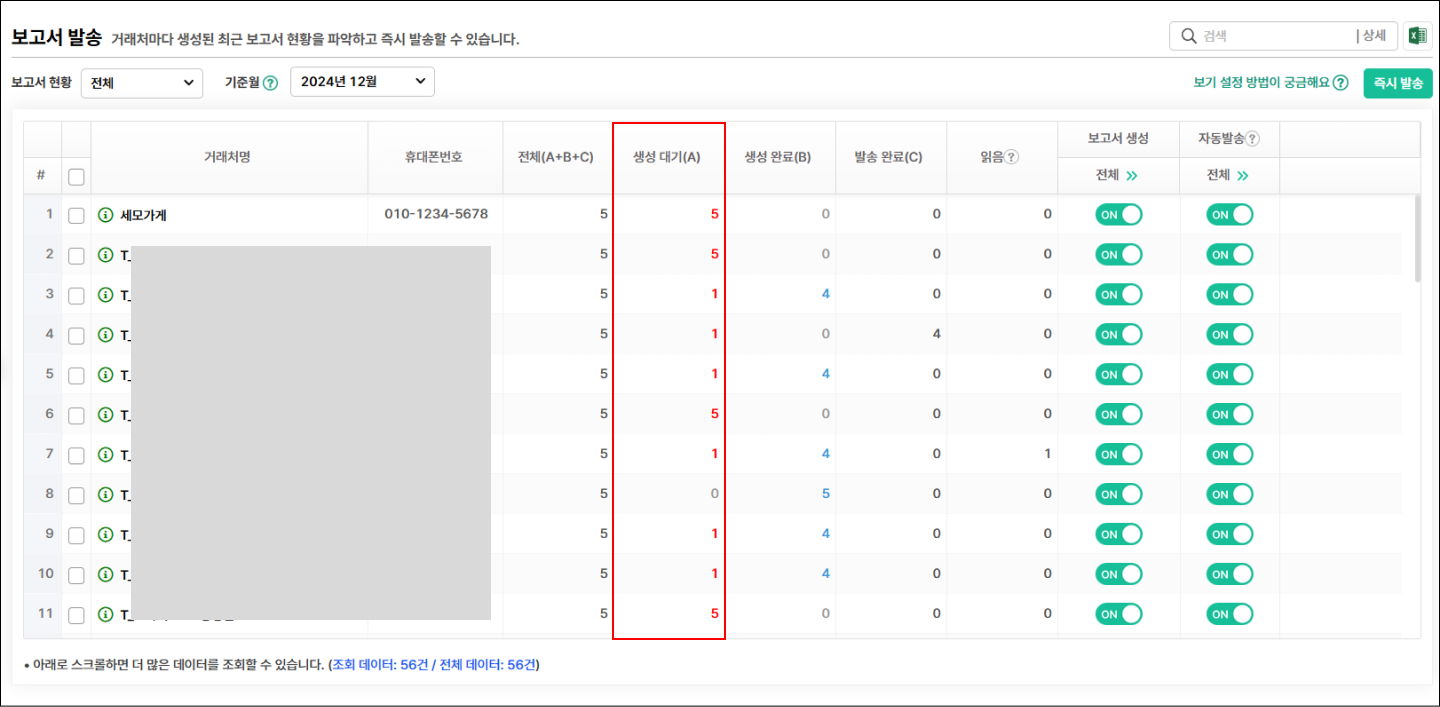
### 보고서 발송 → 생성대기 숫자 클릭

<figure><img src="https://1243755994-files.gitbook.io/~/files/v0/b/gitbook-x-prod.appspot.com/o/spaces%2FZXSHYkoP5SYS5NgPhxEP%2Fuploads%2FXERycJ2H38tgvCLhi75Y%2F%EB%B3%B4%EA%B3%A0%EC%84%9C%20%EB%B0%9C%EC%86%A1_1.png?alt=media&amp;token=50ab9512-1fd8-4757-b204-d079212341de" alt=""><figcaption><p>거래처를 클릭해 주세요</p></figcaption></figure>

## STEP 02.

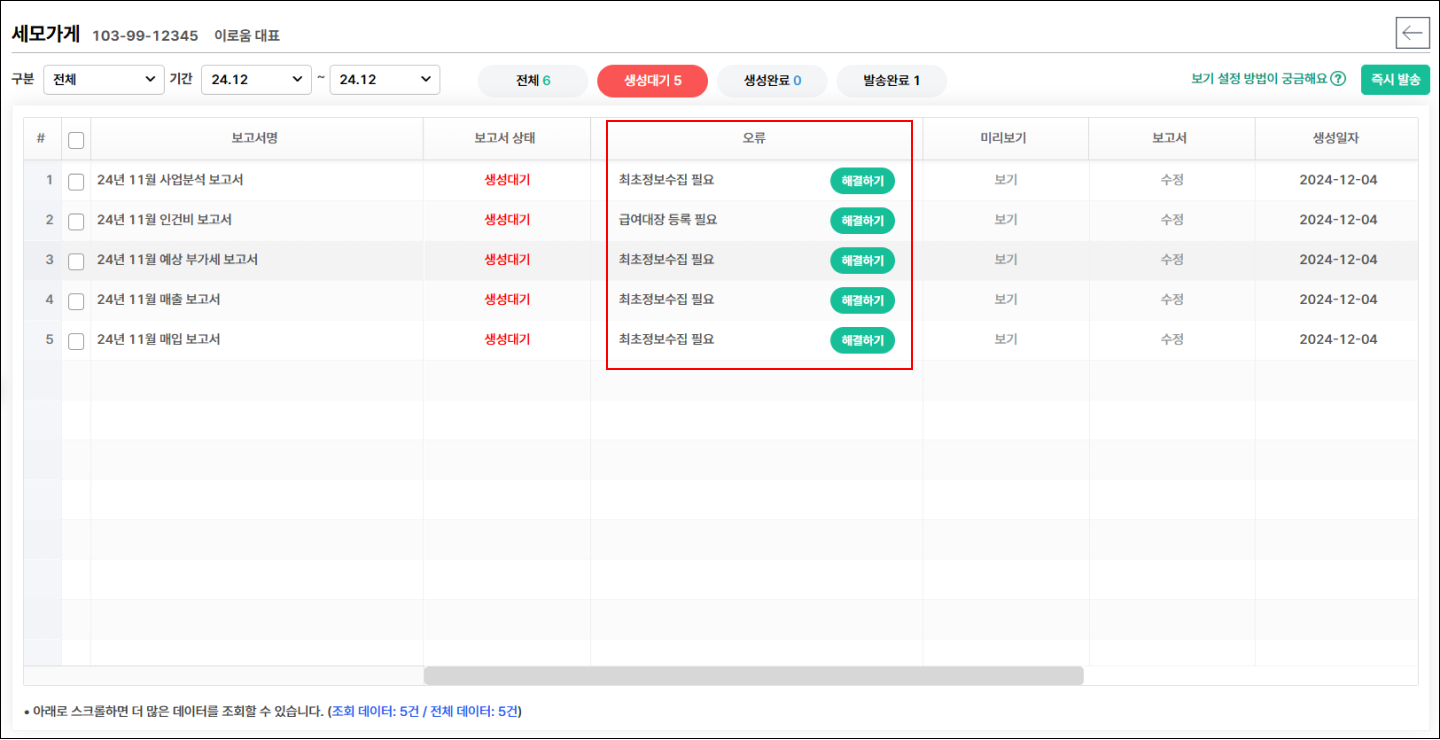
### 사유 확인 후 해결하기 버튼

<figure><img src="https://1243755994-files.gitbook.io/~/files/v0/b/gitbook-x-prod.appspot.com/o/spaces%2FZXSHYkoP5SYS5NgPhxEP%2Fuploads%2FdZl9rM3ULd4ZVaEUsjXl%2F%EB%B3%B4%EA%B3%A0%EC%84%9C%20%EB%B0%9C%EC%86%A1_2.png?alt=media&amp;token=e1d9e396-f60b-408b-9483-cf7a2c70150b" alt=""><figcaption></figcaption></figure>