> For the complete documentation index, see [llms.txt](https://help.semoreport.com/guide/llms.txt). Markdown versions of documentation pages are available by appending `.md` to page URLs; this page is available as [Markdown](https://help.semoreport.com/guide/faqlist/e1/8.md).
# 거래처에서 계좌연결이 안된다고 해요
등록하시려는 계좌와 카드가 사업용 이라면, 홈택스에 등록되었는지 확인해주세요
{% hint style="info" %}
* **홈택스에 사업용 계좌 등록하기**\
: 홈택스 홈페이지 → 신고/납부 메뉴 \
→ 사업용 계좌 개설 관리 → 인적 사항 입력 후 \
사업용 계좌번호 입력
* **홈택스에 사업용 카드 등록하기**\
**:** 홈택스 홈페이지 → 조회/발급 메뉴 \
→ 현금영수증 → 사업용 신용카드 \
→ 사업용 신용카드 등록 메뉴에서 카드 등록
{% endhint %}
사업용 계좌의 경우 홈택스에 등록된 계좌와 카드를 세모리포트에서 자동으로 블러올 수 있어요
{% hint style="info" %}
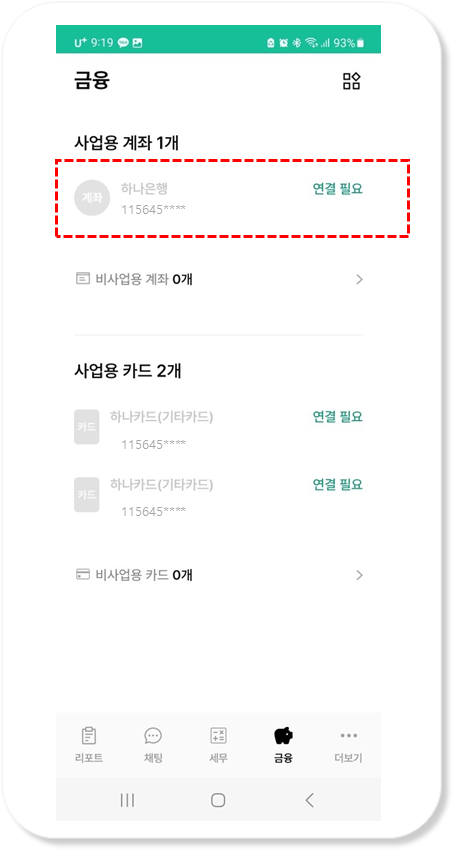
자동으로 정보를 불러와 아래처럼 흐린 글씨로 표시돼요
{% endhint %}
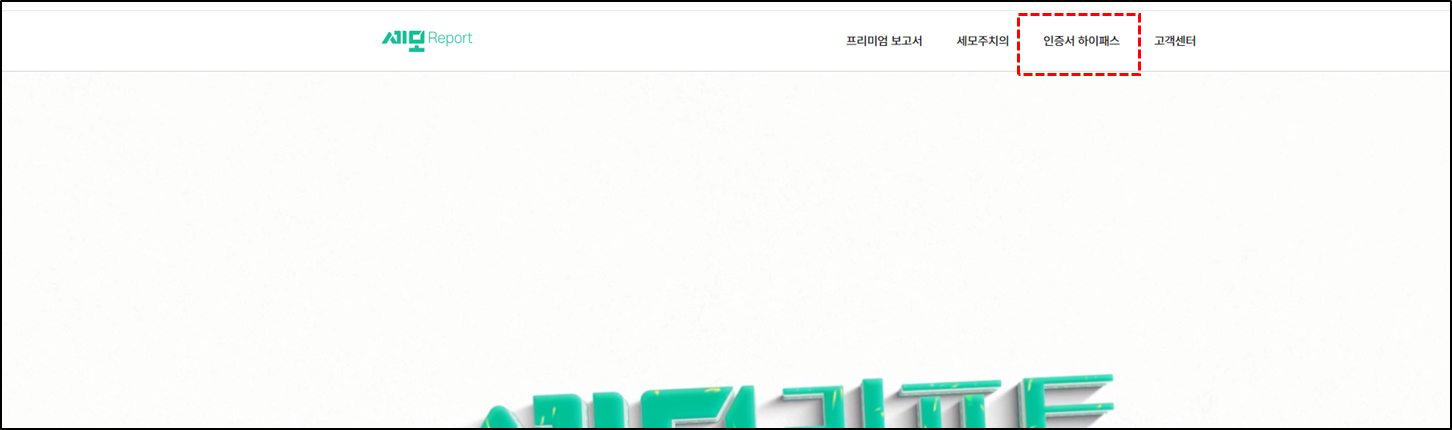
비활성화 된 계좌를 활성화 시키기 위해서는 사장님이 인증서 하이패스를 진행해주셔야 해요
{% hint style="info" %}
[semoreport.com](https://www.semoreport.com/) 또는 검색창에 "세모리포트" 검색 \
\>>>[사장님 도움말 바로가기](https://semo-report.gitbook.io/moguide/undefined-3/undefined)
{% endhint %}
사장님이 인증서로 계좌와 카드 연결을 완료하면, 세무사님은 세모리포트에서 내역을 확인하실 수 있어요
{% hint style="info" %}
[>>해당 경로 확인하기](https://semo-report.gitbook.io/guide/skill/7/3)
{% endhint %}