> For the complete documentation index, see [llms.txt](https://help.semoreport.com/guide/llms.txt). Markdown versions of documentation pages are available by appending `.md` to page URLs; this page is available as [Markdown](https://help.semoreport.com/guide/point/1.md).

# 리포트 종류 살펴보기

## 💡 핵심 꿀팁

{% hint style="info" %}

* 리포트를 통해 거래처에 필요한 서류를 요청하거나 보고서를 보낼 수 있어요
* 거래처에서 요청한 민원증명 서류가 세무사무소에서 발급하지 않아도 자동 발급 돼요
  {% endhint %}

<div align="left"><figure><img src="/files/Wf4TK5DcGZNuuJzuodSF" alt=""><figcaption></figcaption></figure></div>

## <mark style="color:blue;background-color:yellow;">1. 직원/급여 리포트 3종</mark>

<table><thead><tr><th width="242.33333333333331">종류</th><th width="413">상세내용</th><th>자동/수동</th><th data-hidden></th></tr></thead><tbody><tr><td><strong>급여요청</strong></td><td>급여를 계산하기 위해 필요한 급여 기초자료 요청</td><td>수동발송</td><td></td></tr><tr><td><strong>급여대장</strong></td><td>급여대장(정규직, 일용직)을 거래처에 발송</td><td>수동발송</td><td></td></tr><tr><td><strong>원천세 납부서</strong></td><td>자동 수집된 납부서 PDF를 거래처에 발송</td><td>수동발송</td><td></td></tr></tbody></table>

## <mark style="color:blue;background-color:yellow;">2. 보고서 리포트 9종</mark>

{% hint style="info" %}
위멤버스 > 수임처에 등록된 인증서로 매월 1일에 보고서가 생성되고, \
보고서 설정 > 보고서 생성 토글을 켜놨다면 20일에 보고서가 자동으로 발송돼요
{% endhint %}

<table><thead><tr><th width="226.33333333333331">종류</th><th width="413">상세내용</th><th>자동/수동</th><th data-hidden></th></tr></thead><tbody><tr><td><strong>사업분석 보고서</strong></td><td>거래처의 손익 분석, 세금 현황, 주변 상권 분석</td><td>자동/수동</td><td></td></tr><tr><td><strong>매출 보고서</strong></td><td>사업 현황을 점검해 볼 수 있는 월별, 분기별, 반기별, 연간 매출 집계 분석</td><td>자동/수동</td><td></td></tr><tr><td><strong>매입 보고서</strong></td><td>사업 현황을 점검해 볼 수 있는 월별, 분기별, 반기별, 연간 매입 집계 분석</td><td>자동/수동</td><td></td></tr><tr><td><strong>예상 부가세 보고서</strong></td><td>홈택스 매출매입 집계 기준 부가세 예상 금액 분석</td><td>자동/수동</td><td></td></tr><tr><td><strong>거래처 매출장 보고서</strong></td><td>분기 · 반기 전자(세금)계산서의 거래내역을 분석 , 부가세 신고 전 거래처의 거래내역을 종합적으로 검토</td><td>자동/수동</td><td></td></tr><tr><td><strong>거래처 매입장 보고서</strong></td><td>분기 · 반기 전자(세금)계산서의 거래내역을 분석, 부가세 신고 전 거래처의 거래내역을 종합적으로 검토</td><td>자동/수동</td><td></td></tr><tr><td><strong>영수증 보고서</strong></td><td>월별 증빙관리의 수기증빙 기준으로 조회</td><td>자동/수동</td><td></td></tr><tr><td><strong>인건비 보고서</strong></td><td>급여대장 기준으로 직원의 급여 현황 등 인건비 분석</td><td>수동발송</td><td></td></tr><tr><td><strong>부가세 신고분석 보고서</strong></td><td>홈택스에 신고완료된 부가세 신고서를 기준으로 <br>매출세액, 매입세액, 공제세액, 환급세액 등을 자세히 분석</td><td>수동발송</td><td></td></tr></tbody></table>

## <mark style="color:blue;background-color:yellow;">3. 그 외</mark>

<table><thead><tr><th width="226.33333333333331">종류</th><th width="413">상세내용</th><th>자동/수동</th><th data-hidden></th></tr></thead><tbody><tr><td><strong>민원증명</strong><br><strong>(25.09.30 종료)</strong></td><td>8종 서류 PDF 발급<br>- 사업자등록증명<br>- 납세증명서 (국세완납증명)<br>- 납부내역증명 (납세사실증명)<br>- 소득금액증명<br>- 부가가치세 과세표준증명<br>- 면세사업자 수입금액증명<br>- 표준재무제표 증명<br>- 사업자등록증 재발급</td><td>자동발송</td><td></td></tr><tr><td><strong>사업용 카드&#x26;계좌 정보</strong></td><td><p>홈택스에 사업용으로 등록된 계좌와 카드를</p><p>자동 수집하여 누락되지 않도록 사전 알림</p></td><td>수동발송</td><td></td></tr><tr><td><strong>부가세 납부서</strong></td><td>자동 수집된 납부서 PDF를 거래처에 발송</td><td>수동발송</td><td></td></tr></tbody></table>

{% hint style="info" %}
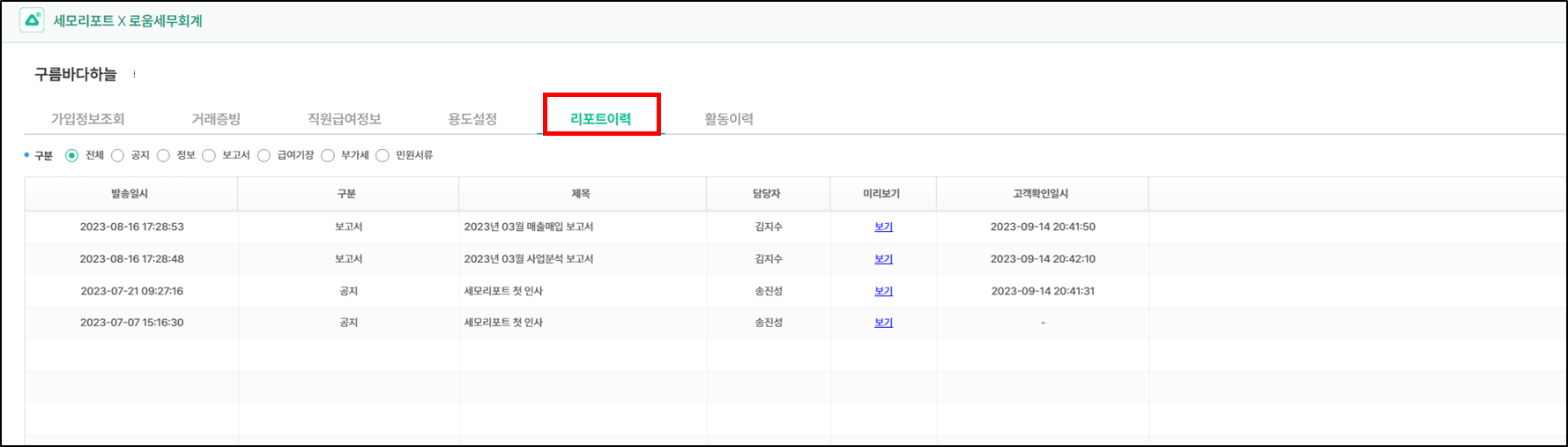
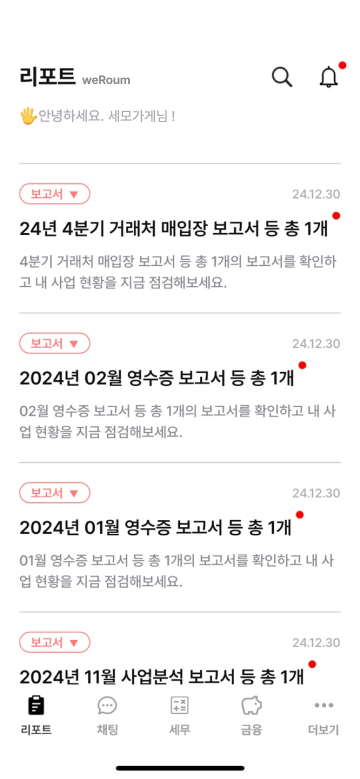
**보고서&리포트 발송 이력 : 세모리포트 앱에서 확인 가능**

**위멤버스 > 세모리포트 앱 > 사업자번호 클릭 > 리포트이력**
{% endhint %}

<figure><img src="/files/zXL0iWwRTZZ9ICw8JiaC" alt=""><figcaption></figcaption></figure>