> For the complete documentation index, see [llms.txt](https://help.semoreport.com/guide/llms.txt). Markdown versions of documentation pages are available by appending `.md` to page URLs; this page is available as [Markdown](https://help.semoreport.com/guide/setup/logosetup.md).
# 로고 설정
## 💡 핵심 꿀팁
{% hint style="info" %}
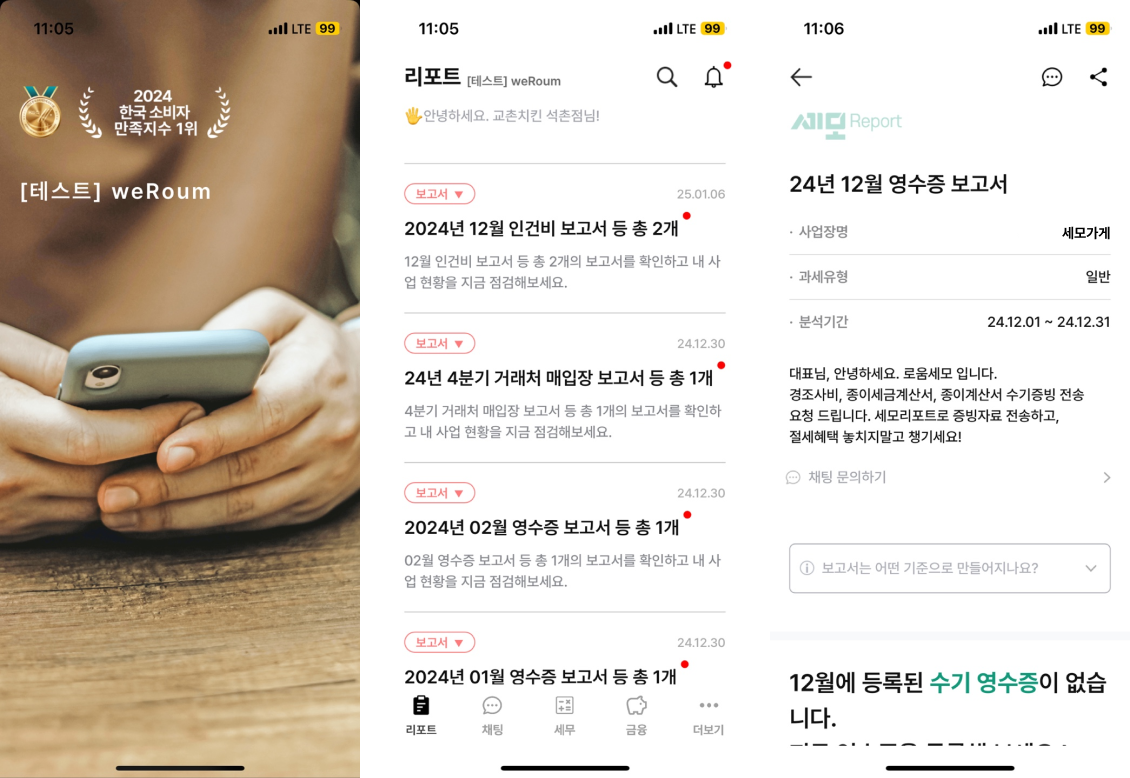
* 거래처에서 로그인할 때마다 세무사무소 로고가 보여요
* 보고서 리포트 상단에 로고가 들어가요
{% endhint %}
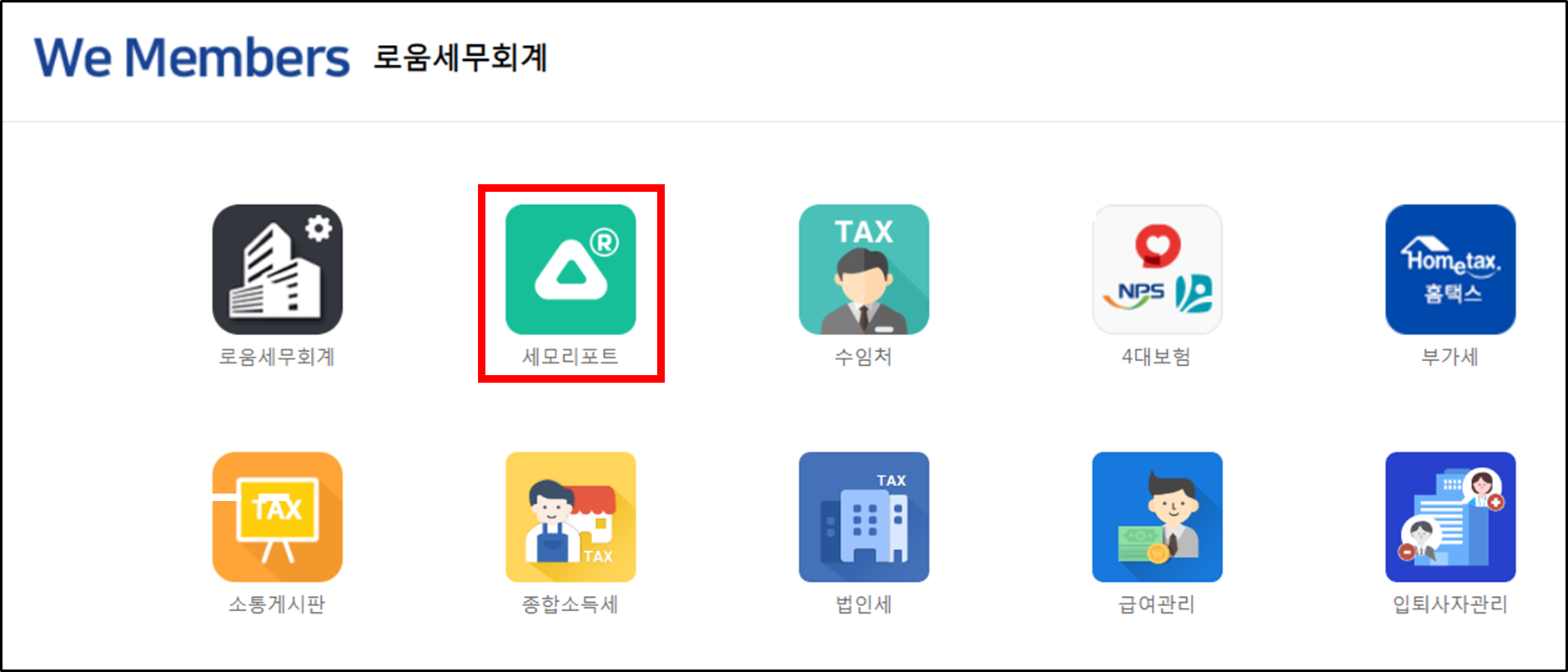
## STEP 1. 세모리포트 앱 접속
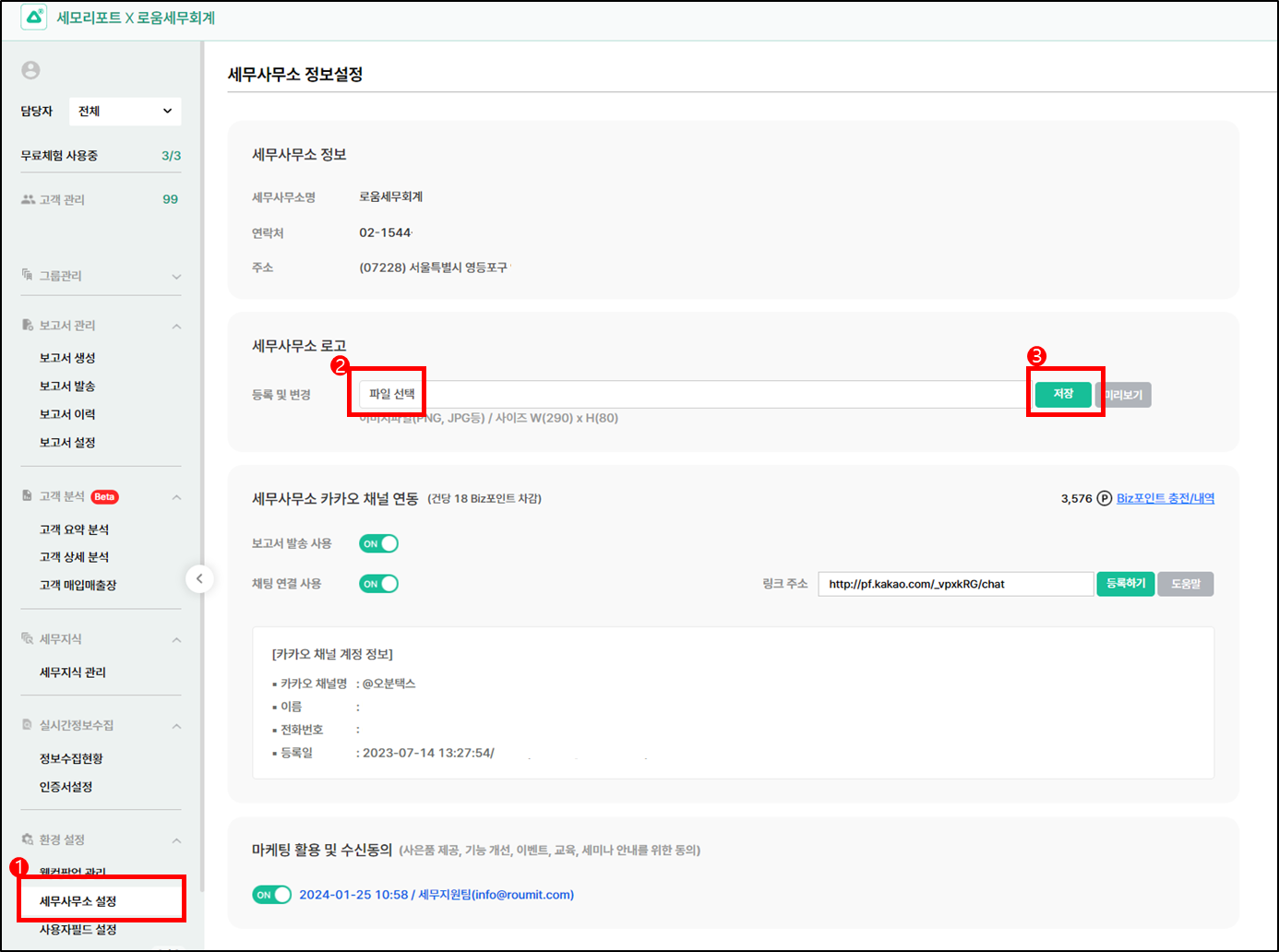
## STEP 2. 환경 설정>세무사무소 설정
{% hint style="info" %}
세무사무소 관리자 계정으로 접속해야만 설정 가능
파일선택 > 저장
{% endhint %}