# 원천세 납부서 발송하기

## 💡 핵심 꿀팁

{% hint style="info" %}

* 거래처에서 원천세 납부서를 앱으로 받아볼 수 있어요
* 앱으로 바로 원천세를 납부할 수 있어요
  {% endhint %}

![](/files/S3QHUV4qO4H0gzeS6jQy)

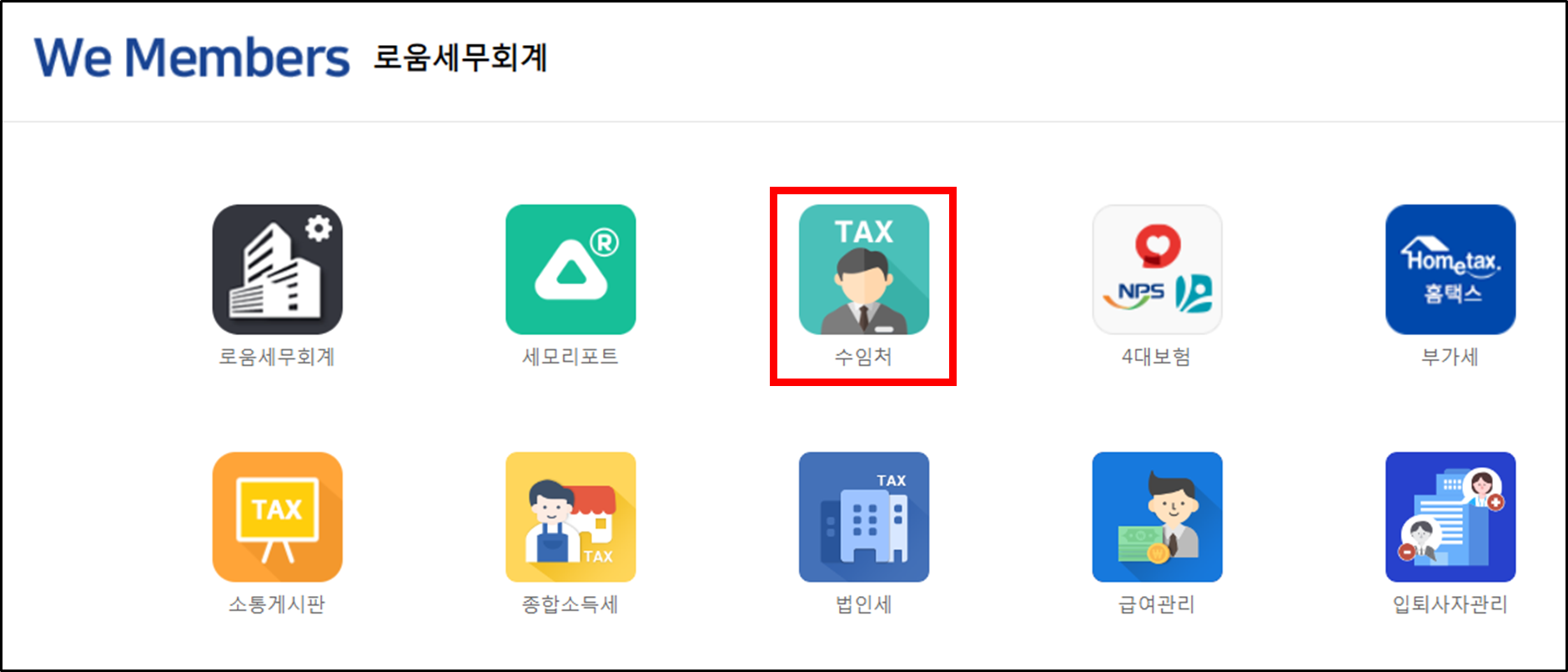
## STEP 1. 수임처 App 접속

<figure><img src="/files/h6HFX5TLrP1ZGkv5nspC" alt=""><figcaption></figcaption></figure>

## STEP 2. 납부서 가져오기&#x20;

{% hint style="danger" %}

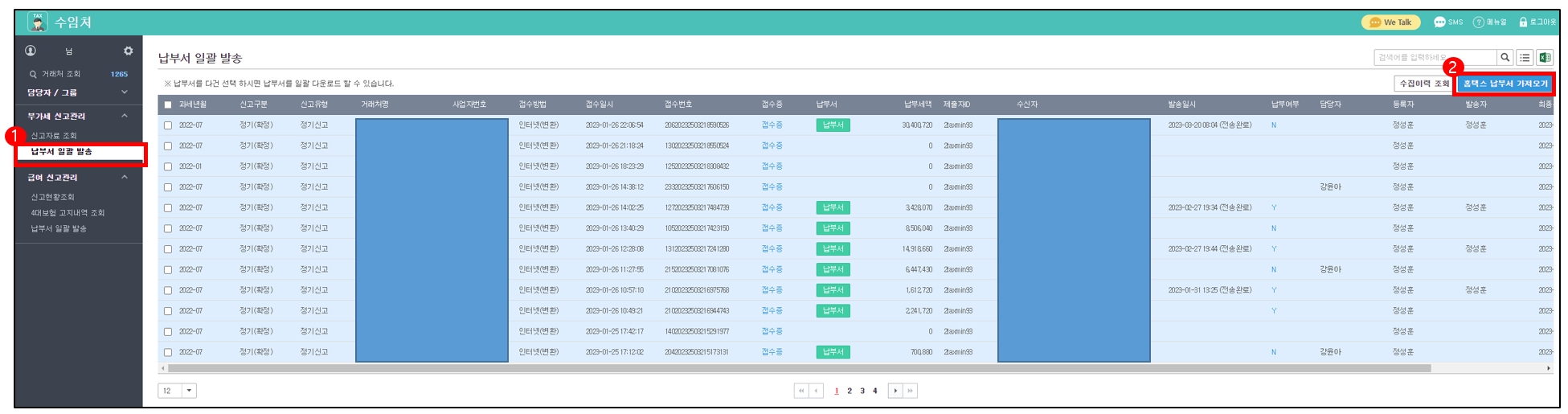
* 납부서 일괄발송 > 납부서(홈택스, 위택스) 가져오기 클릭
* 조회 기간은 최대 일주일까지 가능하며, 납부서는 매일 1\~11일 새벽에 자동 수집돼요\
  세모리포트 이용 수임처에만 전송 버튼이 보여요 😁
  {% endhint %}

<figure><img src="/files/321lDJLe6Yc2Xp9CQ7NG" alt=""><figcaption></figcaption></figure>

## STEP 3. 납부서 발송

근로/사업/일용/기타 소득별 납부서 PDF 확인이 가능해요

---

# Agent Instructions: Querying This Documentation

If you need additional information that is not directly available in this page, you can query the documentation dynamically by asking a question.

Perform an HTTP GET request on the current page URL with the `ask` query parameter:

```
GET https://help.semoreport.com/guide/skill/1/4.md?ask=<question>
```

The question should be specific, self-contained, and written in natural language.
The response will contain a direct answer to the question and relevant excerpts and sources from the documentation.

Use this mechanism when the answer is not explicitly present in the current page, you need clarification or additional context, or you want to retrieve related documentation sections.