> For the complete documentation index, see [llms.txt](https://help.semoreport.com/update/llms.txt). Markdown versions of documentation pages are available by appending `.md` to page URLs; this page is available as [Markdown](https://help.semoreport.com/update/update-2/2407_1.md).
# \[7월 첫 번째] 업데이트
매주 새롭게 업데이트 되는 소식들을 알려드려요!
안녕하세요, 세모리포트입니다.
2024년 7월 첫 번째 업데이트 소식 알려드립니다.☺
{% hint style="success" %}
***💛 소중한 의견이 반영되었습니다*** ***💛***
**-** **고객상세분석 PDF 다운로드 개선** (가현세무법인 최\*용님, 반세무회계사무소 반\*홍님)
{% endhint %}
{% hint style="info" %}
📌요약
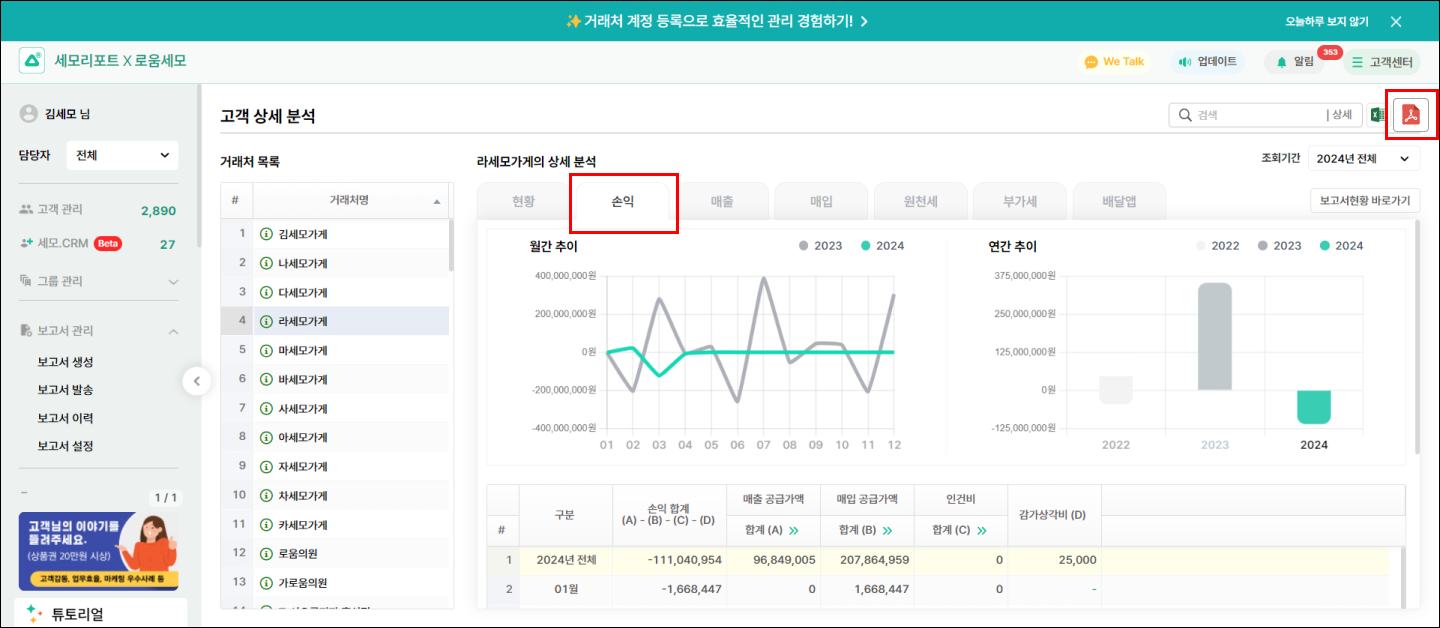
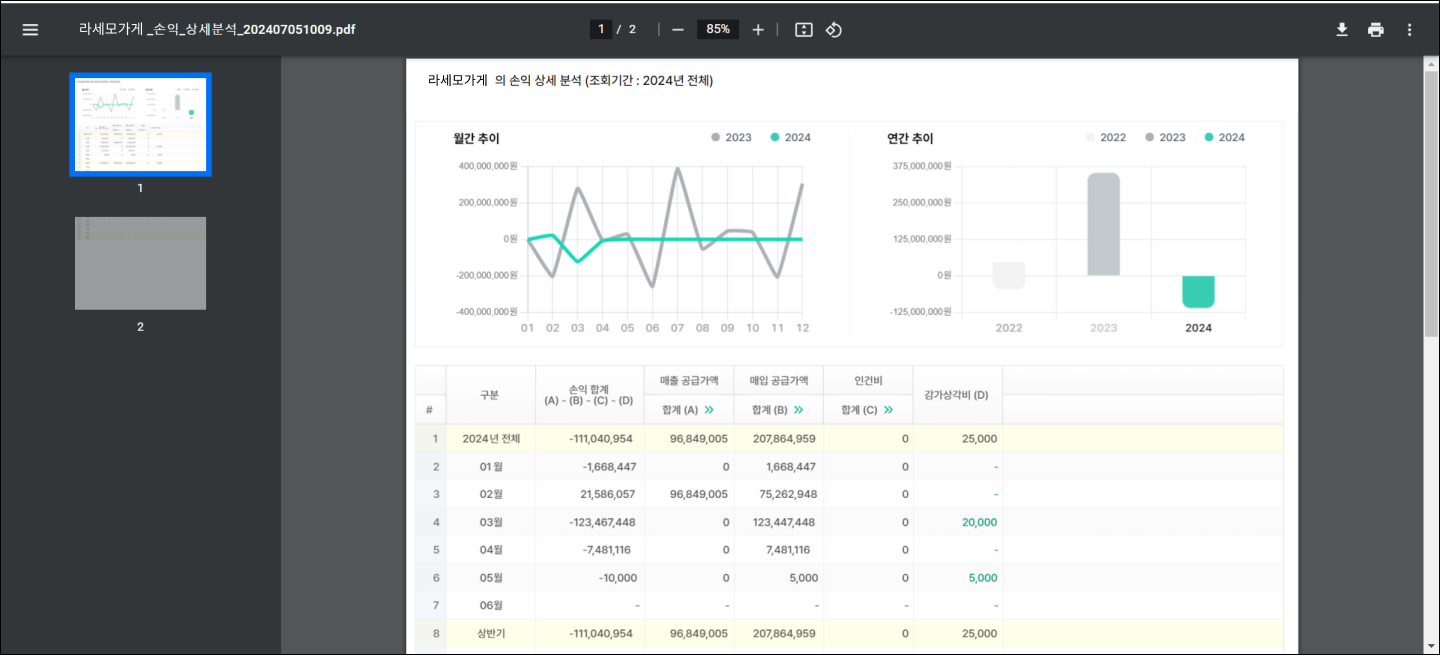
* 고객분석 > 고객상세분석(메뉴)에 있는 항목을 PDF로 저장할 수 있어요
{% endhint %}
## 1. 원하는 항목 선택 후, PDF 저장을 할 수 있어요
{% hint style="success" %}
* 현황, 손익, 매출, 매입, 원천세, 부가세, 배달앱(탭) 중,\
원하는 항목 선택 > 우측 상단의 PDF 버튼을 클릭 해, 저장할 수 있어요
{% endhint %}
{% hint style="info" %}
조회기간 변경 후, PDF 파일을 저장 할 경우 어떻게 저장되나요?
* 변경한 조회기간의 데이터 PDF 파일을 확인할 수 있어요
{% endhint %}
:bulb: **이렇게 활용할 수 있어요 !**
* 직전년도와 당해년도의 월간 추이 및 연간 추이를 확인할 수 있어요
* 반기별로 수임처(거래처)에게 사업현황을 공유하고 컨설팅에 활용할 수 있어요
* 부가세의 경우, 예상 부가세와 신고된 부가세내역을 한번에 확인할 수 있어요
감사합니다.