# \[8월 두 번째] 업데이트

안녕하세요, 세모리포트입니다.

2024년 8월 두 번째 업데이트 소식 알려드립니다.☺&#x20;

{% hint style="success" %}
*<mark style="color:purple;">**💛 소중한 의견 반영되어 소정의 선물을 드립니다**</mark>* *<mark style="color:purple;">**💛**</mark>*&#x20;

**-법인 사업용 계좌/카드 정보 연동**\
&#x20;(인성회계법인 서\*란님, 인성회계법인 이\*현님,이음세무회계 방\*권님, \
&#x20; 인성회계법인 이\*헌님, 제니스세무회계 이\*정님, 반 세무회계 반\*홍님, \
&#x20;  엑스퍼트 강남점 강\*정님)\
\
\&#xNAN;**-병의원 건강보험 매출 데이터 수집(요양/의료)**\
&#x20;(세무법인 엑스퍼트 김\*겸님)
{% endhint %}

{% hint style="info" %}
📌요약

* 개인/법인 사업자의 사업용계좌와 카드내역조회를 확인할 수 있어요
* 병의원 메뉴가 새롭게 오픈되었어요!
* 병의원의 진료수입 분석표를 만들 수 있고, 요양 및의료급여 자료를 확인할 수 있어요
  {% endhint %}

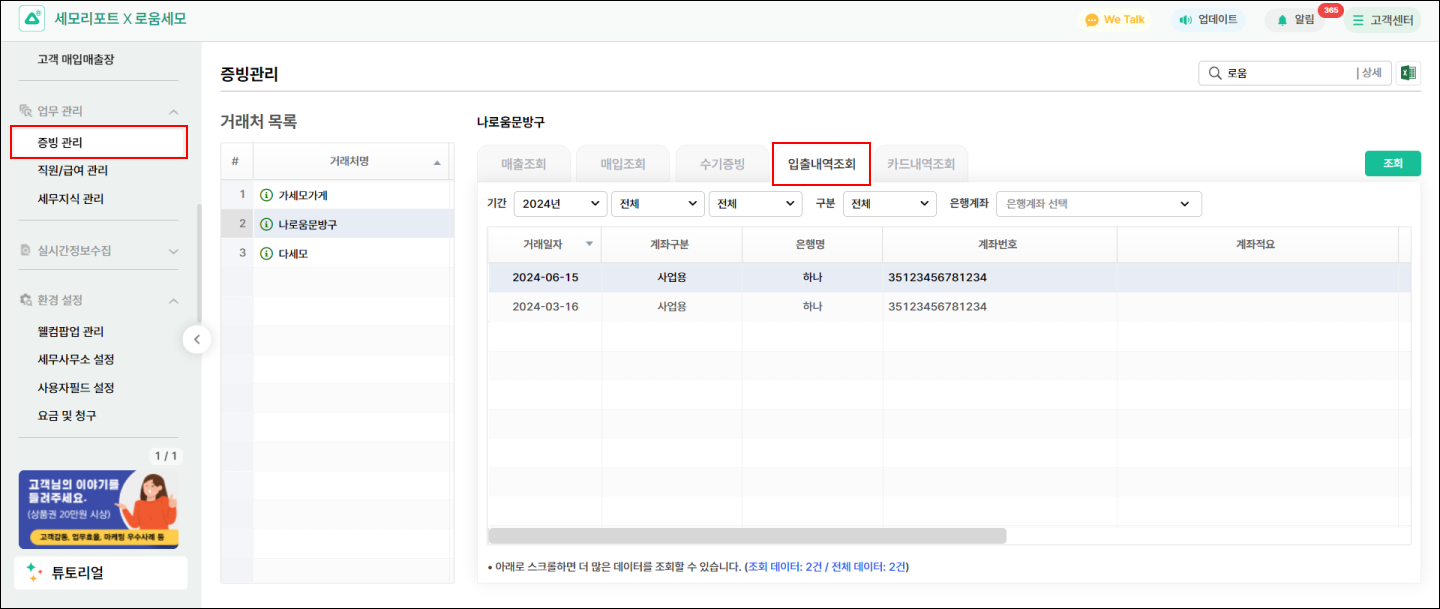
## 1. 법인사업자의 사업용계좌를 확인할 수 있어요

{% hint style="success" %}
세모리포트(APP) > 금융(메뉴) > 하이패스 연동 시, 기업용 인증서를 등록하면 \
세모리포트(PC) > 증빙관리 > 입출내역조회(탭)에서 사업용계좌를 확인할 수 있어요
{% endhint %}

<figure><img src="/files/6PlIcsGHXPpi3iTZxj3s" alt=""><figcaption></figcaption></figure>

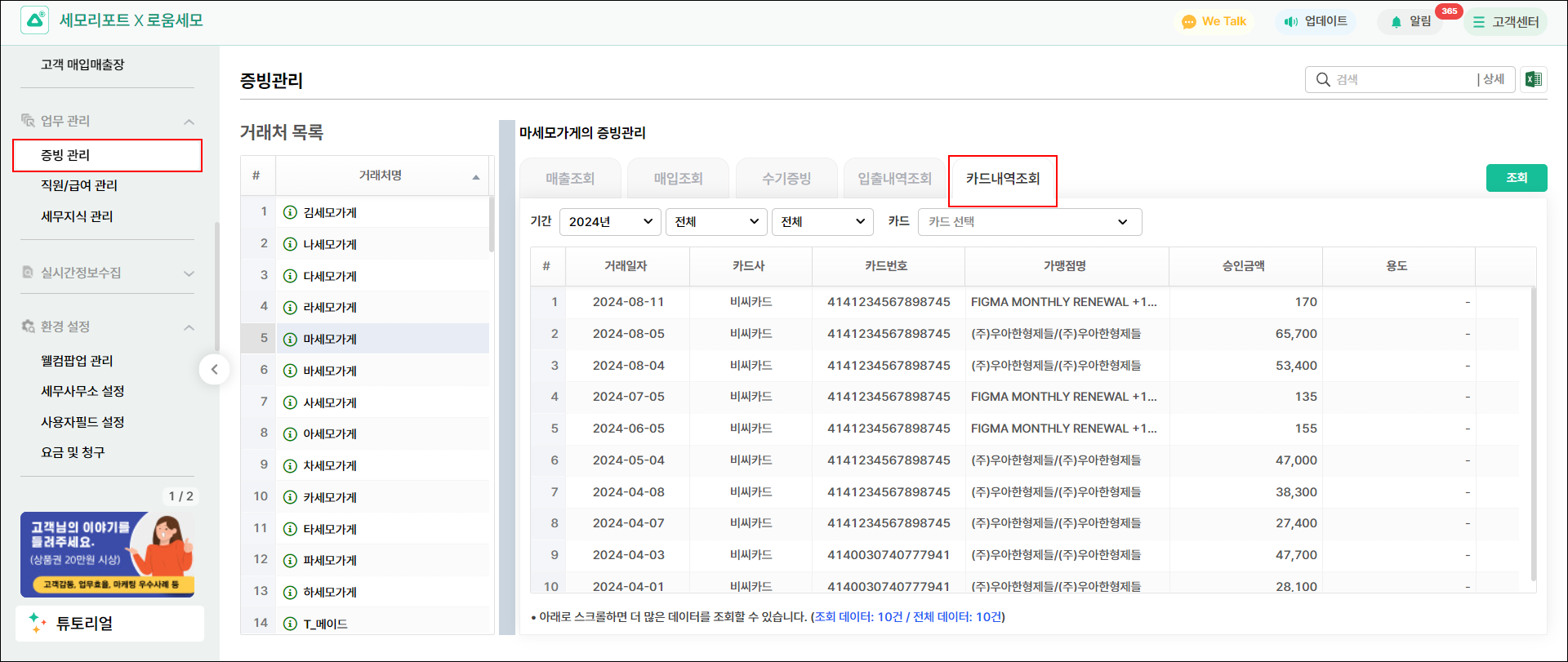
#### 사업/비사업용 카드내역조회 확인이 가능해요

{% hint style="success" %}
세모리포트(APP) > 금융(메뉴) > 하이패스 연동 시, 개인/기업용 인증서 등록 할 경우 \
세모리포트(PC) > 증빙관리 > 카드내역조회(탭)에서 사용내역을 확인할 수 있어요
{% endhint %}

<figure><img src="/files/EaeqNiDnkpxJrFocTijr" alt=""><figcaption></figcaption></figure>

***

[병의원(요양·의료급여) 도움말 바로가기 >>](https://help.semoreport.com/guide/add1/hospi)

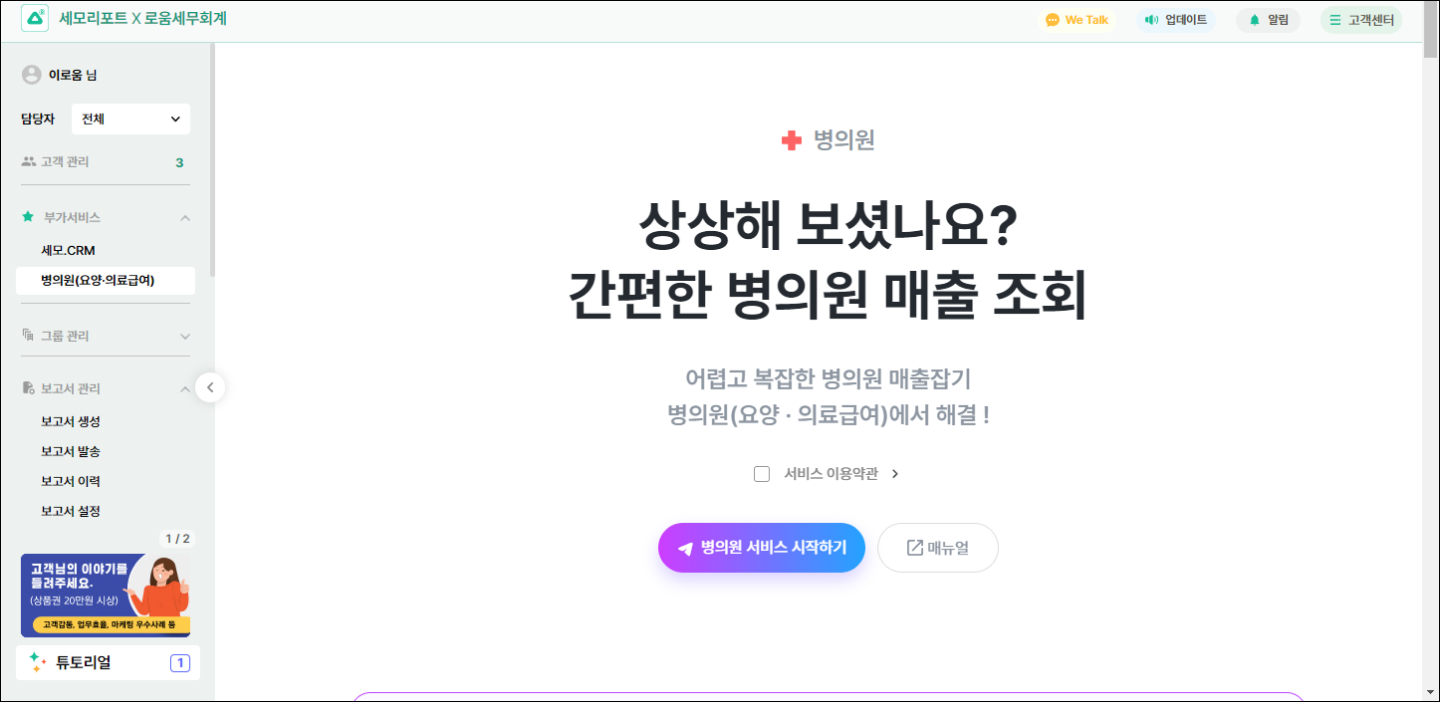
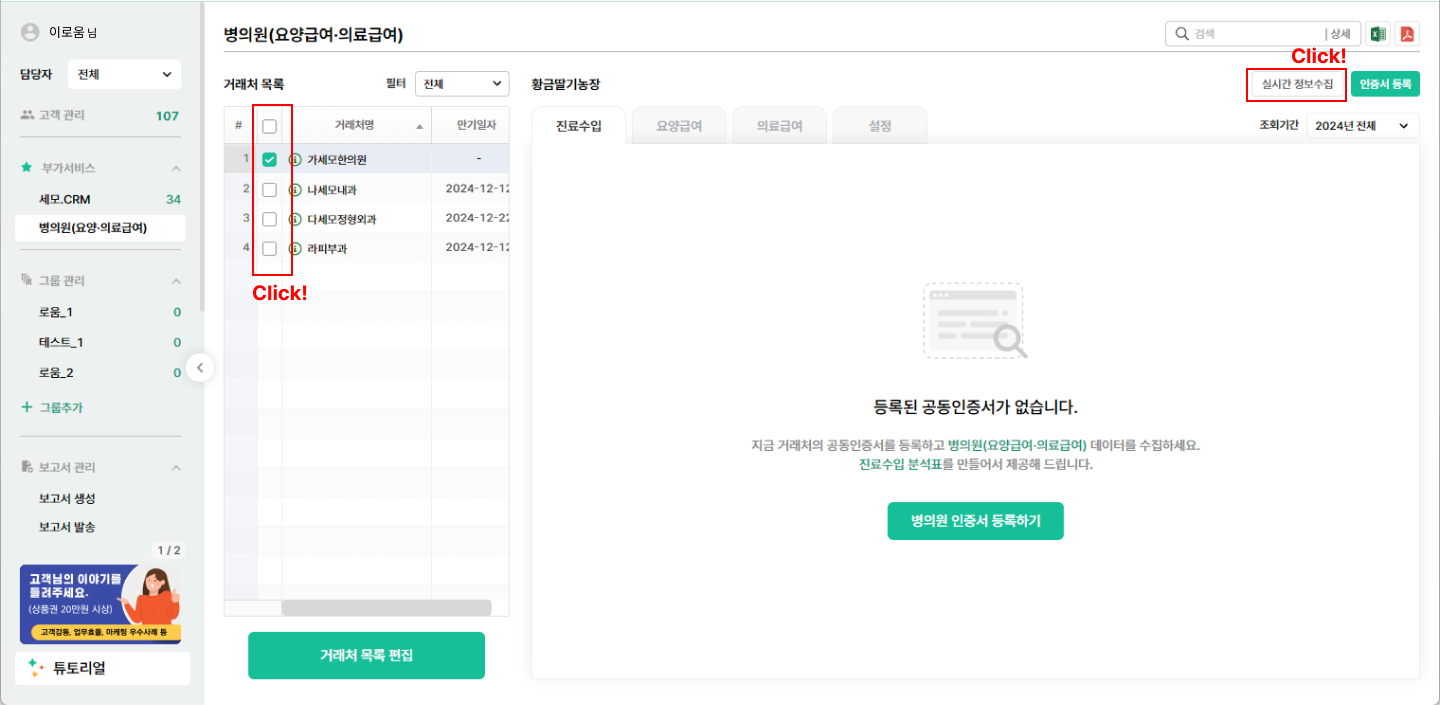
## 2. 병의원진료수입 분석표를 만들 수 있어요&#x20;

<figure><img src="/files/MPJmbgytL3tdreXTkGi4" alt=""><figcaption></figcaption></figure>

<figure><img src="/files/LytNLNjKeGvLD4c1xevd" alt=""><figcaption><p>거래처를 선택해보세요.</p></figcaption></figure>

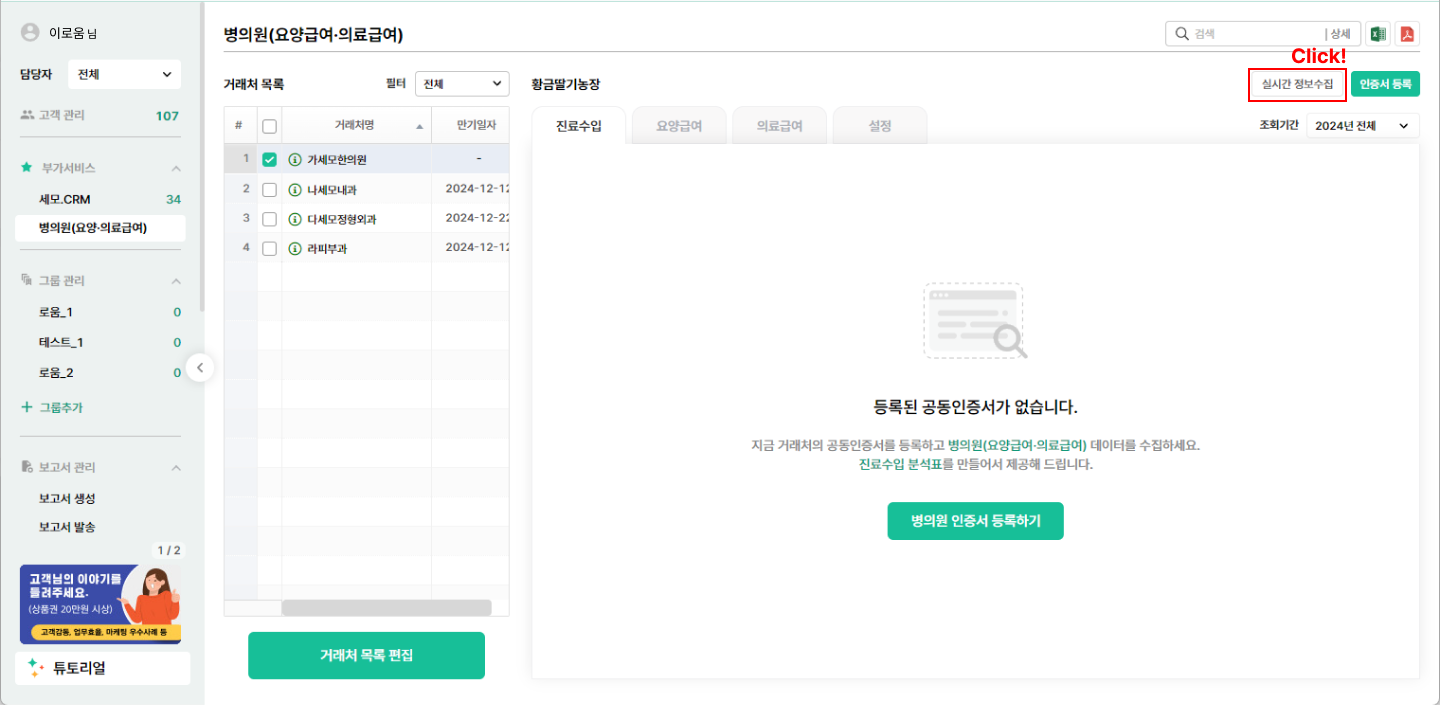
<figure><img src="/files/6KlzAqR0tOejYbqQ1RJD" alt=""><figcaption><p>실시간 정보수집을 클릭해보세요.</p></figcaption></figure>

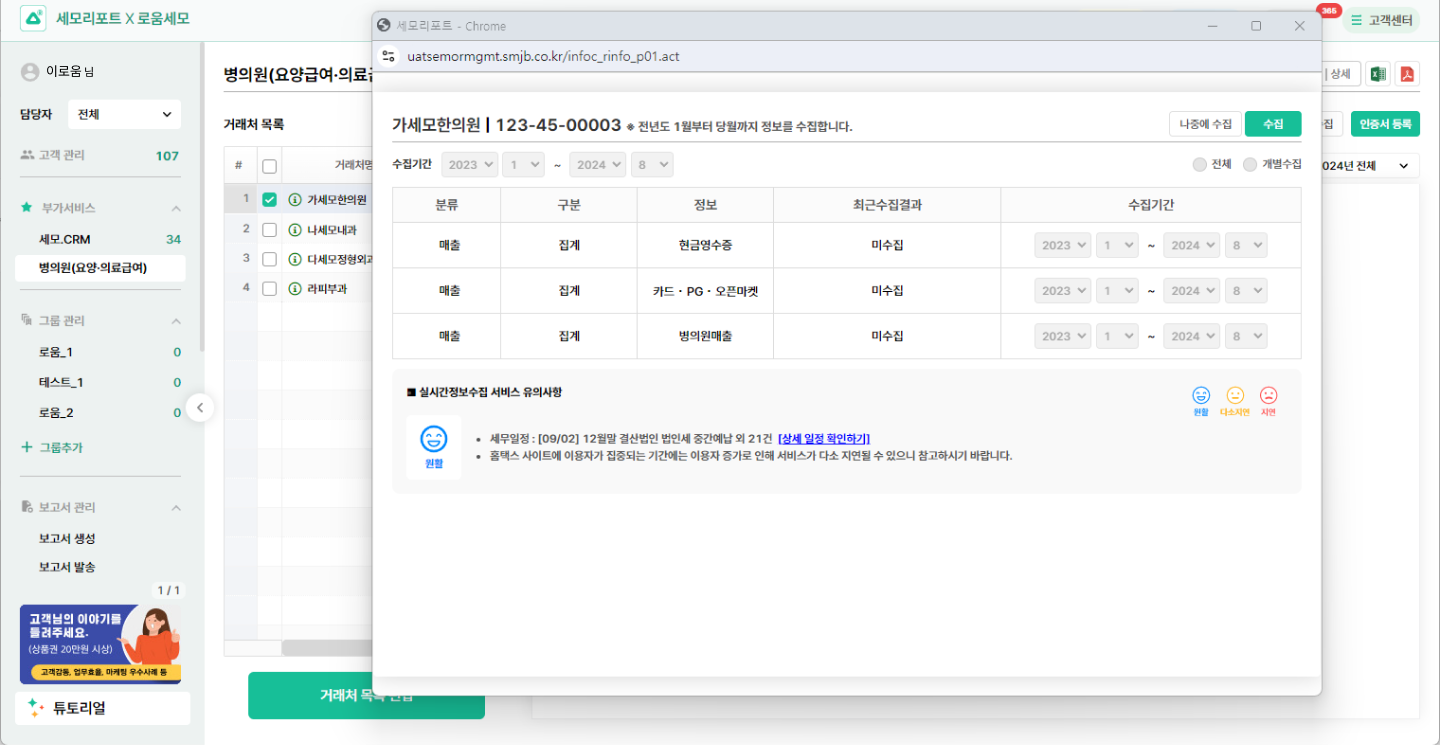
<figure><img src="/files/C5bqHbhXnZ1yhCrh5rtH" alt=""><figcaption><p>데이터 수집항목을 확인해보세요.</p></figcaption></figure>

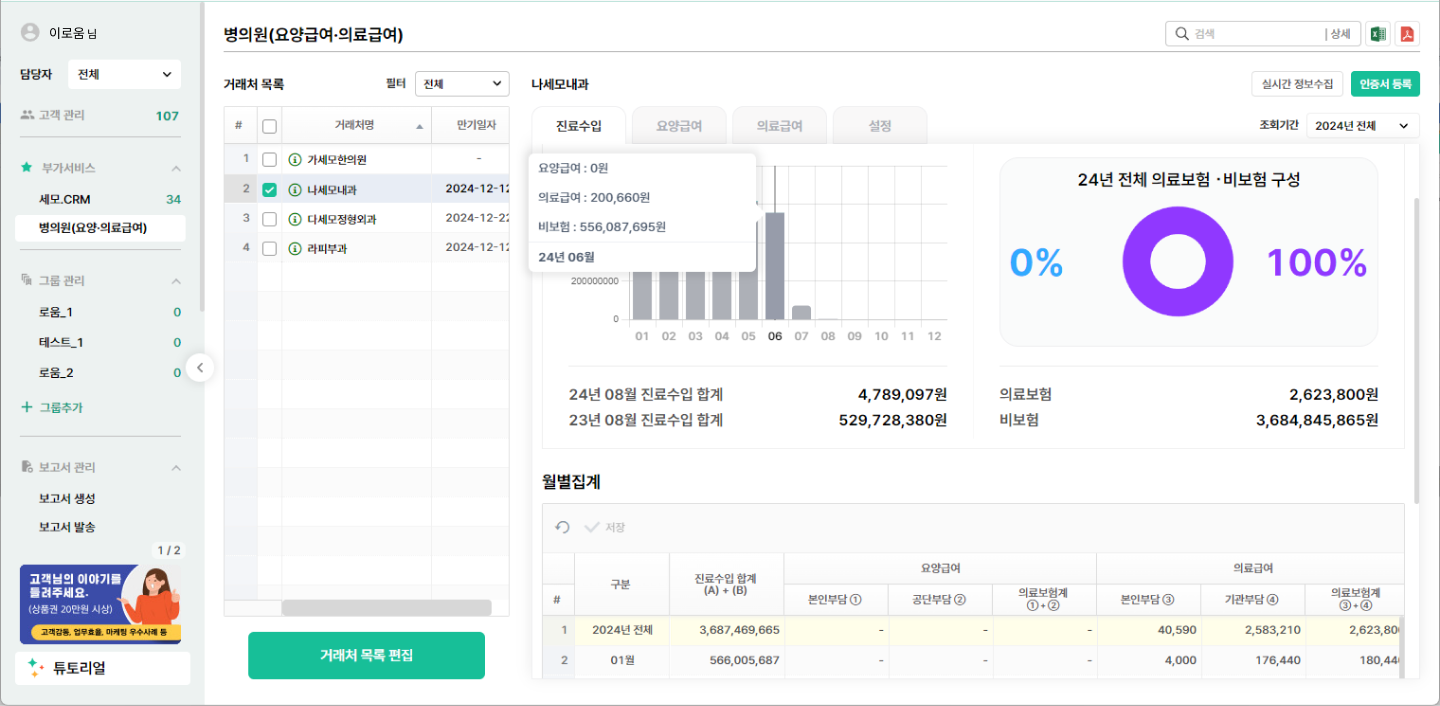
<figure><img src="/files/n5NJkxyEqynGpuUykgxS" alt=""><figcaption><p>진료수입분석표를 활용해보세요.</p></figcaption></figure>

{% tabs %}
{% tab title="진료수입" %}

<figure><img src="/files/U8ly4KxmLU9GkFbdMxm8" alt=""><figcaption><p>엑셀과 PDF로 다운로드 받을 수 있습니다.</p></figcaption></figure>
{% endtab %}

{% tab title="요양급여" %}

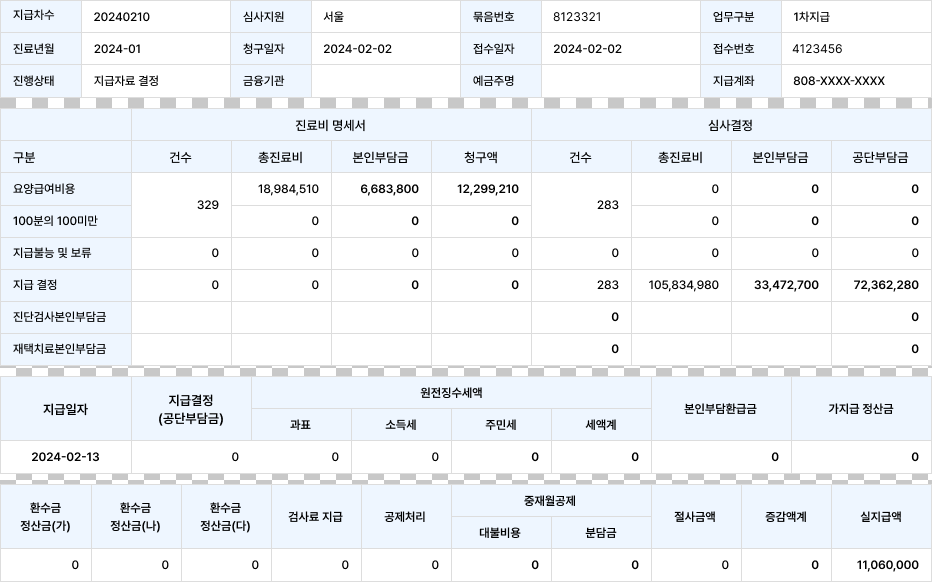
<figure><img src="/files/MUrab0BjNjMIJlKkfrCU" alt=""><figcaption><p>진료년월 기준으로 월별 집계 제공</p></figcaption></figure>
{% endtab %}

{% tab title="의료급여" %}

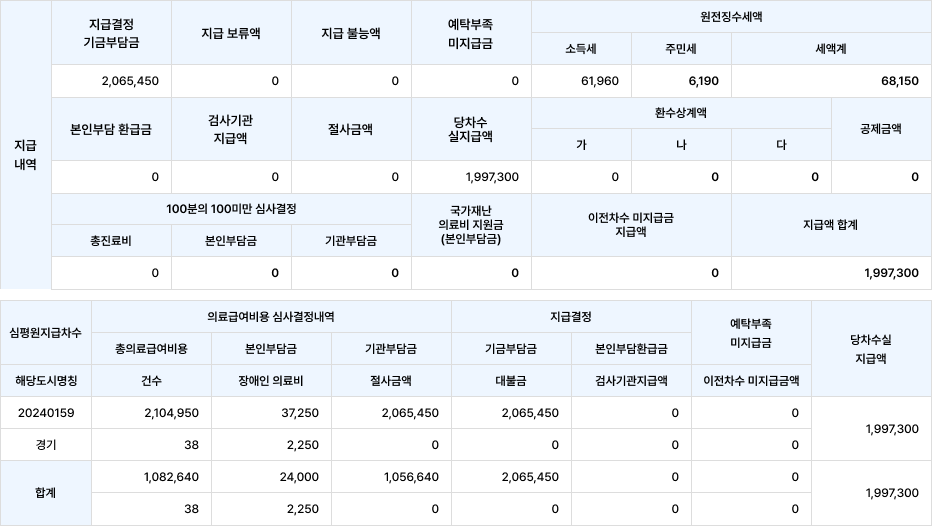
<figure><img src="/files/8Zpw86NRhZZyO8pvB5dt" alt=""><figcaption><p>진료년월 기준으로 월별 집계 제공</p></figcaption></figure>
{% endtab %}
{% endtabs %}

감사합니다.


---

# Agent Instructions: Querying This Documentation

If you need additional information that is not directly available in this page, you can query the documentation dynamically by asking a question.

Perform an HTTP GET request on the current page URL with the `ask` query parameter:

```
GET https://help.semoreport.com/update/update-2/2408_2.md?ask=<question>
```

The question should be specific, self-contained, and written in natural language.
The response will contain a direct answer to the question and relevant excerpts and sources from the documentation.

Use this mechanism when the answer is not explicitly present in the current page, you need clarification or additional context, or you want to retrieve related documentation sections.