> For the complete documentation index, see [llms.txt](https://help.semoreport.com/update/llms.txt). Markdown versions of documentation pages are available by appending `.md` to page URLs; this page is available as [Markdown](https://help.semoreport.com/update/update-2/update-1.md).
# \[6월 첫 번째] 업데이트
매주 새롭게 업데이트 되는 소식들을 알려드려요!
안녕하세요, 세모리포트입니다.
2024년 6월 첫 번째 업데이트 소식 알려드립니다.☺
{% hint style="success" %}
***💛 소중한 의견 반영되어 소정의 선물을 드립니다*** ***💛***
**-** **검색 옵션 개선** (세무법인 다승 이\*정님)
{% endhint %}
{% hint style="info" %}
📌요약
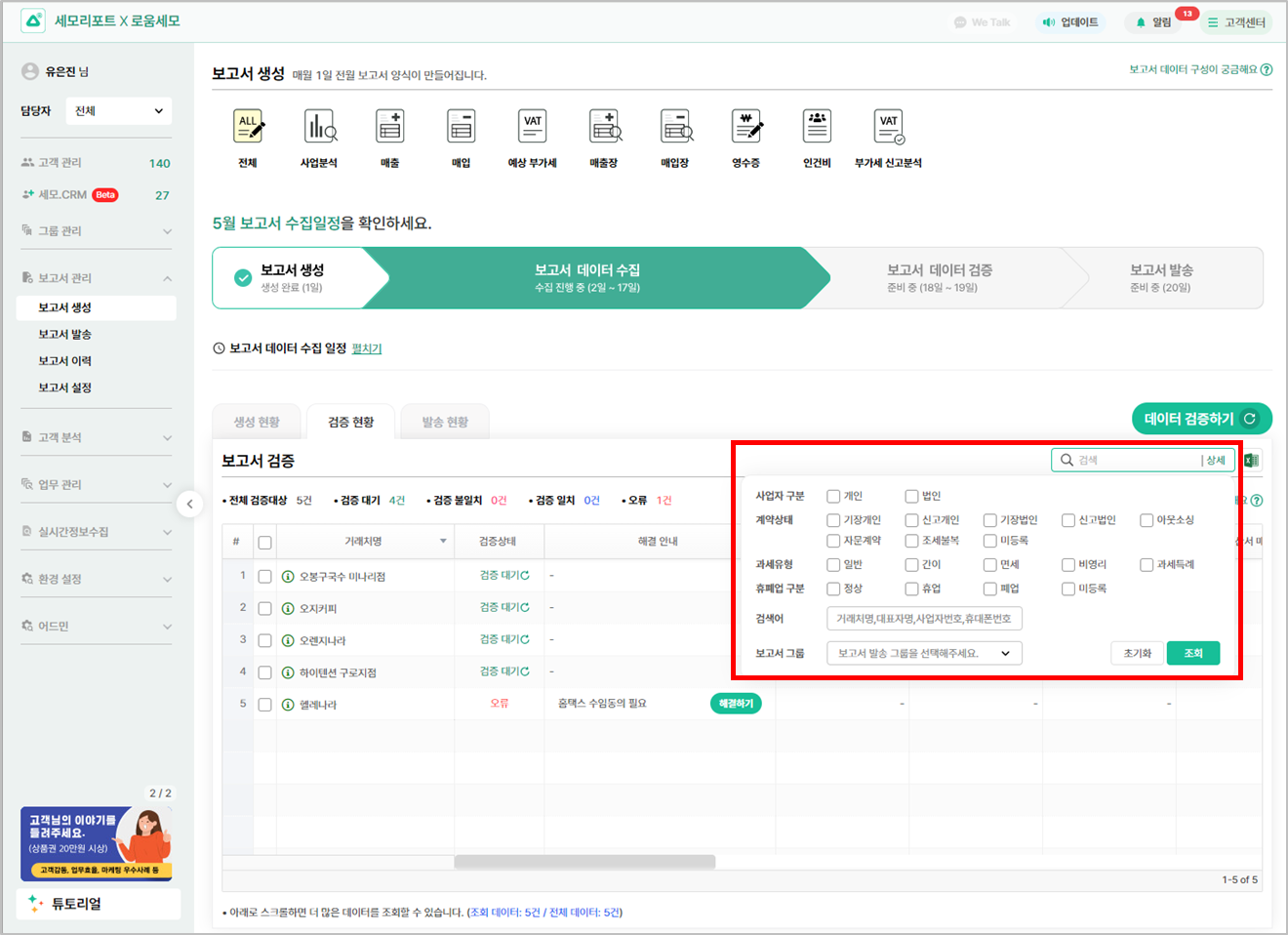
* 거래처명이 있는 컬럼에는 검색 상세 옵션이 공통으로 추가되었어요
{% endhint %}
## 1. 원하는 옵션을 선택해서 검색할 수 있어요
{% hint style="info" %}
* 이제 더욱 정교하고 효율적인 검색이 가능하며, \
보고서 생성 > 검증현황 탭에서도 \
**보고서 발송 그룹을 선택해서 원하는 그룹의 거래처만 검증을 진행**할 수 있어요
* 거래처 공통 필터 : 사업자 구분 / 계약상태 / 과세유형 / 휴폐업 구분 / 검색어 / 보고서 그룹
{% endhint %}
{% hint style="info" %}
보고서 그룹이란?
보고서 설정에서 지정해둔 거래처 그룹
{% endhint %}
감사합니다.