# \[4월 첫 번째] 업데이트

안녕하세요, 세모리포트입니다.

4월 첫 번째 업데이트 소식 알려드립니다.☺

{% hint style="success" %}
*<mark style="color:purple;">**💛 소중한 의견 반영되어 상품권을 드립니다**</mark>* *<mark style="color:purple;">**💛**</mark>*&#x20;

\- **민원증명 개선** (세무법인청년들 마\*님)
{% endhint %}

### \[업데이트 내용\_PC]

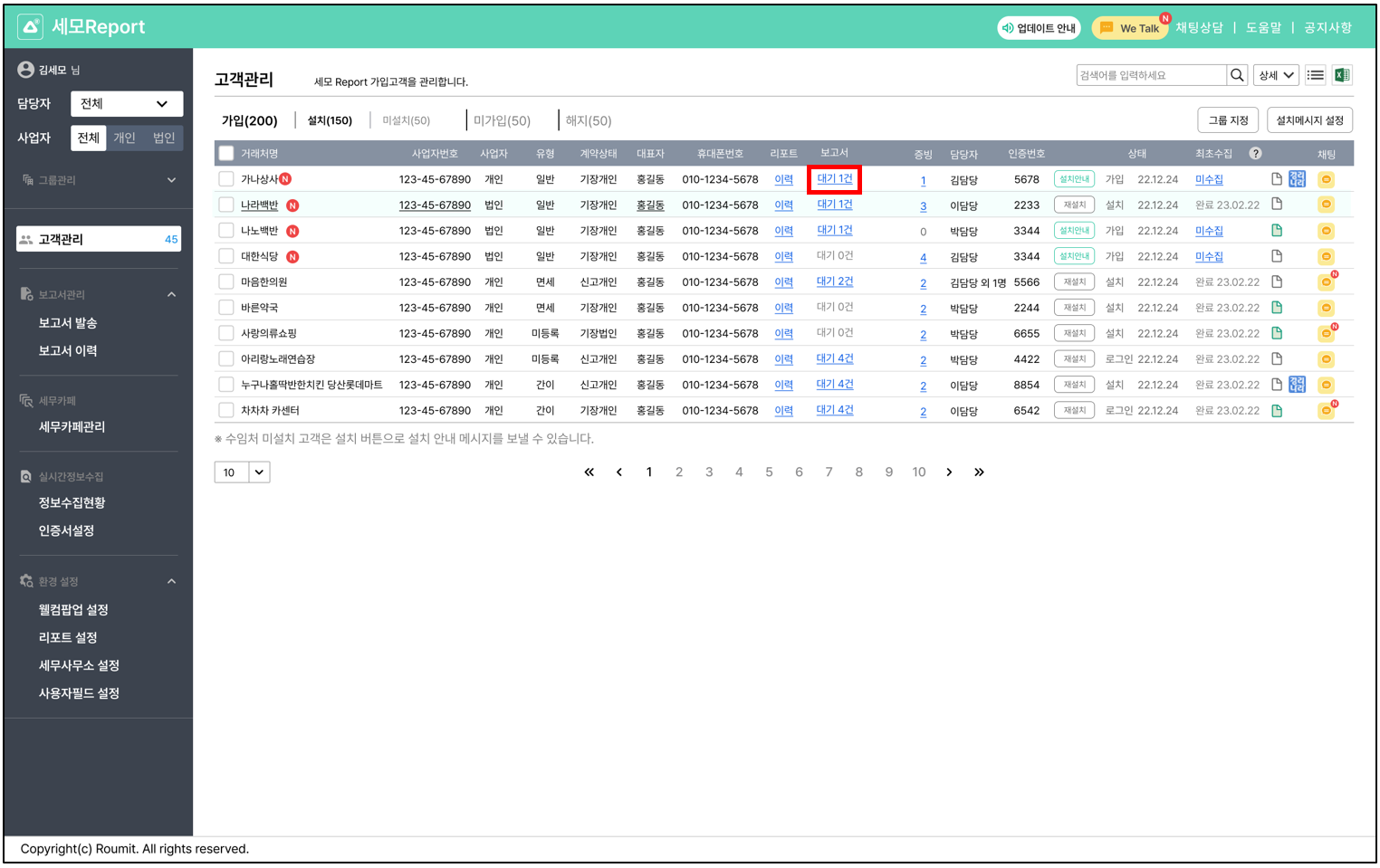
## 1. 보고서 대기건을 확인할 수 있어요!

{% hint style="success" %}

* 고객관리 > 보고서&#x20;
* 대기중인 보고서가 있다면, \
  확인하고 발송할 수 있어요.
  {% endhint %}

<figure><img src="/files/uv3Vc0oENIGN6mn4lej0" alt=""><figcaption></figcaption></figure>

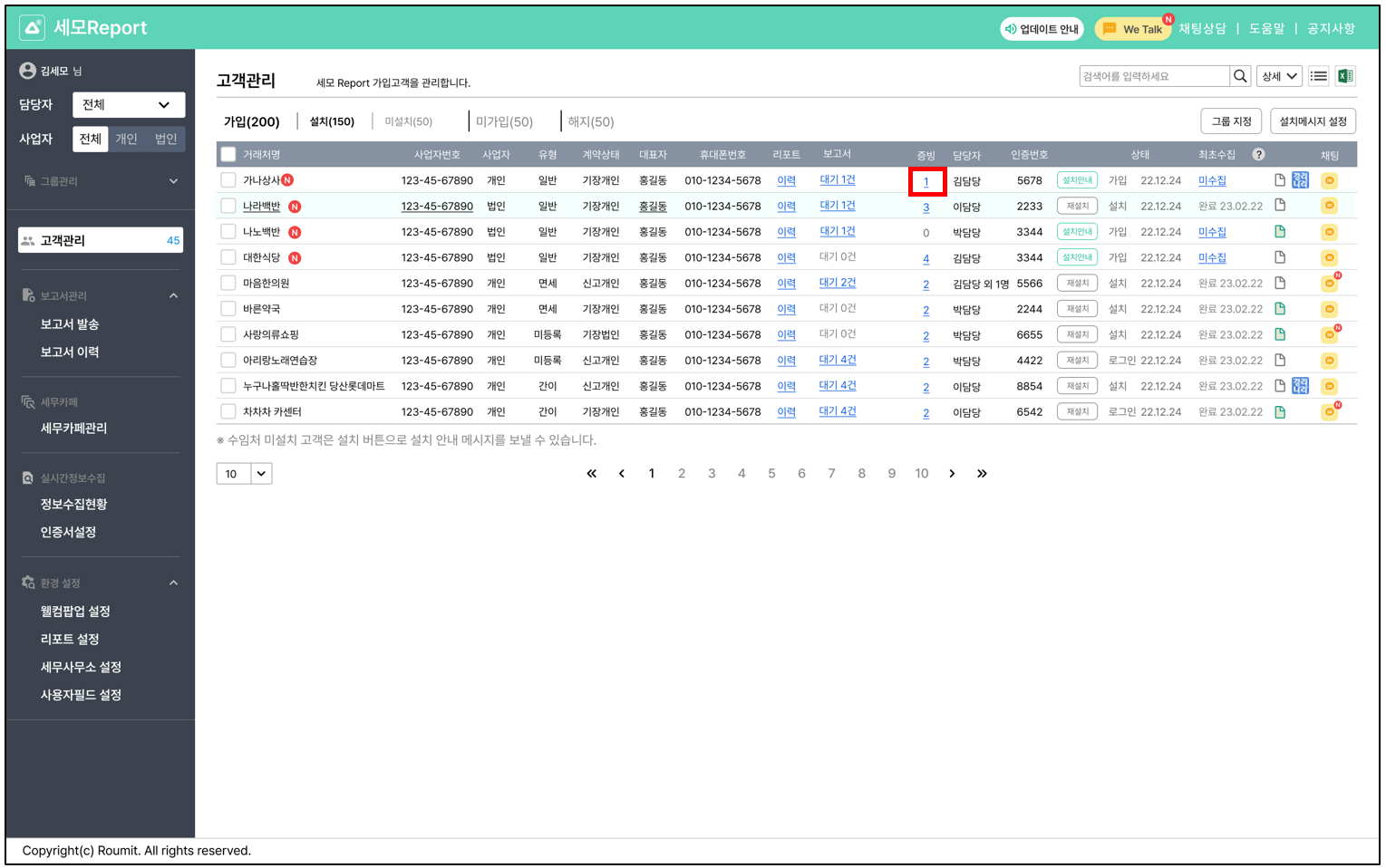
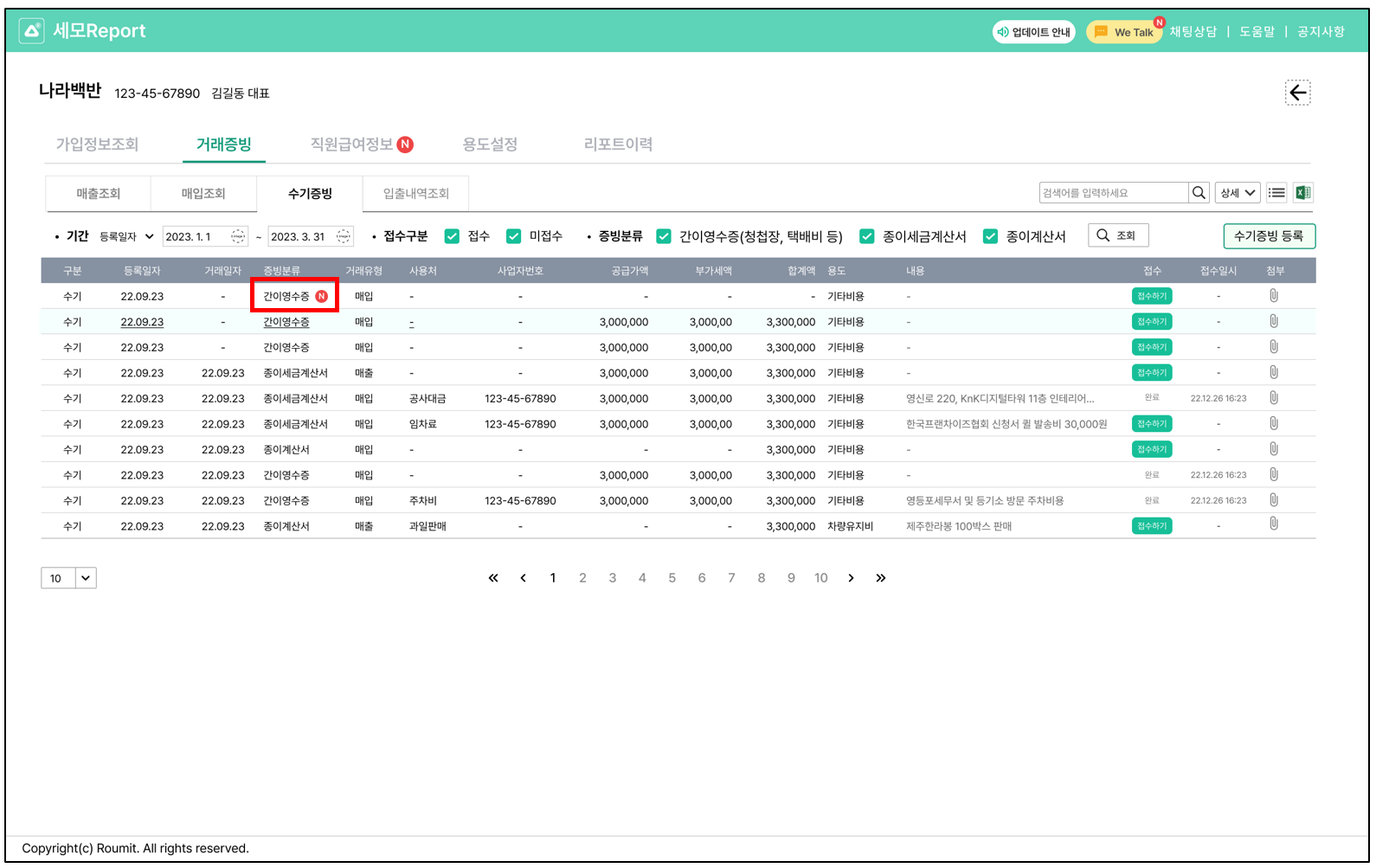
## 2. 거래처에서 등록한 수기증빙 신규건을 목록에서 확인할 수 있어요!

{% hint style="success" %}
확인하지 않은 수기증빙 서류들은 \
숫자로 표시되며,\
클릭 시 상세 내용을 확인할 수 있어요.
{% endhint %}

<figure><img src="/files/L0IsqhxCDYmqEpd9ePNp" alt=""><figcaption></figcaption></figure>

<figure><img src="/files/Vc7xFkleHv5bFiYCfbxs" alt=""><figcaption></figcaption></figure>

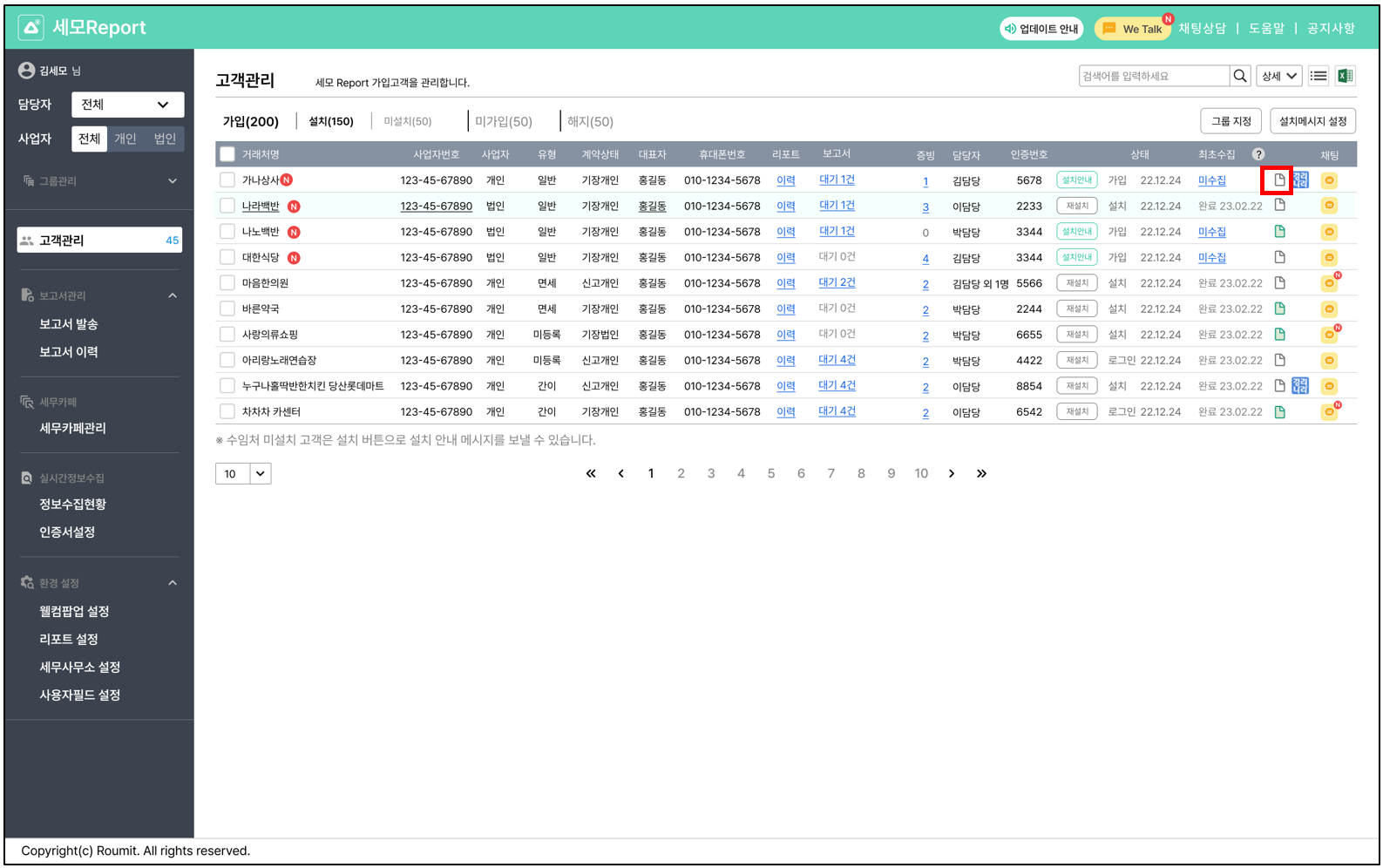
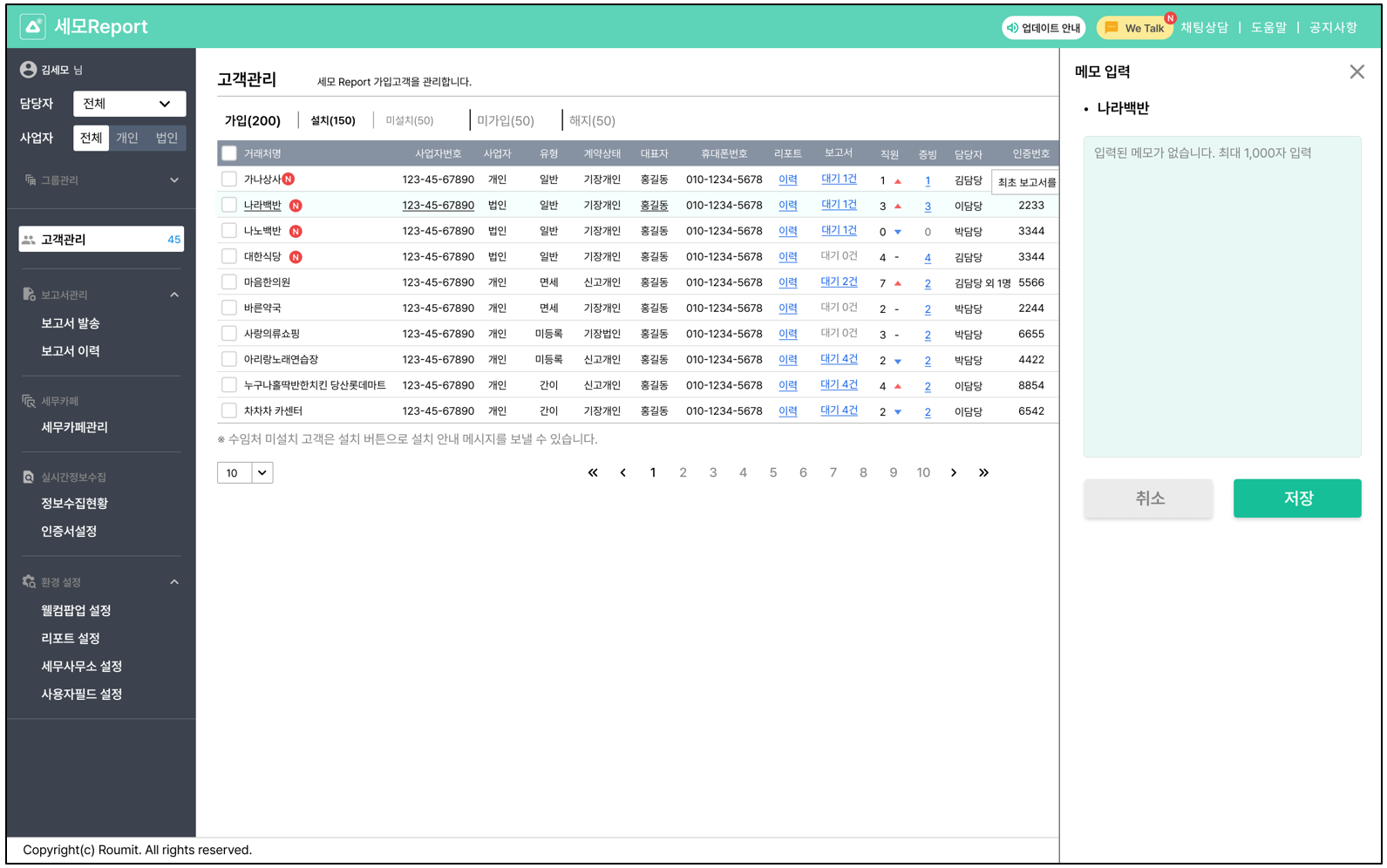
## 3. 메모를 남길 수 있어요!

{% hint style="success" %}
고객마다 메모를 남겨 \
중요 사항을 공유할 수 있어요.
{% endhint %}

<figure><img src="/files/DAy7kcEOhaxBCKfqGTA4" alt=""><figcaption></figcaption></figure>

<figure><img src="/files/oPljxJXQzLTO1smvq4So" alt=""><figcaption></figcaption></figure>

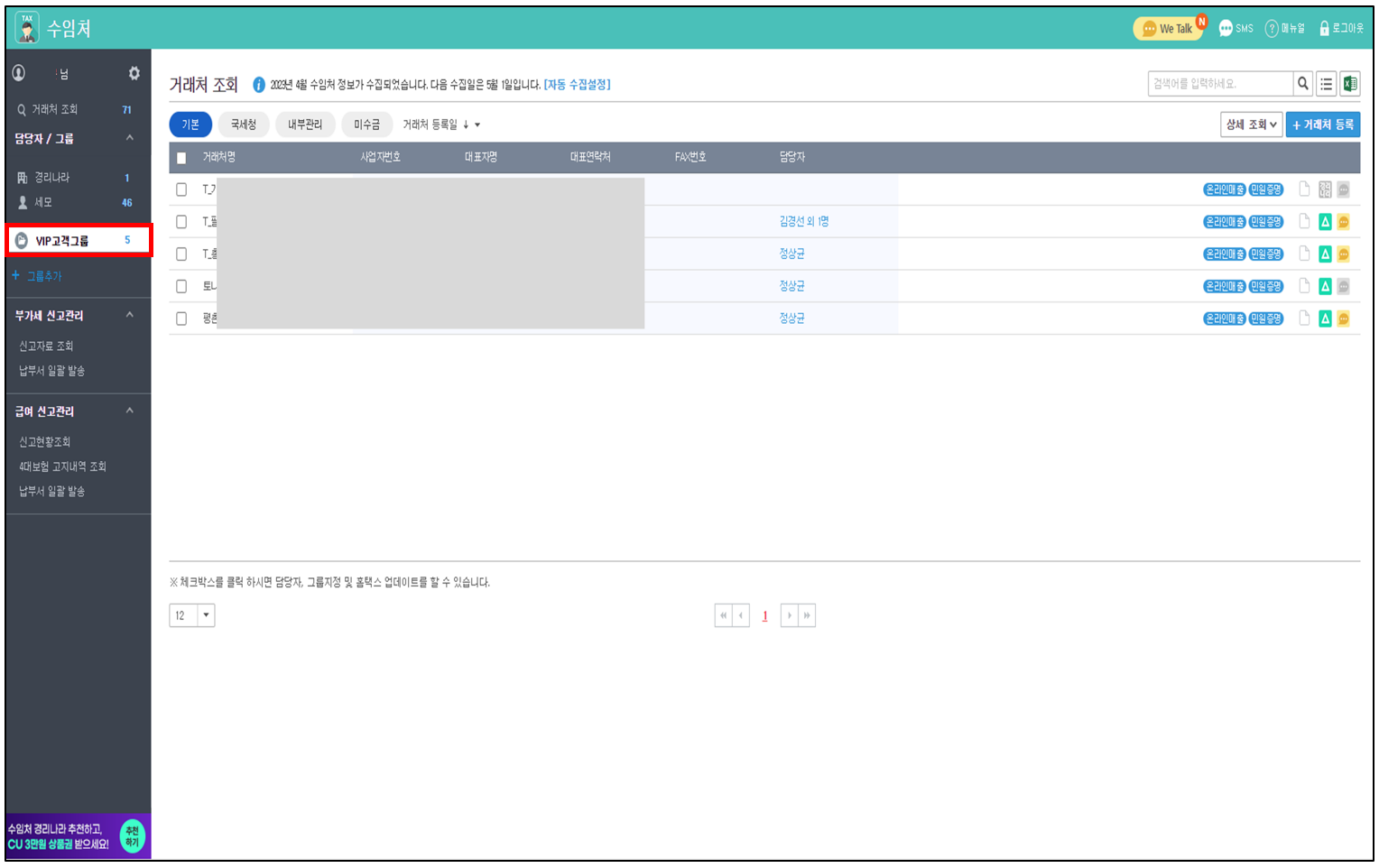
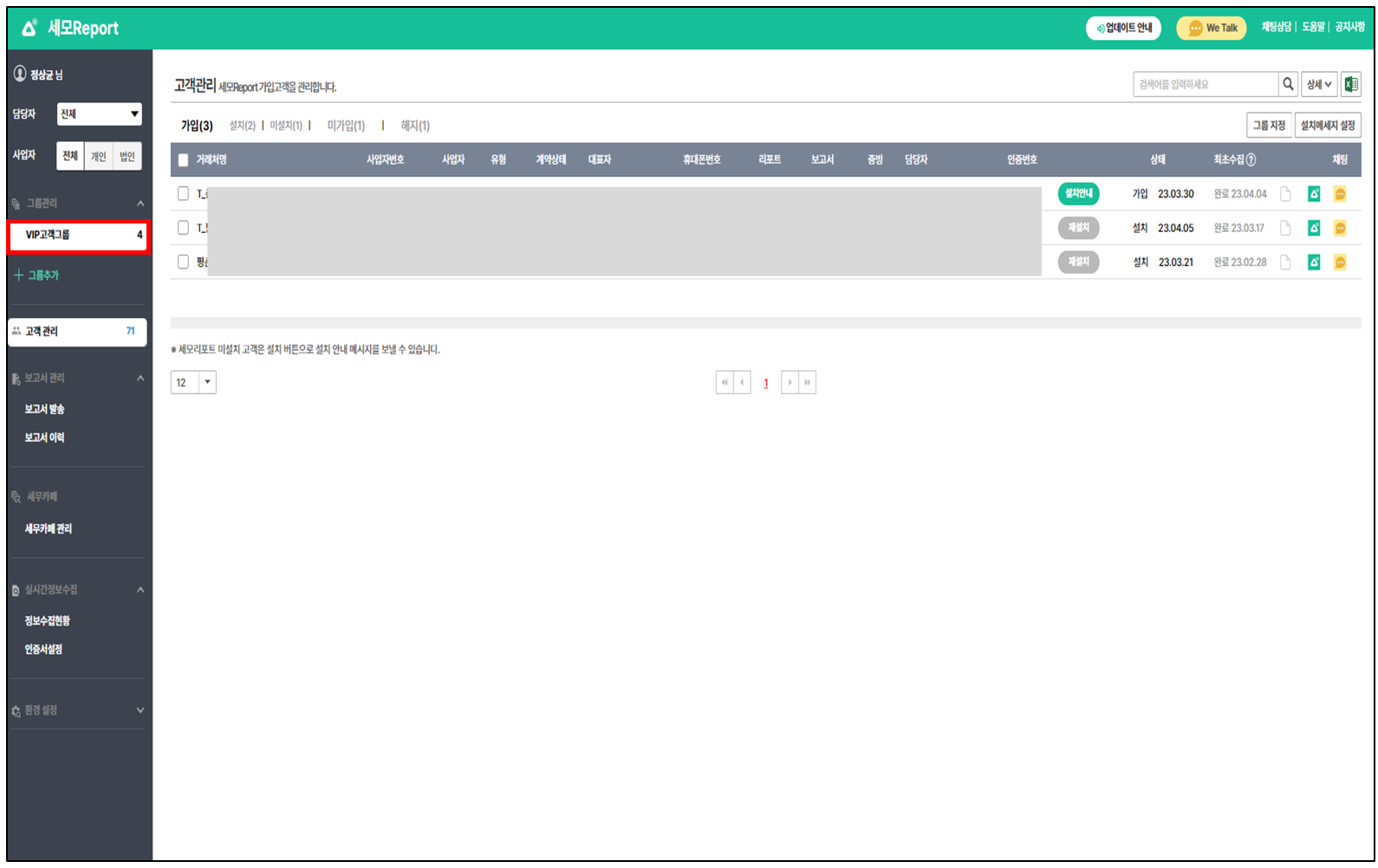
## 4. 고객 그룹 관리를 할 수 있어요!

{% hint style="success" %}

* 수임처에 등록한 그룹을 \
  그대로 볼 수 있어요.
* 그룹을 통해 고객 관리를 \
  보다 효율적으로 할 수 있어요.
  {% endhint %}

<figure><img src="/files/3WOzPRO9fGFobCz2dCTN" alt=""><figcaption></figcaption></figure>

<figure><img src="/files/ajdYUypjRb9f8aNDkeGX" alt=""><figcaption></figcaption></figure>

### \[업데이트 내용\_APP]

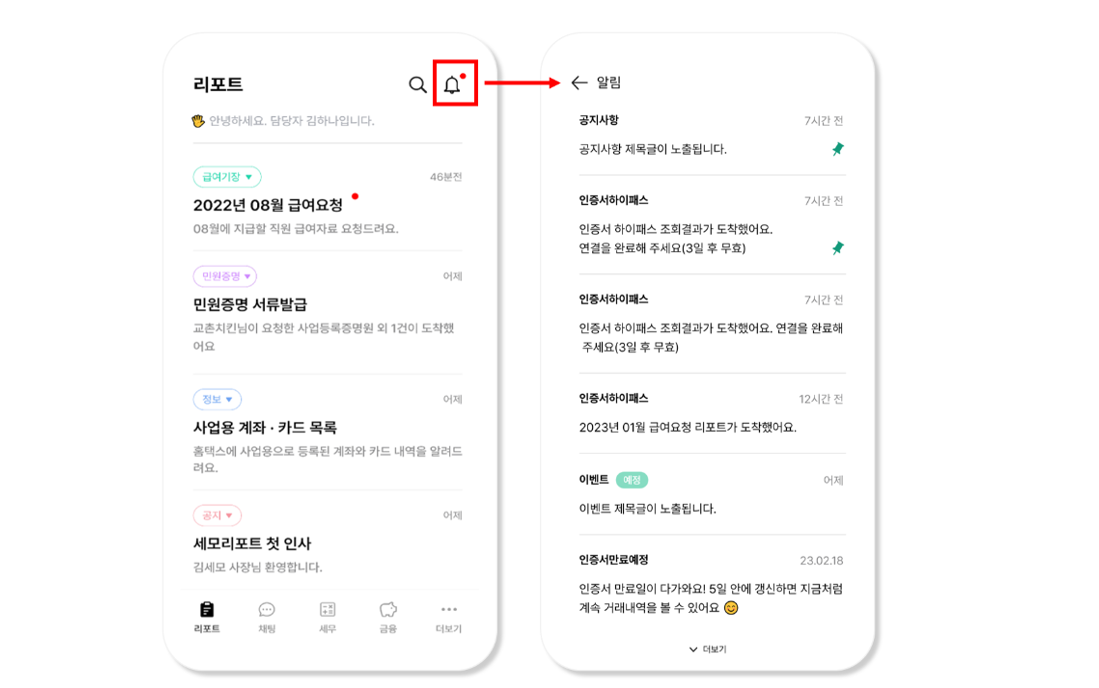
## 1. 앱 내 알림 기능이 추가됐어요!

{% hint style="success" %}

* 리포트 탭 오른쪽 상단에 \
  알림 아이콘이 추가되었어요.&#x20;
* 인증서 하이패스 및 앱 내 공지를 \
  알림에서 확인할 수 있어요.
  {% endhint %}

<figure><img src="/files/W6PbPmN86Sm7lMQQXCEM" alt=""><figcaption></figcaption></figure>

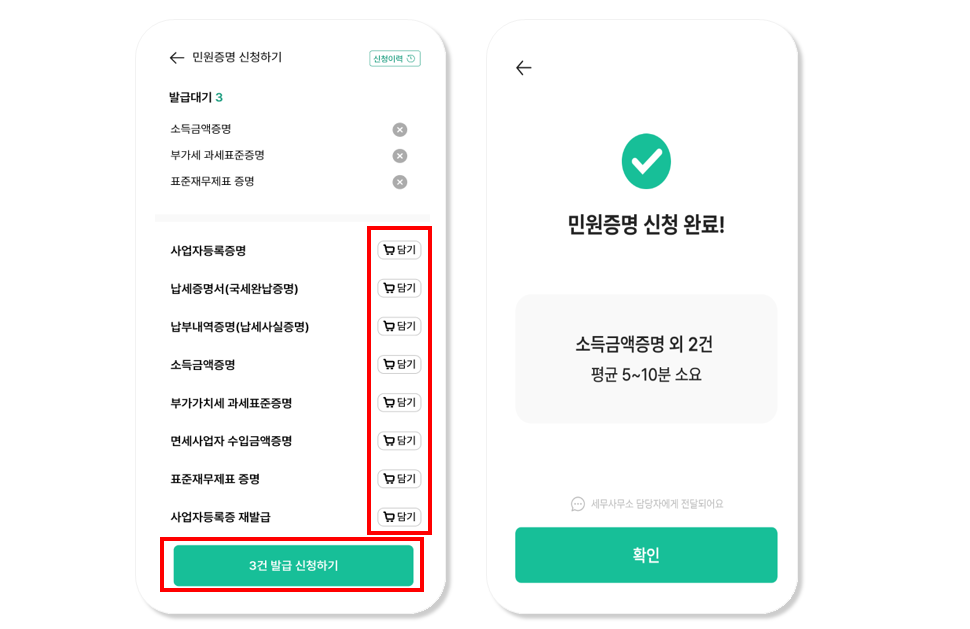
## **2. 민원증명 서류를 담아보세요!**&#x20;

{% hint style="success" %}

* 발급을 원하는 \
  여러 개의 민원증명 서류를 담아 \
  한 번에 신청할 수 있어요.&#x20;
* 화면이 보다 편리하게 \
  개선되었어요.&#x20;
  {% endhint %}

<figure><img src="/files/JDNgtgdjlZhH3KZP1TFM" alt=""><figcaption></figcaption></figure>

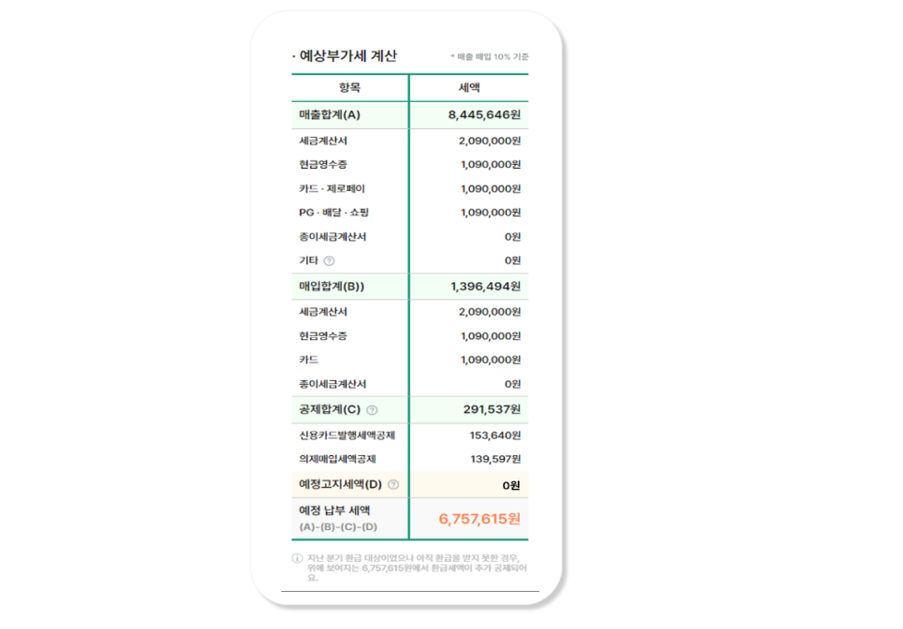
## **3. 법인을 위한 예상부가세 보고서가 추가됐어요!**&#x20;

{% hint style="success" %}
법인사업자도 맞춤으로 보고서를 \
볼 수 있도록 개선되었어요.&#x20;
{% endhint %}

<figure><img src="/files/3BcwgNuCACKXJd2FYAGv" alt=""><figcaption></figcaption></figure>

감사합니다.


---

# Agent Instructions: Querying This Documentation

If you need additional information that is not directly available in this page, you can query the documentation dynamically by asking a question.

Perform an HTTP GET request on the current page URL with the `ask` query parameter:

```
GET https://help.semoreport.com/update/update-3/4.md?ask=<question>
```

The question should be specific, self-contained, and written in natural language.
The response will contain a direct answer to the question and relevant excerpts and sources from the documentation.

Use this mechanism when the answer is not explicitly present in the current page, you need clarification or additional context, or you want to retrieve related documentation sections.