# \[6월 두 번째] 업데이트

안녕하세요, 세모리포트입니다.

6월 두 번째 업데이트 소식 알려드립니다.☺&#x20;

{% hint style="success" %}
*<mark style="color:purple;">**💛 소중한 의견 반영되어 상품권을 드립니다**</mark>* *<mark style="color:purple;">**💛**</mark>*&#x20;

***-*** **더보기탭 > 고객용 도움말 추가** (세무회계 성우 이\*희님)
{% endhint %}

### <mark style="color:blue;background-color:yellow;">\[업데이트 내용\_PC]</mark>

## 1. 더존 급여대장 양식이 추가되었어요.

{% hint style="success" %}

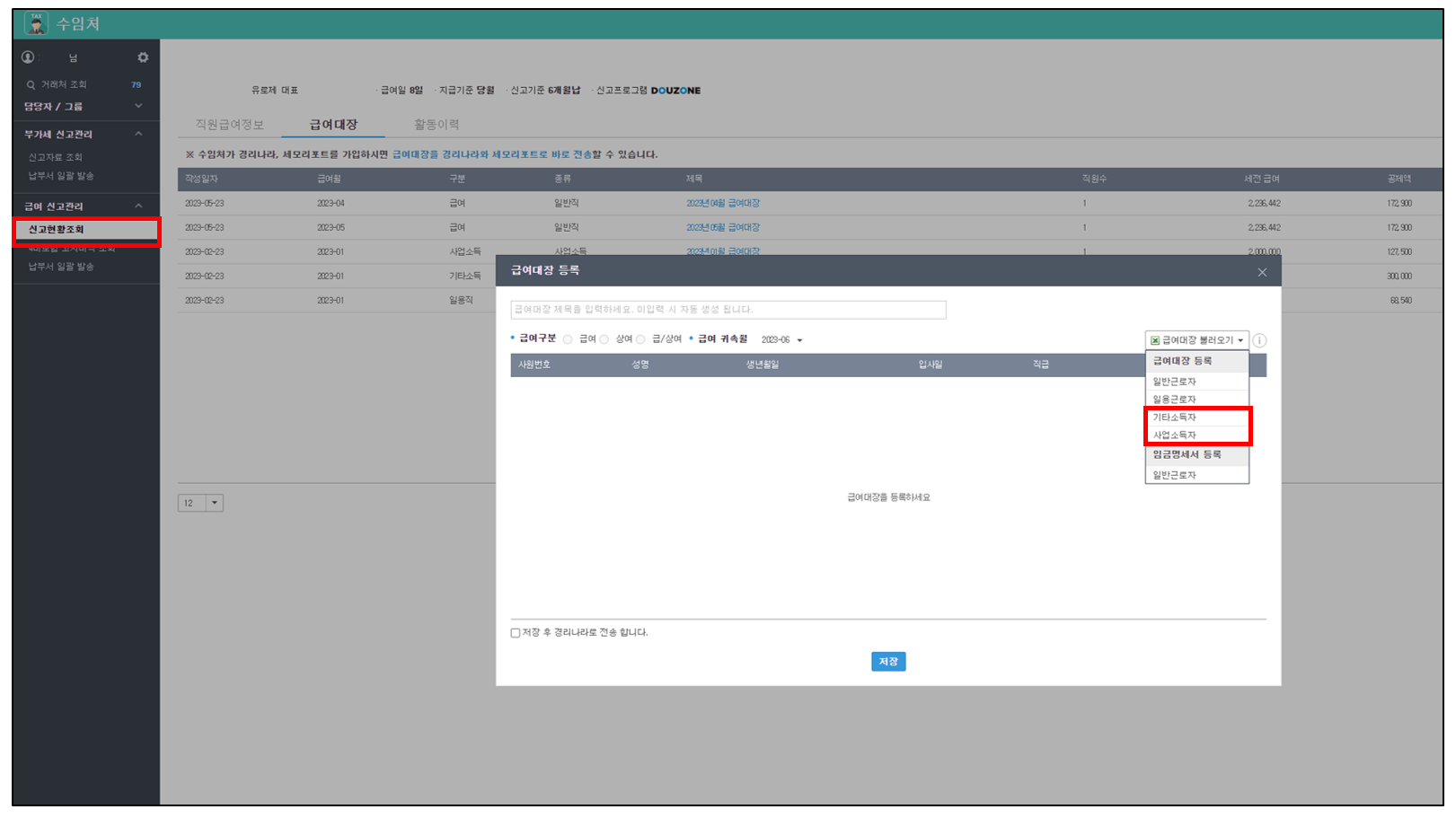
* 더존 "사업소득", "기타소득" 급여대장 양식이 추가되었어요.&#x20;
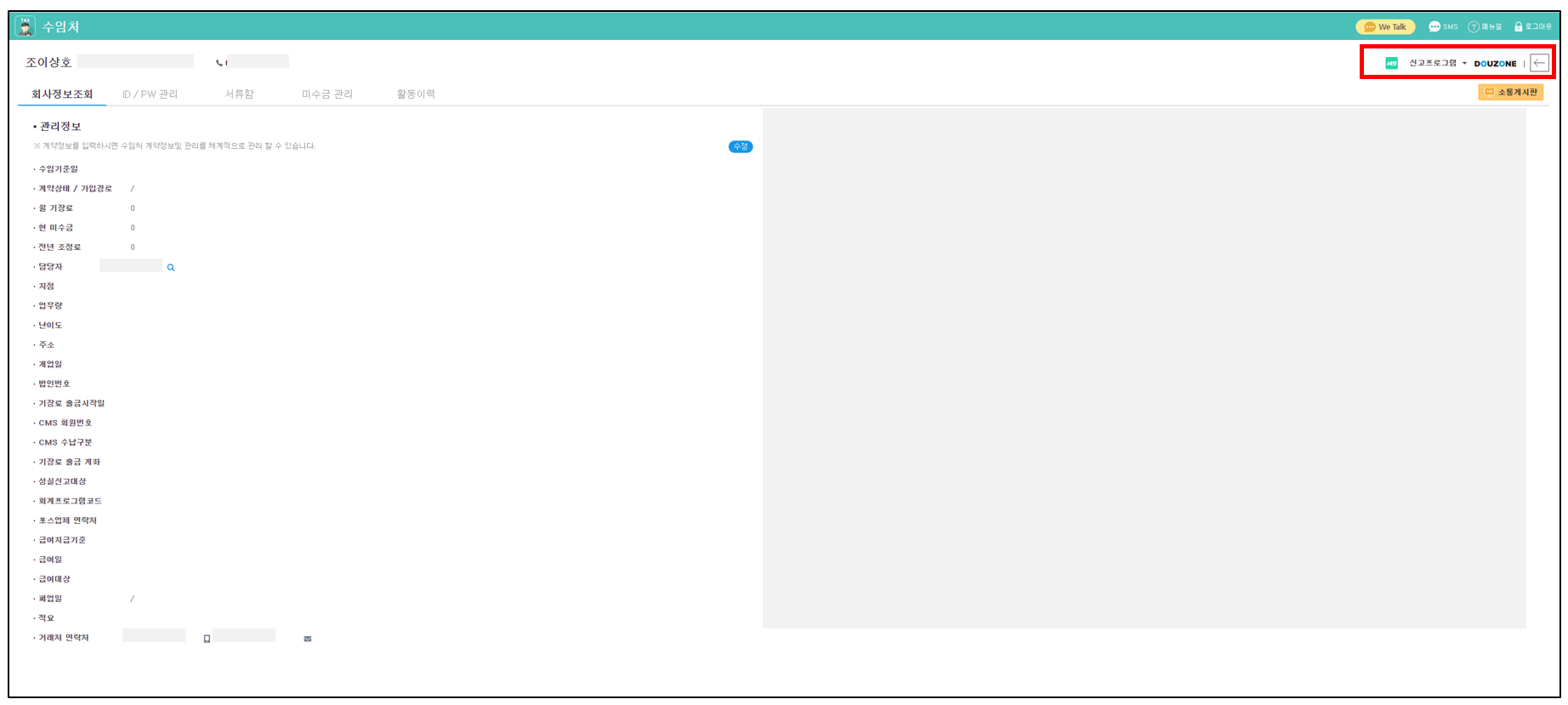
* 신고 프로그램 변경은 수임처 > 해당 수임처 클릭 > 우측 상단 버튼으로 전환할 수 있어요.
  {% endhint %}

<figure><img src="/files/zlscoLhzboTxKLO63SfG" alt=""><figcaption></figcaption></figure>

<figure><img src="/files/PHE1XUIMKJj6ZmtFoCjw" alt=""><figcaption></figcaption></figure>

## 2. 온라인매출이 입력되지 않아도 보고서를 생성할 수 있어요.

{% hint style="success" %}
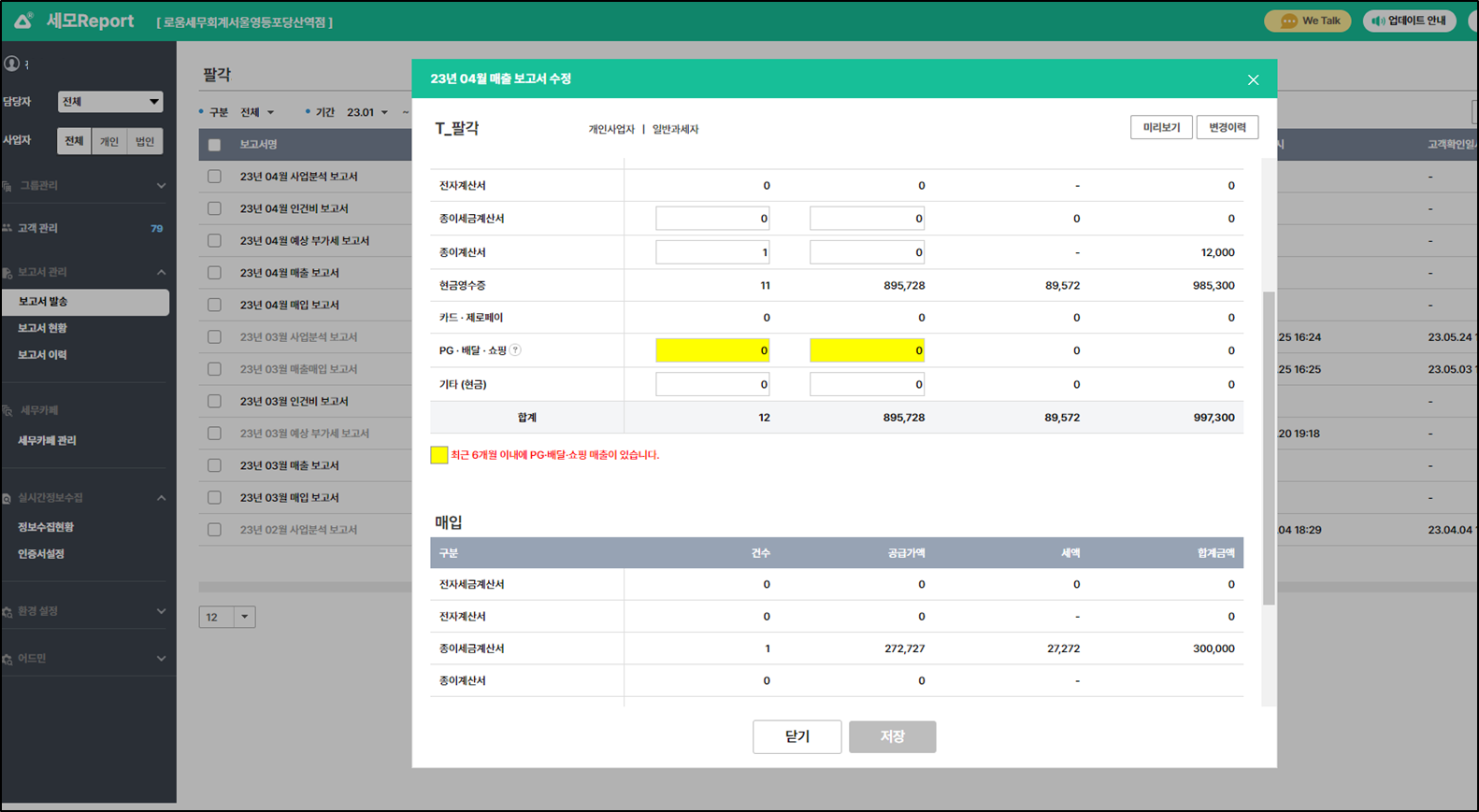
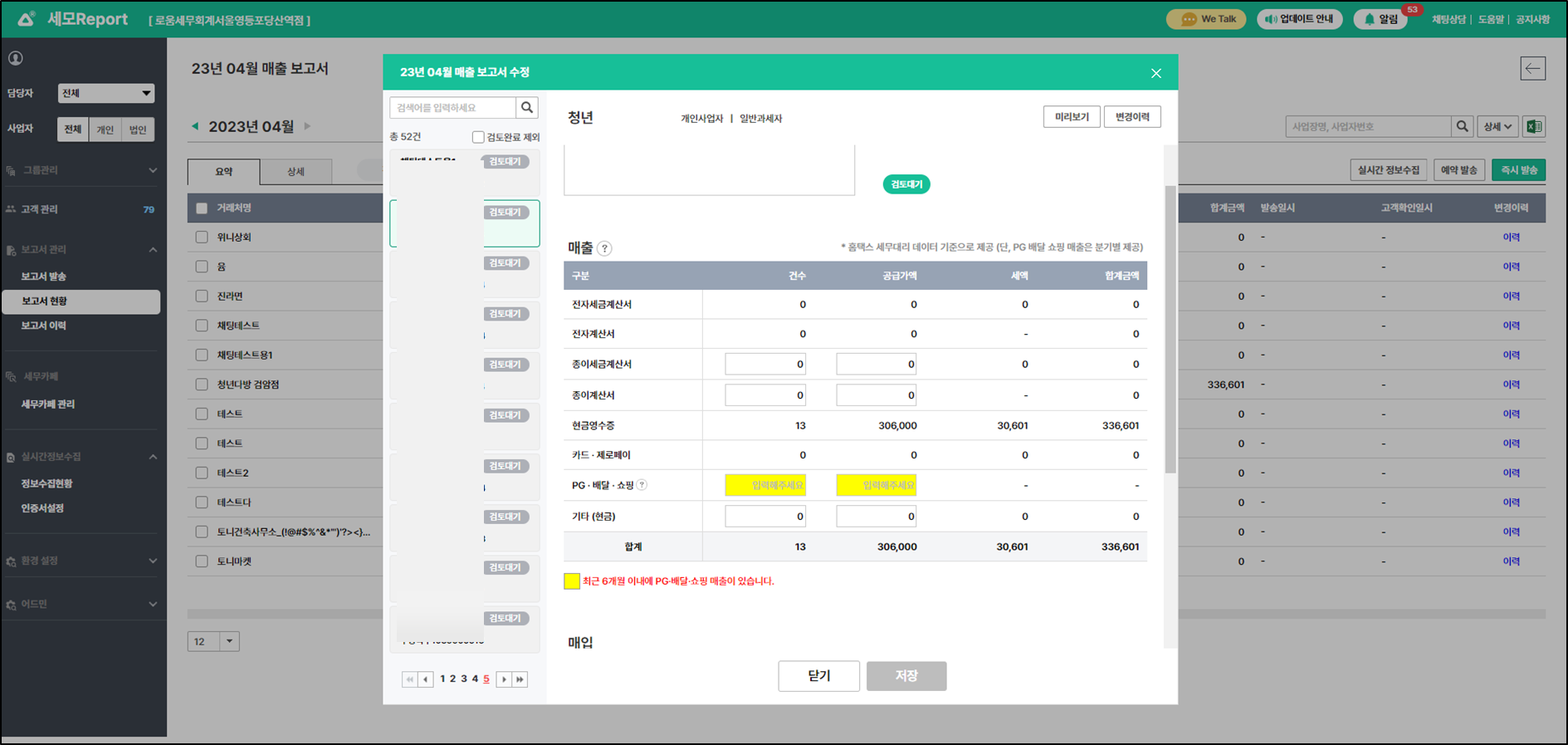
온라인매출이 입력되지 않은 경우 보고서 생성이 보류되었는데, \
매출보고서 외 사업분석보고서, 예상부가세 보고서, 매입보고서는 \
온라인매출 없이도 보고서를 만들 수 있어요.
{% endhint %}

<figure><img src="/files/TFFkYqpnp9PL7RDiGxoU" alt=""><figcaption></figcaption></figure>

<figure><img src="/files/VSYfC5ue9sTuLh4EvhFo" alt=""><figcaption></figcaption></figure>

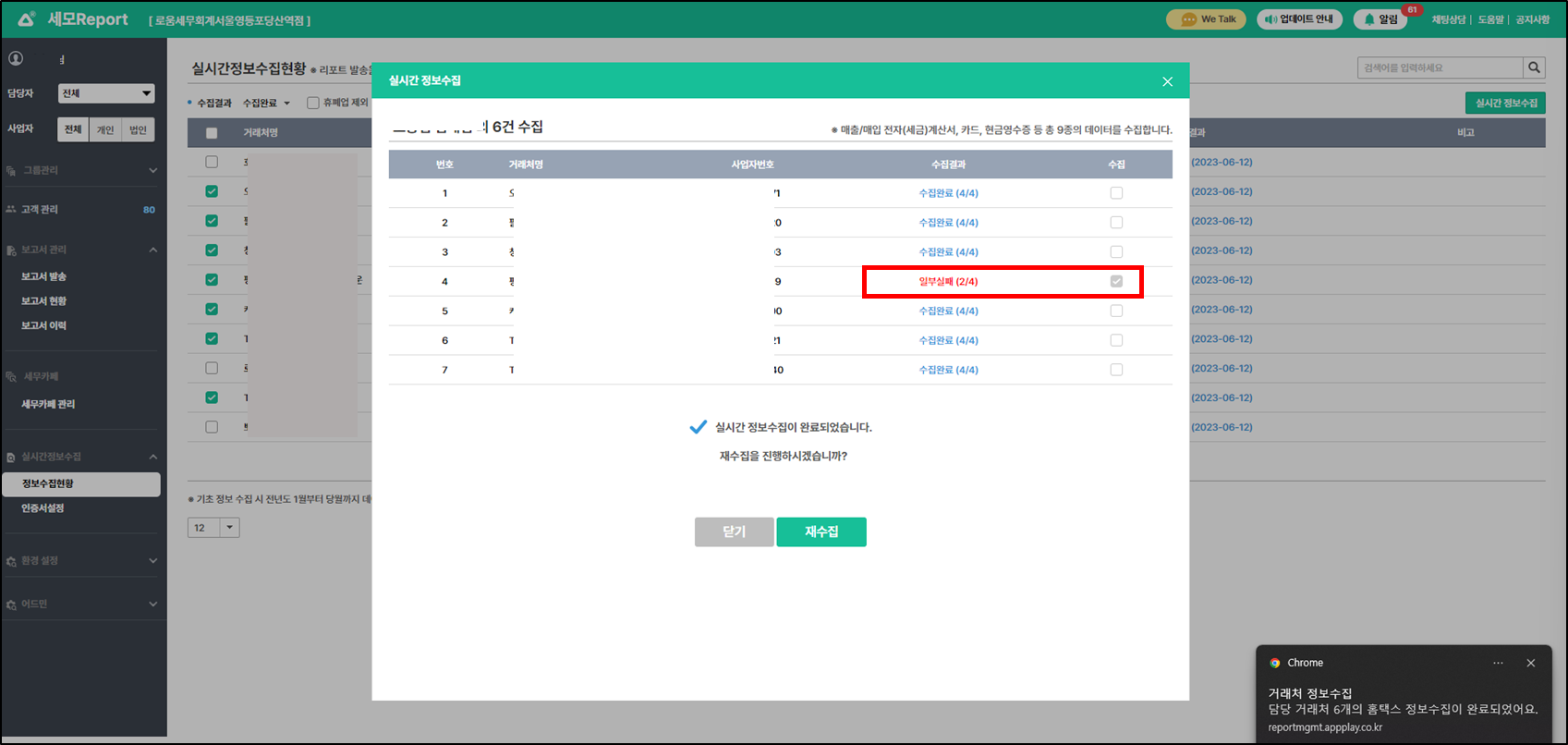
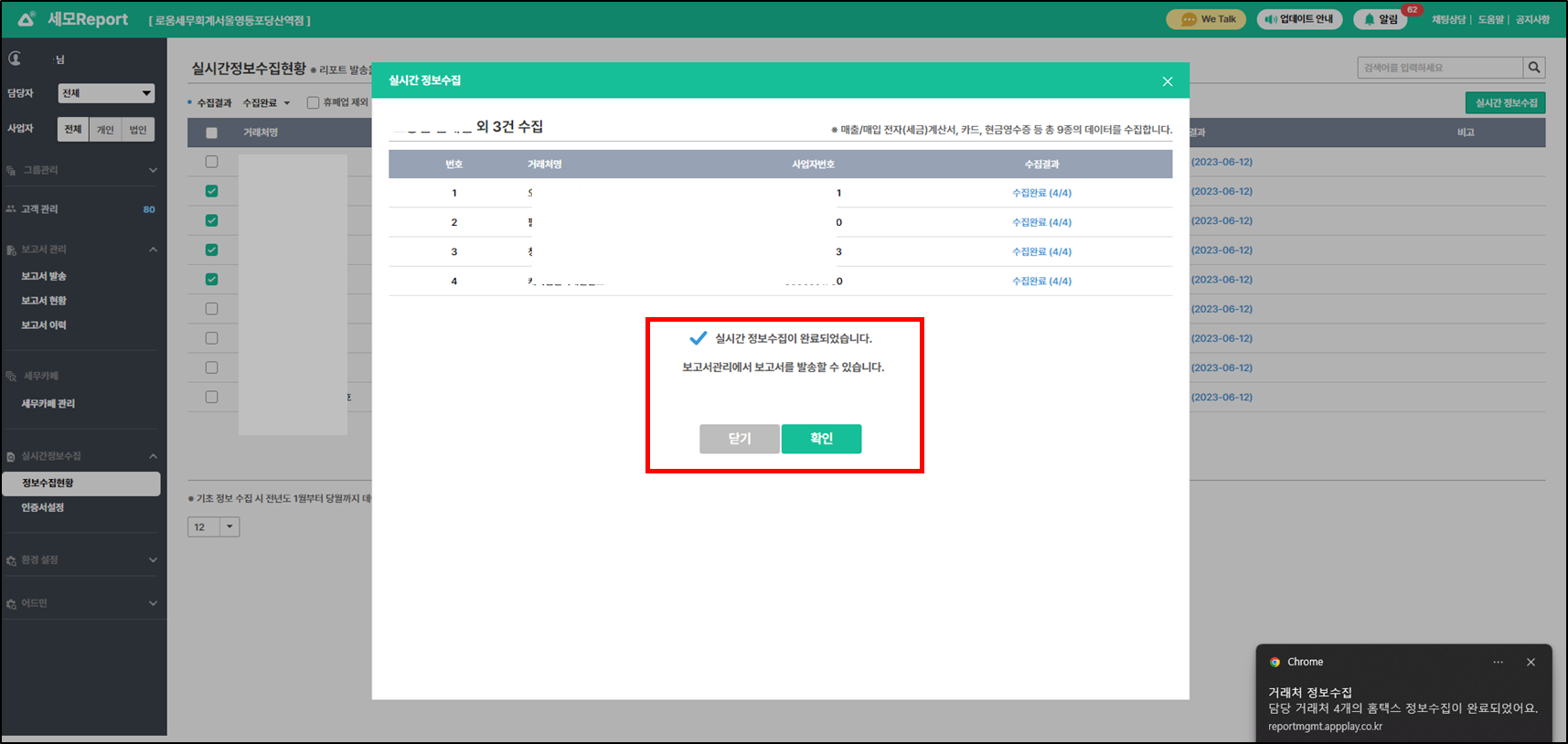
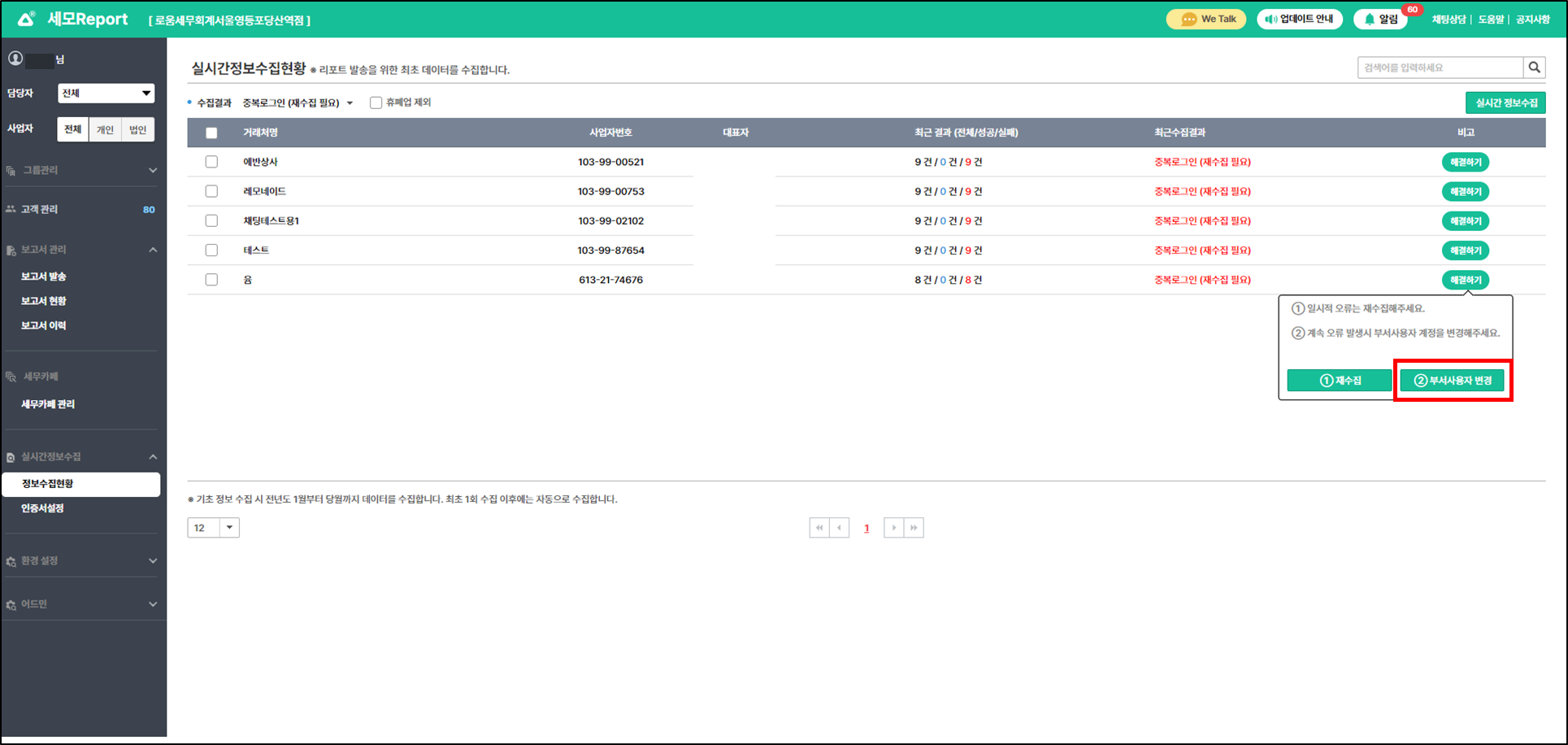
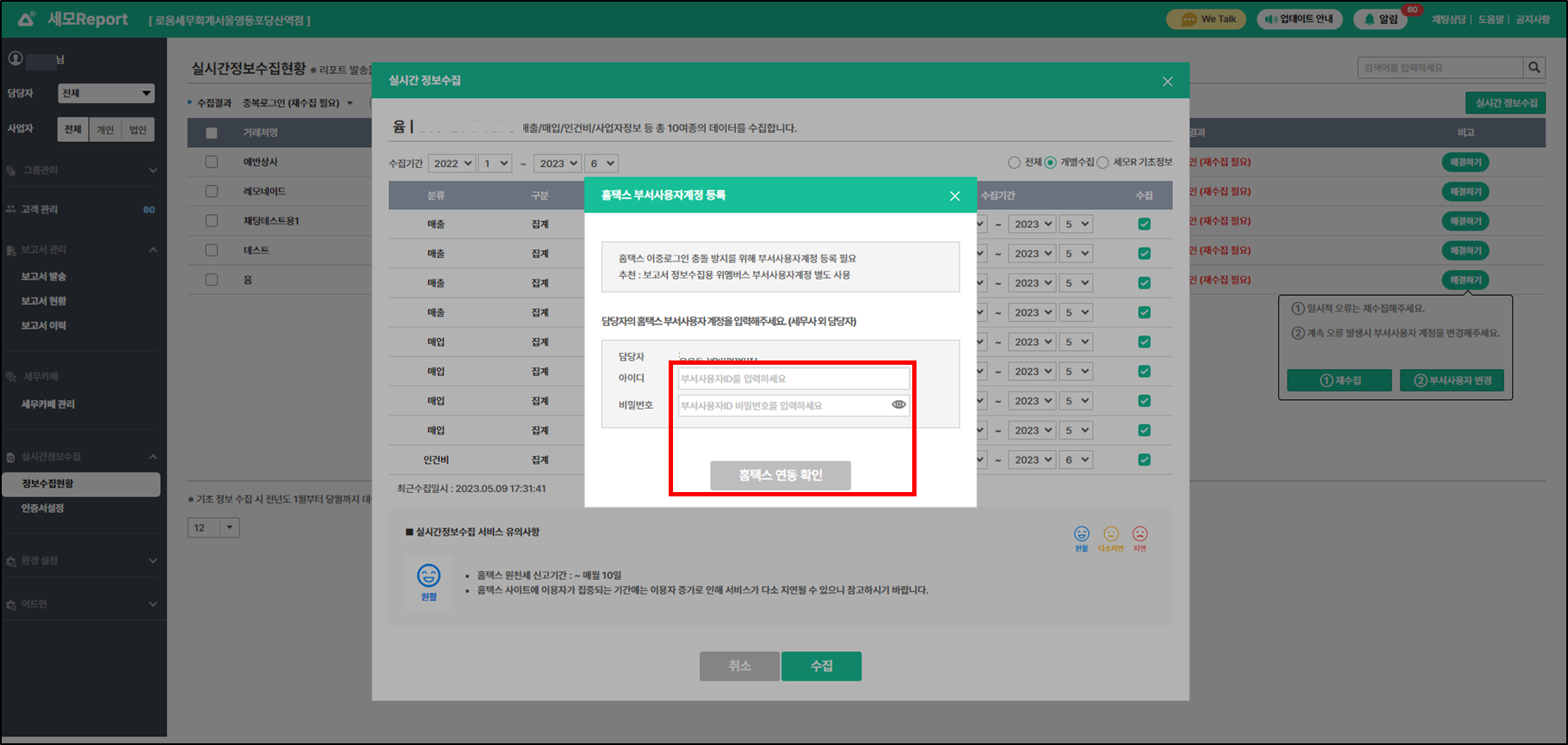
## 3. 실시간정보수집 오류 시, 케이스별 처리 방법이 개선되었어요.

{% hint style="success" %}

* 실시간정보수집 시 오류가 발생한 경우, \
  케이스에 따라 해결 프로세스에 따라 정상수집이 될 수 있도록 개선되었어요.
* 실시간정보수집에서 오류 발생 시 자동 재수집을 할 수 있어요.
  {% endhint %}

<figure><img src="/files/9qwZdnCrTAXeGqiwPIUH" alt=""><figcaption></figcaption></figure>

<figure><img src="/files/7b5dI7Cy5VQEGWvmgVz0" alt=""><figcaption></figcaption></figure>

{% hint style="success" %}
담당자도 인증서 설정 권한이 부여되어, 본인 부서 사용자계정 등록 및 변경이 가능해요.
{% endhint %}

<figure><img src="/files/SZOQIBadsAWoWyP1MI6H" alt=""><figcaption></figcaption></figure>

<figure><img src="/files/5ewD9VXyGlYharqU8R01" alt=""><figcaption></figcaption></figure>

### <mark style="color:blue;background-color:yellow;">\[업데이트 내용\_MO]</mark>

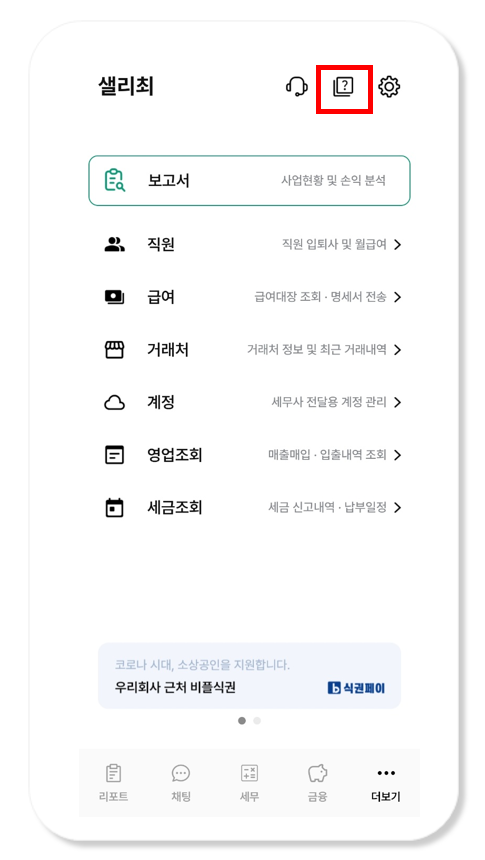
## 1. 더보기탭 > 고객용 도움말이 추가되었어요.

{% hint style="success" %}

* 더보기 > 상단 물음표 아이콘을 클릭하면 고객용 도움말로 연결돼요. \
  거래처 사장님이 앱 사용에 대한 도움말을 바로 찾아볼 수 있어요.
  {% endhint %}

<figure><img src="/files/vv6RUQRe3ZBo8p6c6NPV" alt="" width="364"><figcaption></figcaption></figure>

감사합니다.


---

# Agent Instructions: Querying This Documentation

If you need additional information that is not directly available in this page, you can query the documentation dynamically by asking a question.

Perform an HTTP GET request on the current page URL with the `ask` query parameter:

```
GET https://help.semoreport.com/update/update-3/update-14.md?ask=<question>
```

The question should be specific, self-contained, and written in natural language.
The response will contain a direct answer to the question and relevant excerpts and sources from the documentation.

Use this mechanism when the answer is not explicitly present in the current page, you need clarification or additional context, or you want to retrieve related documentation sections.