> For the complete documentation index, see [llms.txt](https://help.semoreport.com/update/llms.txt). Markdown versions of documentation pages are available by appending `.md` to page URLs; this page is available as [Markdown](https://help.semoreport.com/update/update-3/update-17.md).
# \[5월 첫 번째] 업데이트
매주 새롭게 업데이트 되는 소식들을 알려드려요!
안녕하세요, 세모리포트입니다.
5월 첫 번째 업데이트 소식 알려드립니다.☺
{% hint style="success" %}
***💛 소중한 의견 반영되어 상품권을 드립니다*** ***💛***
\- **세무사 거래처별 업무 알림** (세무법인청년들 마\*님)\
\- **보고서 UI 개선** (정성세무회계 전\*주님, 동탄세무회계 박\*현님)\
\- **원천징수이행상황신고서 실시간정보수집**\
(세무법인청년들 수원시청점 금\*석님, 동탄세무회계 박\*현님)\
**- 원천세 신고 실시간 수집 시 연말정산 금액 차감 반영**\
(반세무회계 주\*열님)
{% endhint %}
### \[업데이트 내용\_PC]
## 1. 거래처별 업무 알림 버튼이 생겼어요.
{% hint style="success" %}
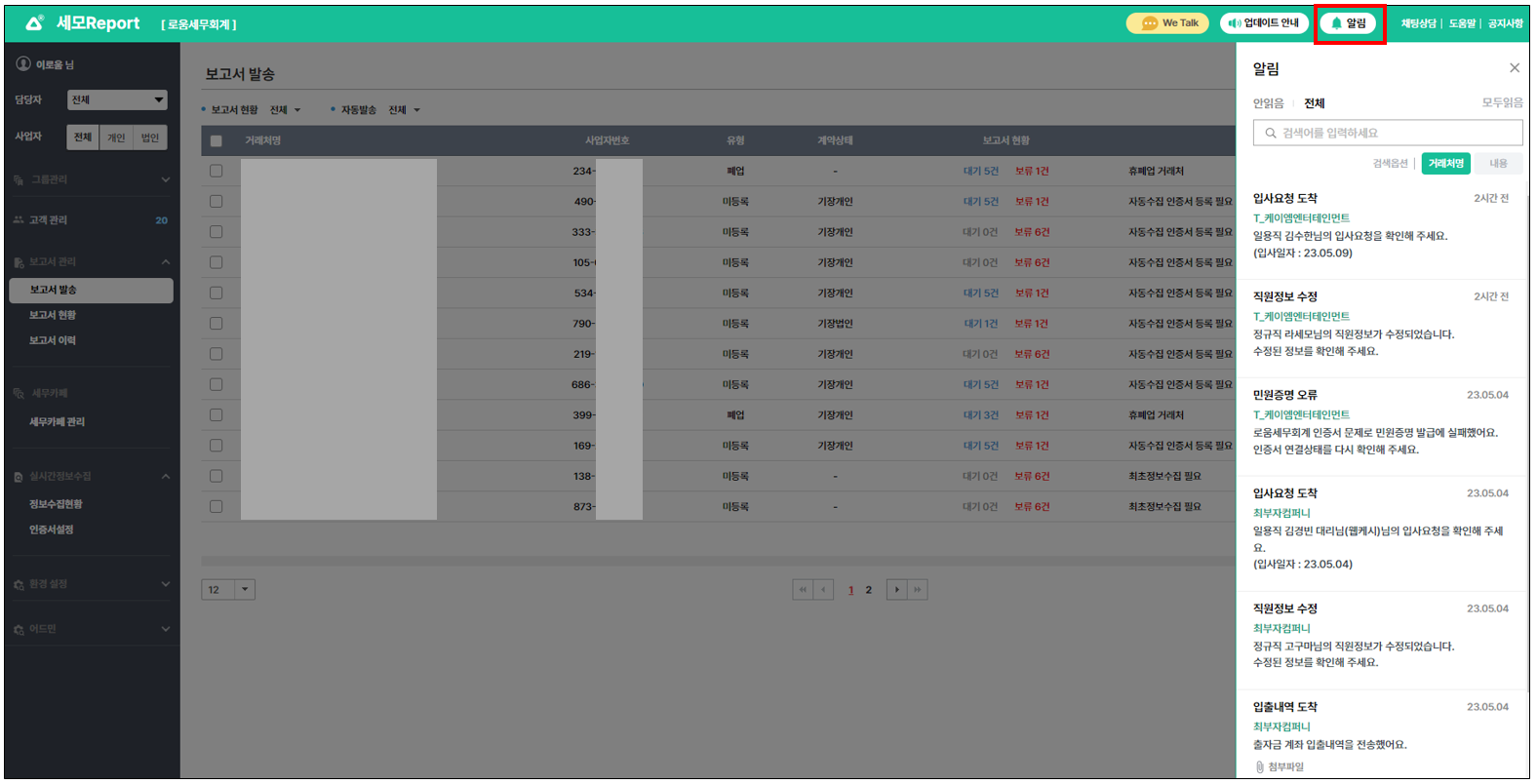
* **세모리포트 우측 상단 알림**
* **거래처의 활동 중 세무사무소가**\
**파악해야 하는 업무를 알림으로** 알려드려요.\
(첨부파일이 있는 경우 확인 가능)\
\- 민원증명 발급/오류 시\
\- 급여 기초자료 요청 시\
\- 입출내역 증빙자료 전송 시\
\- 거래처 직원 입/퇴사 시\
\- 간이영수증 등록/수정 시
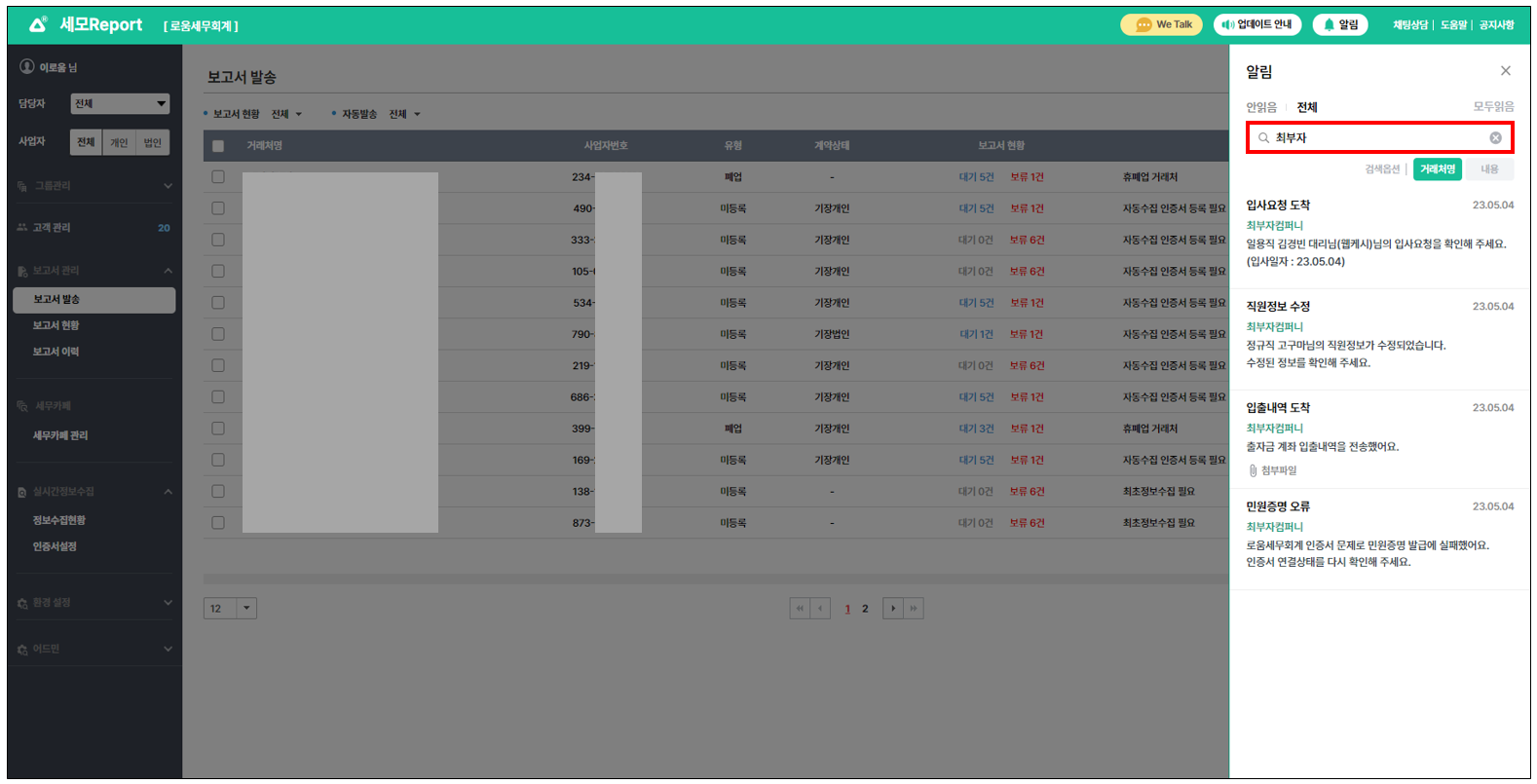
* **거래처명 키워드 검색** 시 \
해당 거래처의 알림만 확인이 가능해요.
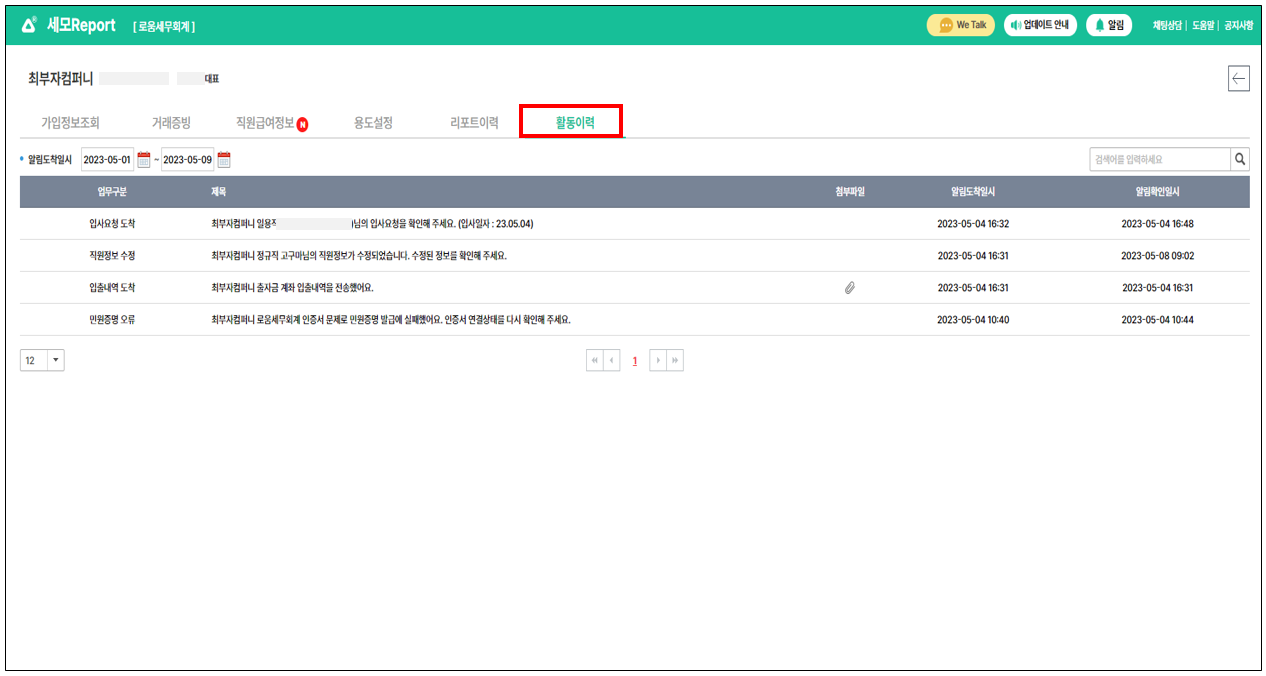
* **거래처별 업무 알림 이력 확인이 가능해요.**\
**: 세모리포트 > 고객관리 > 거래처 선택 > 활동이력**
{% endhint %}
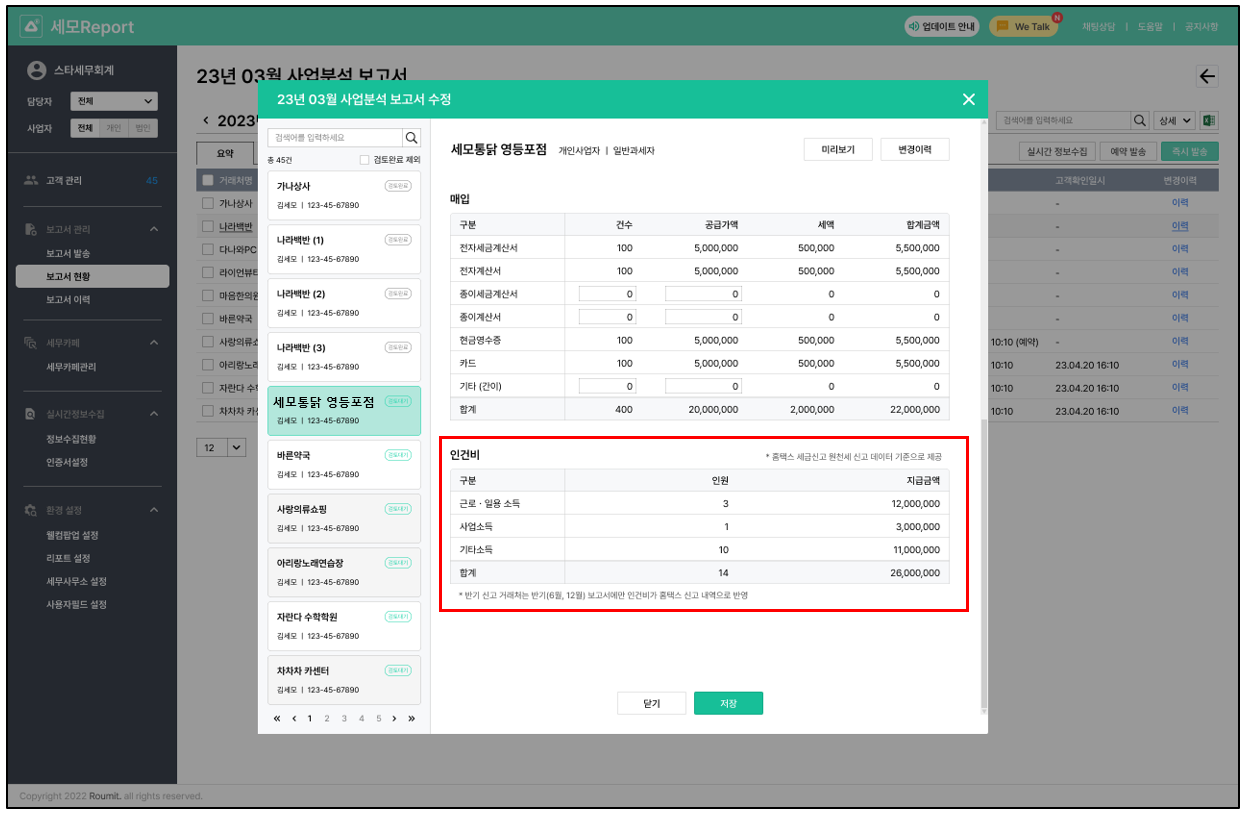
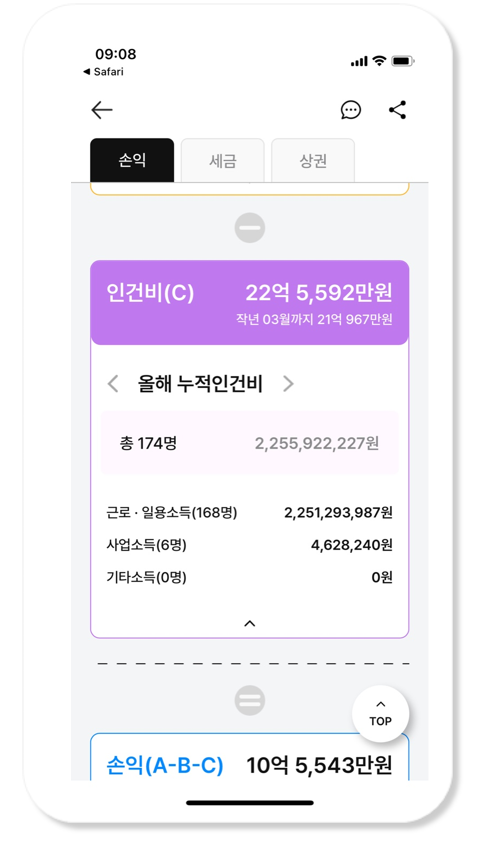
## 2. 사업분석보고서에서 인건비 항목을 자동으로 수집해요.
{% hint style="success" %}
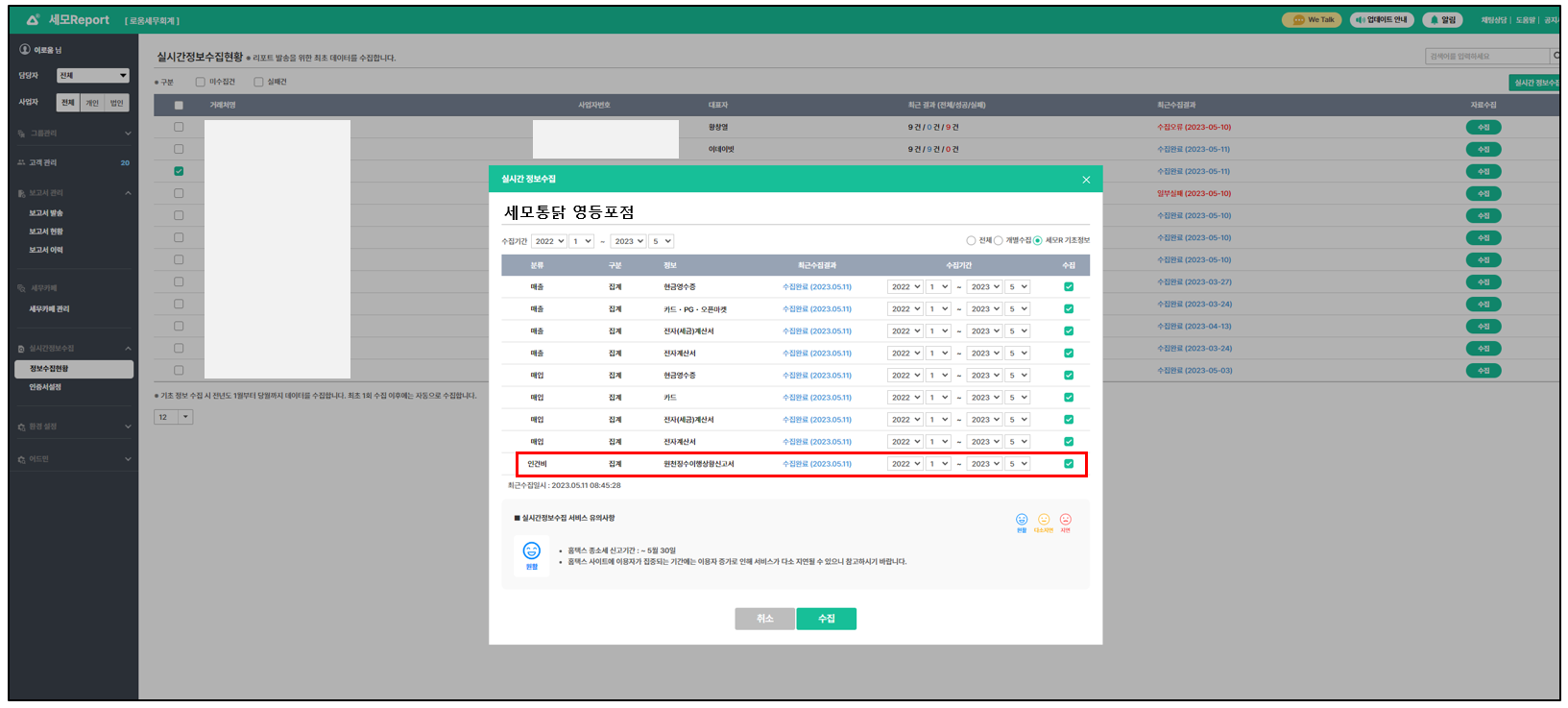
* 사업분석보고서에서는 급여대장을 등록하지 않아도 홈택스 기준으로 인건비 항목이 \
자동수집돼요.
* 실시간정보수집 > 홈택스 원천징수이행상황신고서 항목이 추가됐어요.
* 전년도 1월부터 당월까지 월별로 원천세 데이터를 소득구분별로 수집해요.
* 원천세 신고서 실시간 수집할 경우 연말정산 금액을 차감해서 보고서를 작성할 수 있어요.\
(월납 신고는 2월 보고서에 차감 반영, 반기납 신고는 7월 보고서에 차감 반영돼요)
{% endhint %}
실시간 정보수집 화면
보고서 발송 화면
사장님은APP > 사업분석보고서에서 월별 지급 인건비와 올해 누적 인건비를 확인할 수 있어요
## 3. 개인/법인 사업자별로 예상부가세 보고서 데이터를 맞춤으로 볼 수 있도록 개선되었어요.
{% hint style="success" %}
법인은 분기단위(1월-3월/4월-6월/7월-9월/10월-12월)로 데이터가 보여지고\
개인사업자는 반기단위(1월-6월/7월-12월)로 데이터가 보여지고 수정할 수 있어요.
{% endhint %}
실시간 정보수집 화면
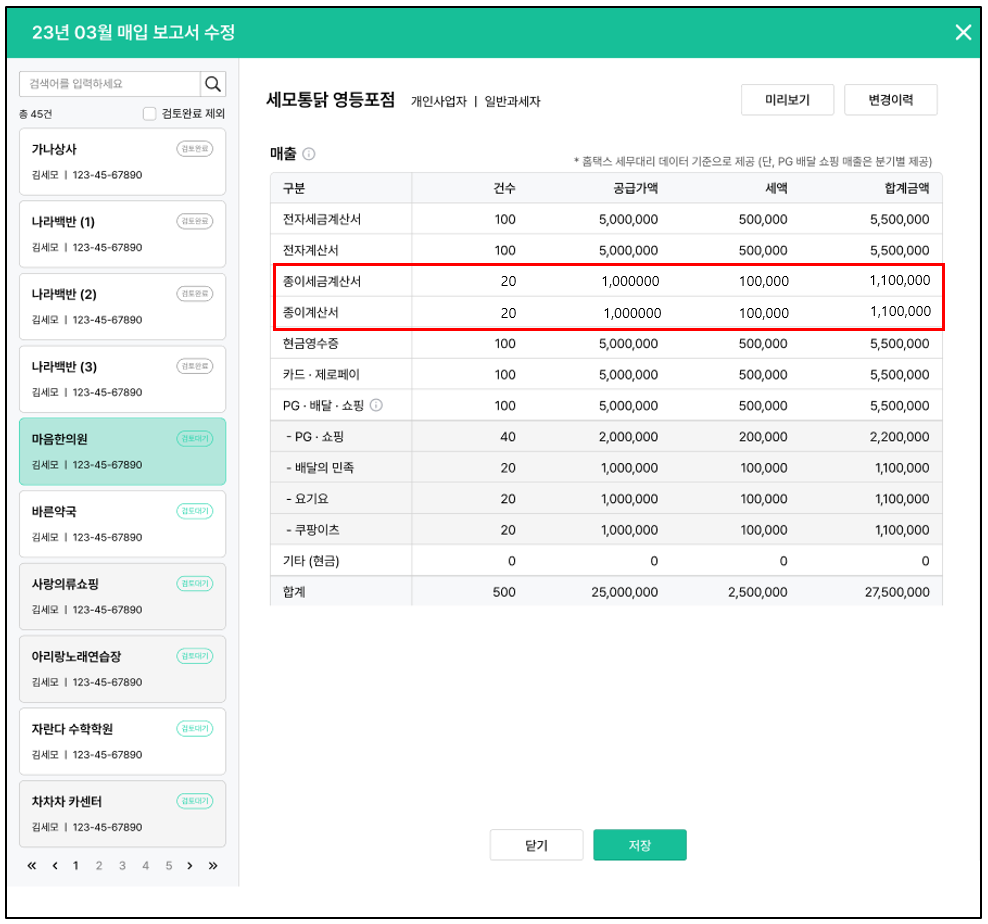
## 4. 접수된 수기증빙 데이터가 보고서에 자동으로 합산돼요.
{% hint style="success" %}
거래처에서 접수한 종이세금계산서, 간이영등증 등 수기증빙 데이터가 \
보고서에 자동으로 반영되고, 수정할 수 있어요.
{% endhint %}
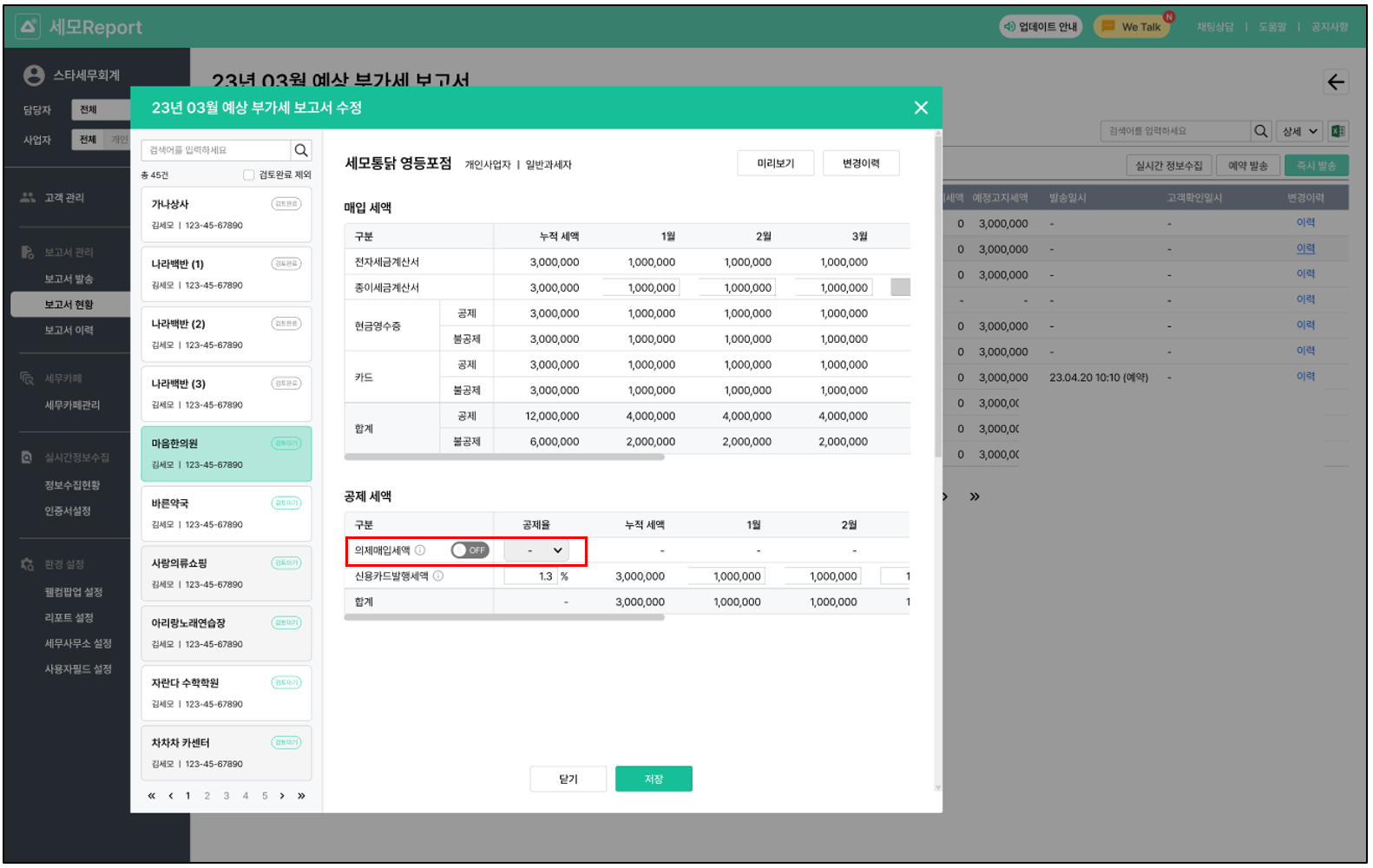
## 5. 의제매입세액공제 ON/OFF 와 공제율을 선택할 수 있어요.
### \[업데이트 내용\_MO]
## 1. 보고서 개선
{% hint style="success" %}
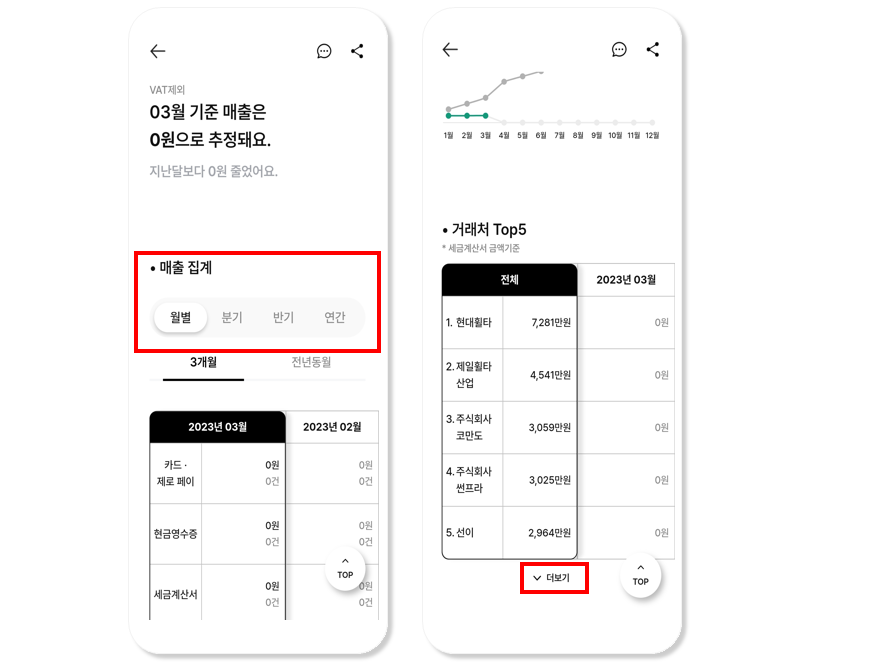
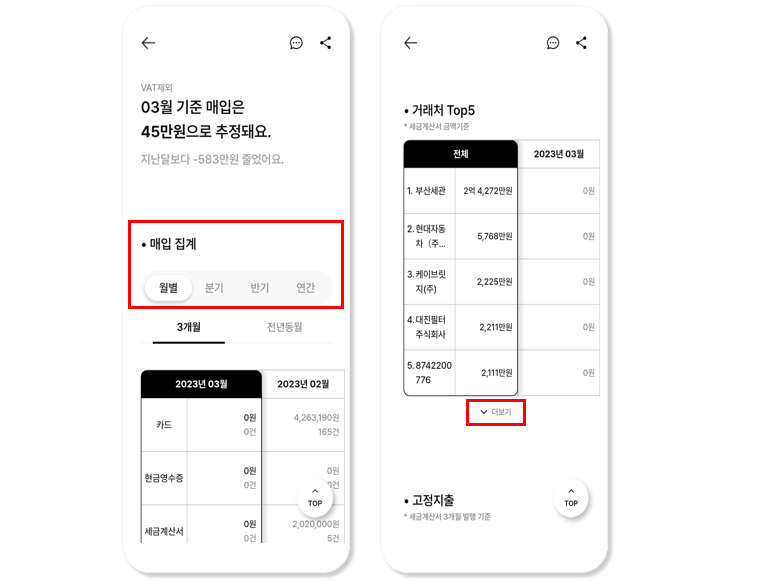
* 매출매입보고서에서\
**매출 보고서와 매입 보고서로 각각 분리**되었어요.
* 세금계산서 기준으로 보여주는\
**거래처 TOP5에서** \
**TOP20으로 확대**되었어요.
{% endhint %}
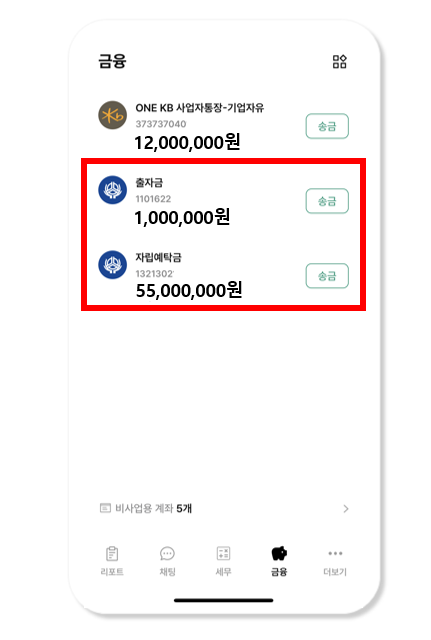
## 2. 개인 신협 계좌 송금이 가능해졌어요.
감사합니다.