> For the complete documentation index, see [llms.txt](https://help.semoreport.com/update/llms.txt). Markdown versions of documentation pages are available by appending `.md` to page URLs; this page is available as [Markdown](https://help.semoreport.com/update/update-3/update-2.md).
# \[11월 두 번째] 업데이트
매주 새롭게 업데이트 되는 소식들을 알려드려요!
안녕하세요, 세모리포트입니다.
11월 두 번째 업데이트 소식 알려드립니다.☺
{% hint style="success" %}
***💛 소중한 의견 반영되어 상품권을 드립니다*** ***💛***
-보고서 검증 개선(세무그룹세일 채\*혜세무사, 임동훈세무회계사무소)
{% endhint %}
{% hint style="info" %}
📌요약
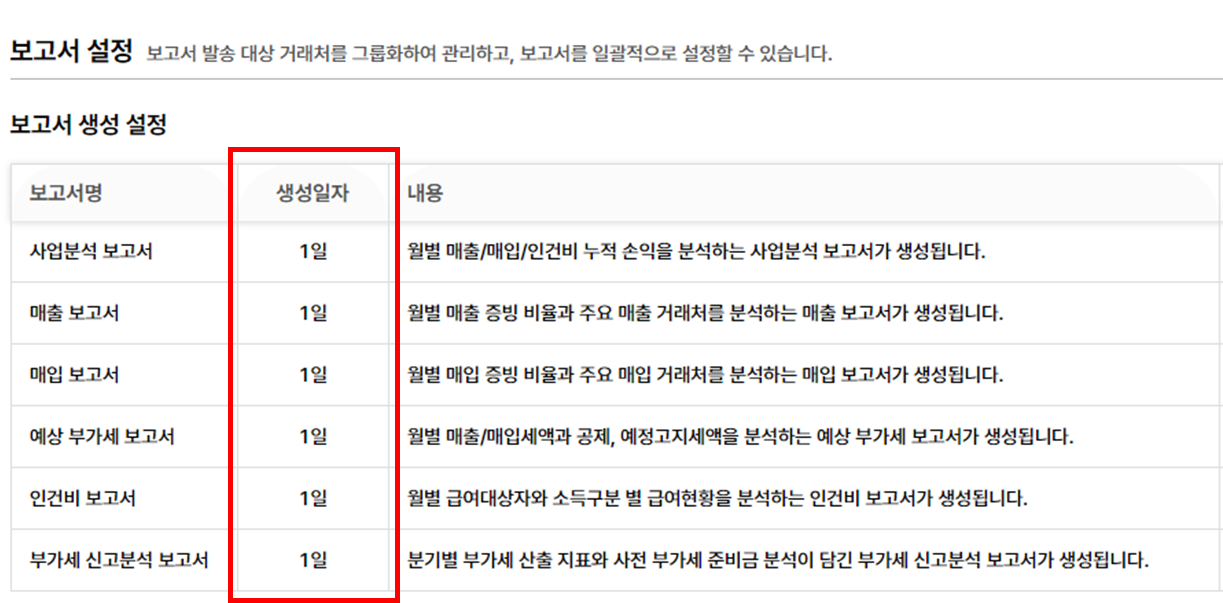
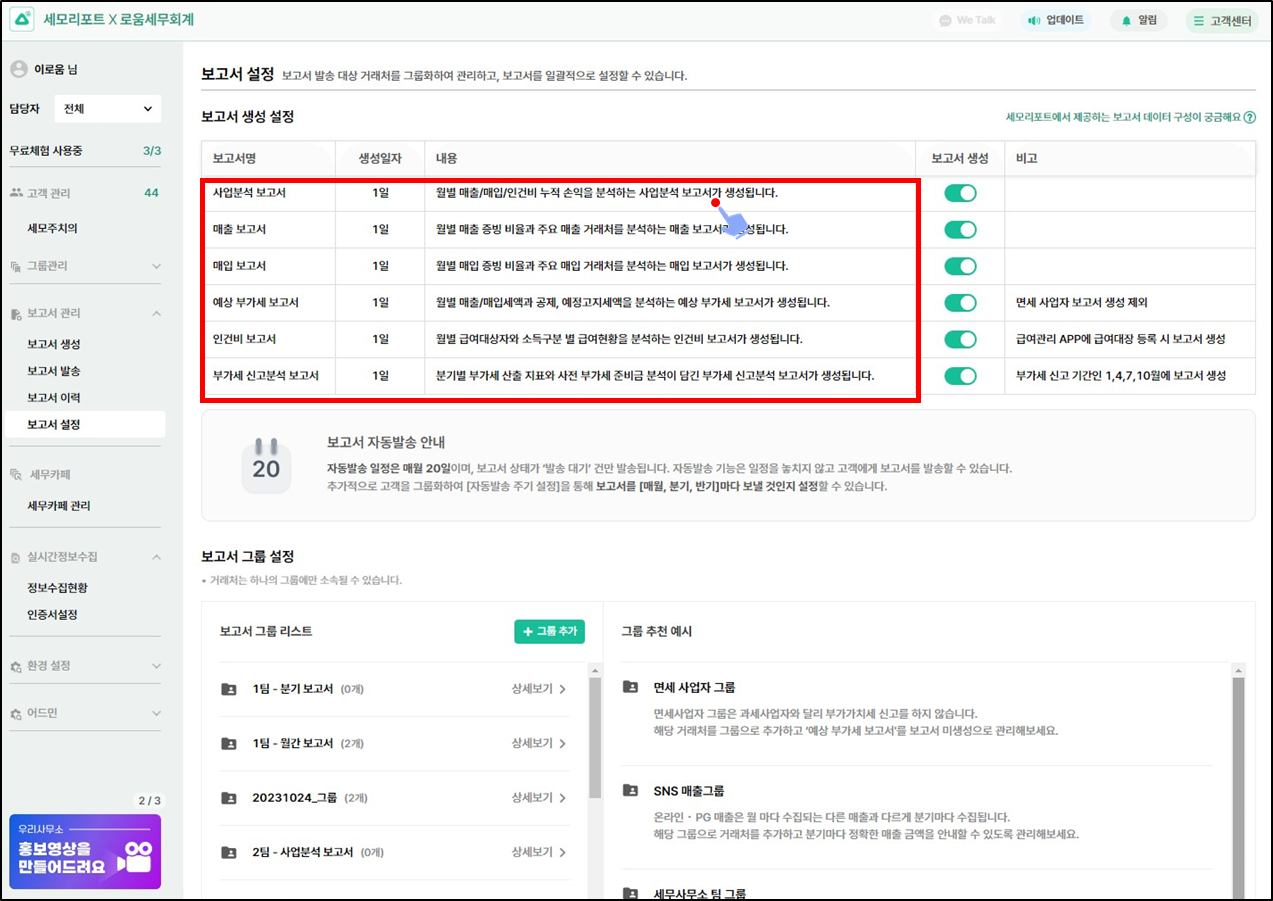
* 보고서 자동 생성 날짜가 모두 1일로 변경되었습니다
* 보고서를 미리 생성하고 수집하여 발송할 수 있도록 검증 프로세스가 개선되었습니다.
{% endhint %}
## 1. 보고서 자동생성 날짜가 1일로 변경되었어요!
{% hint style="info" %}
* 보고서 자동생성 날짜가 기존 19일에서 **매월1일**로 변경되었어요!
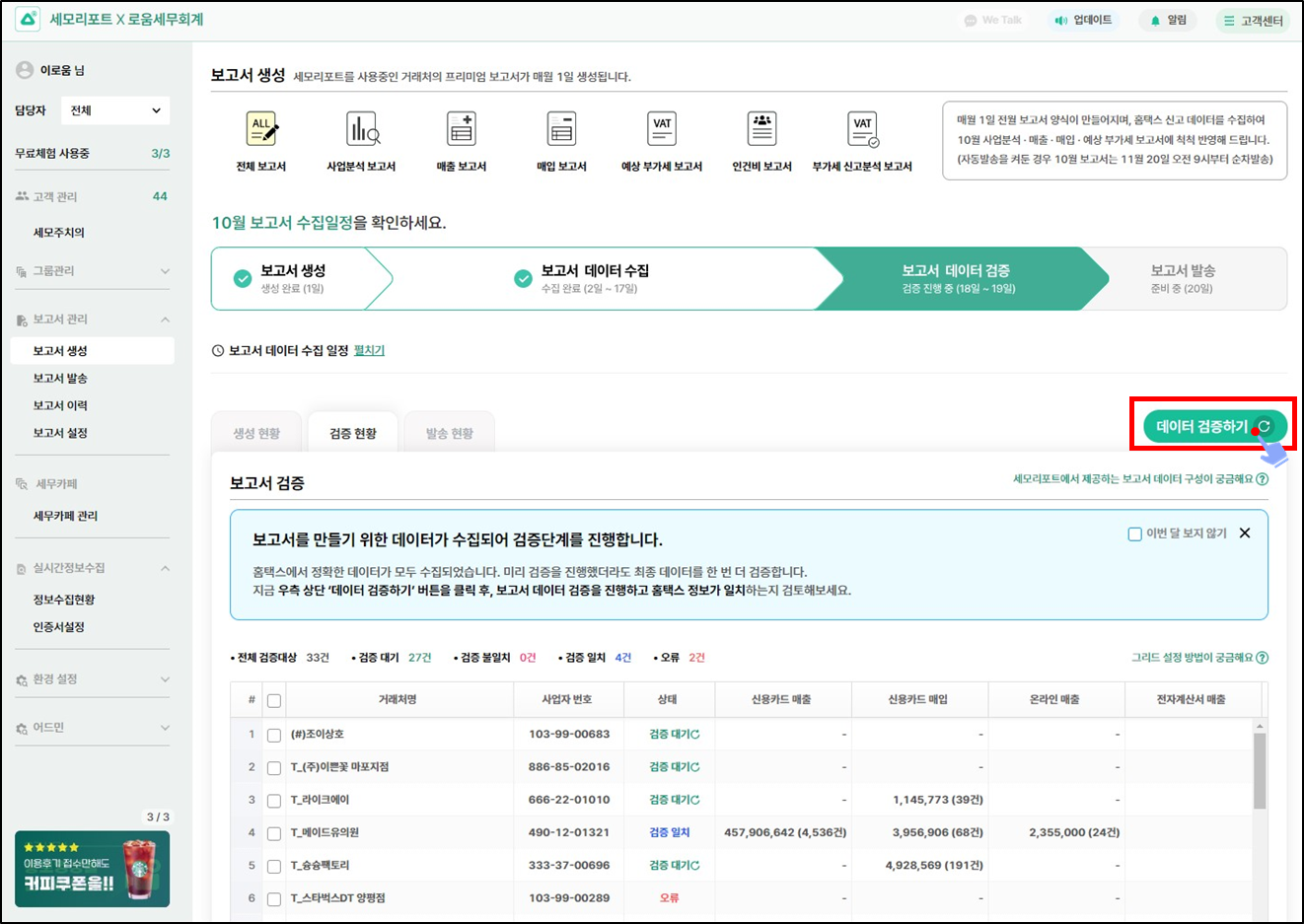
* 데이터 검증을 18일 이전에 미리하고, 미리 보고서를 발송할 수 있어요
{% endhint %}
{% hint style="info" %}
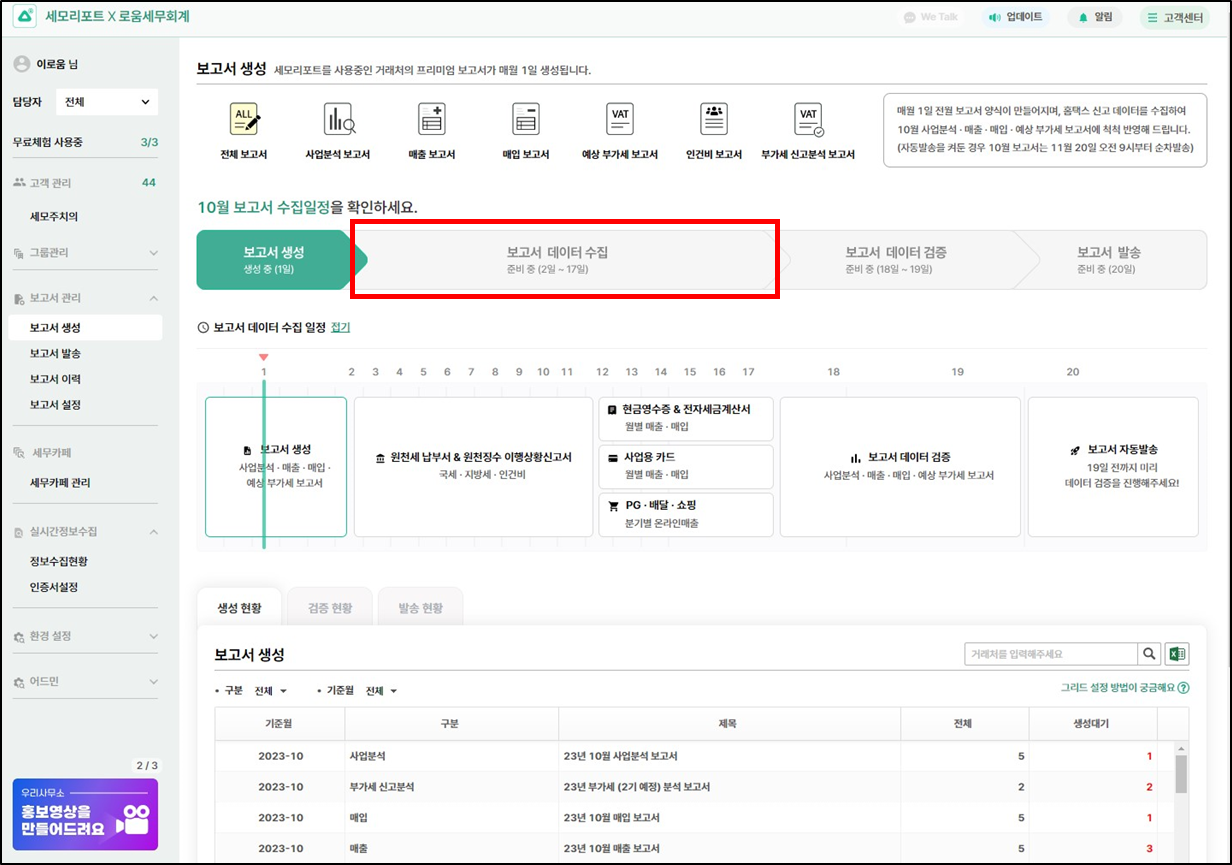
**보고서 주요 일정**
1일 : 보고서생성
2일\~17일 : 보고서 데이터 수집
18\~19일 : 보고서 데이터 검증
20일 : 보고서 자동발송(자동발송을 켜둔 거래처 해당)
{% endhint %}
## 2. 보고서 검증 프로세스가 개선되었어요!
{% hint style="info" %}
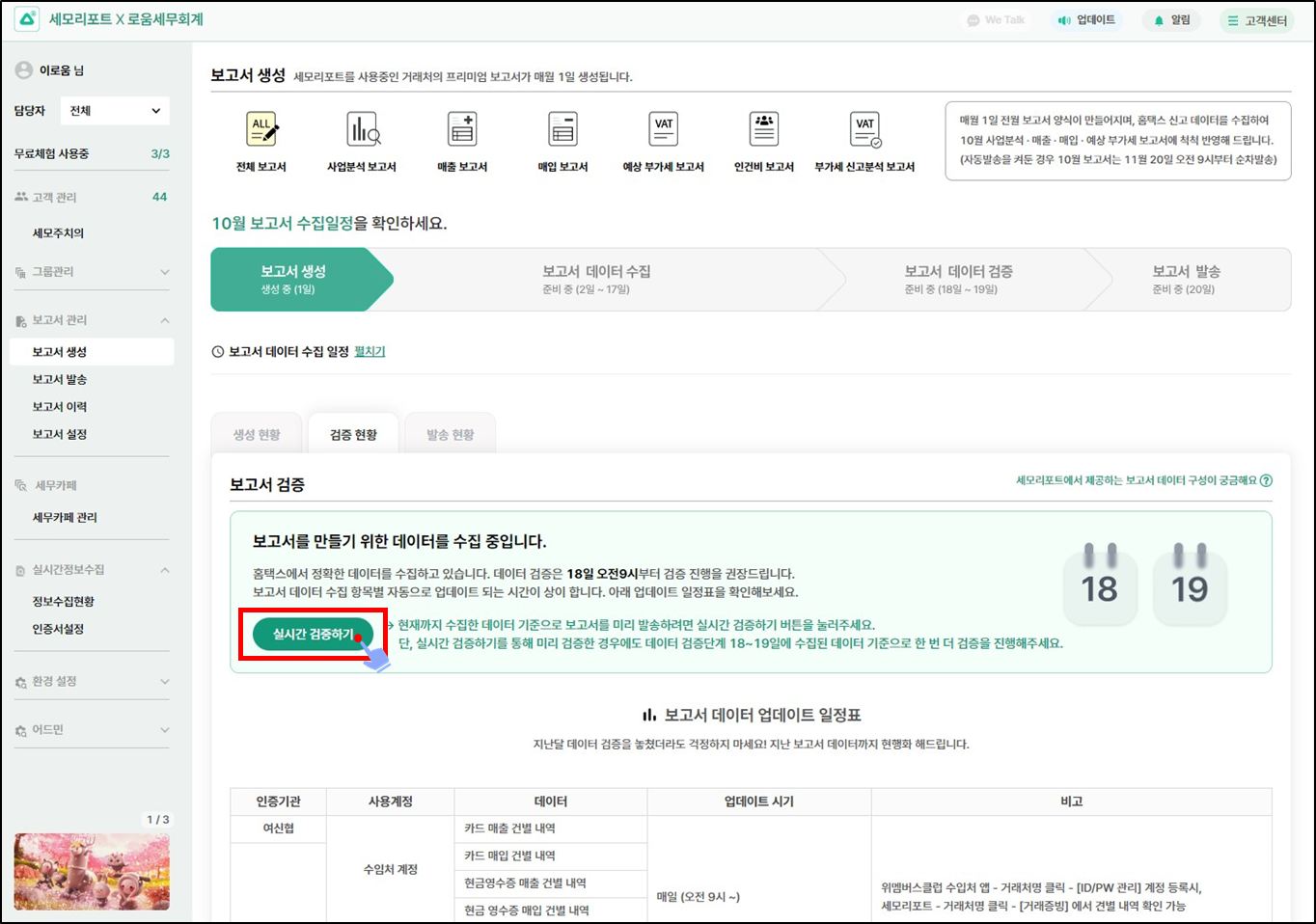
보고서 데이터 수집기간 (2일\~17일) 에도 현재까지 수집한 데이터에 대해 검증하고 ,보고서를 미리 발송할 수 있도록 개선되었어요!
{% endhint %}
{% hint style="info" %}
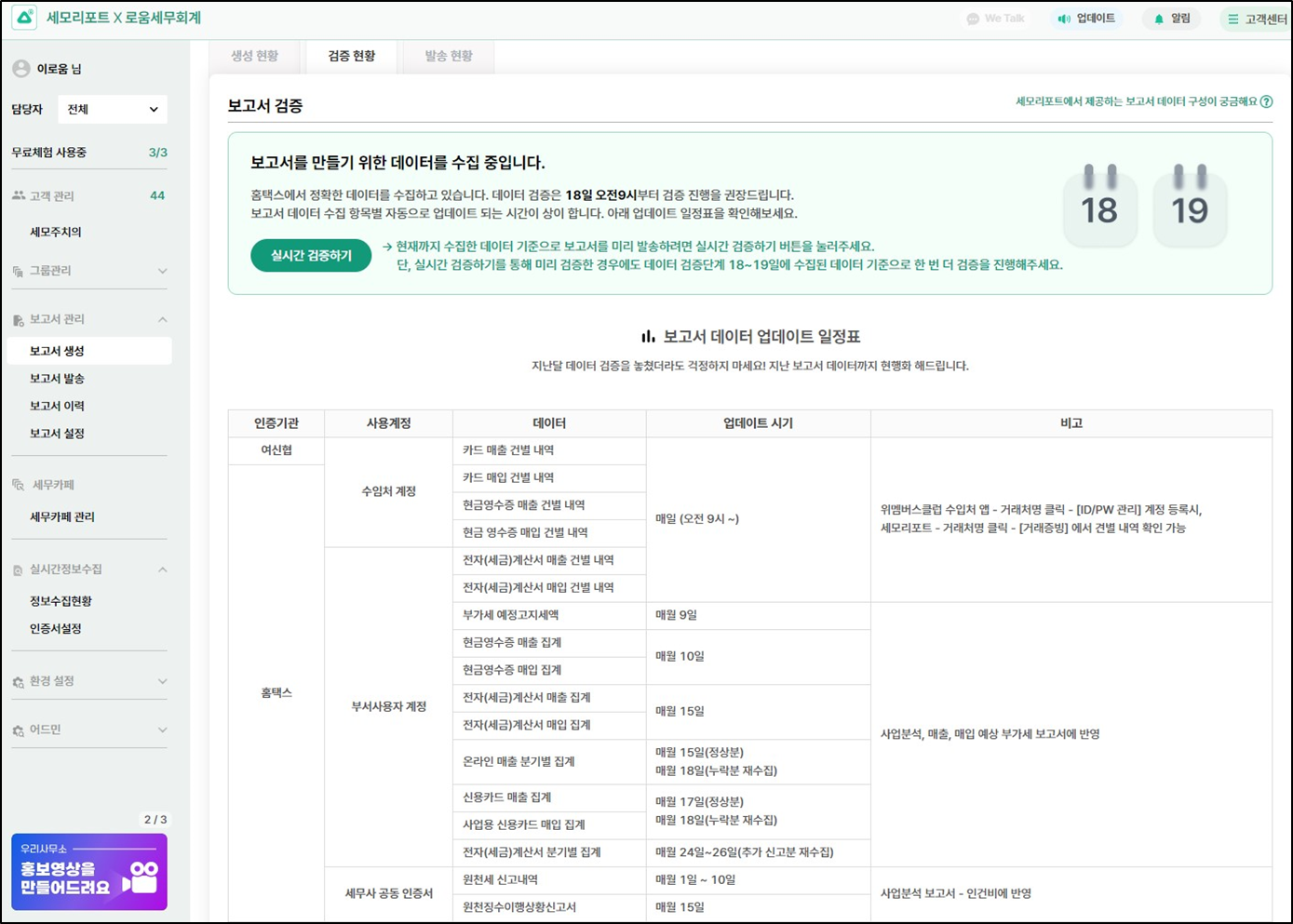
검증현황 탭에서 보고서 자동수집 일정에 대한 자세한 안내를 볼 수 있어요
{% endhint %}
{% hint style="info" %}
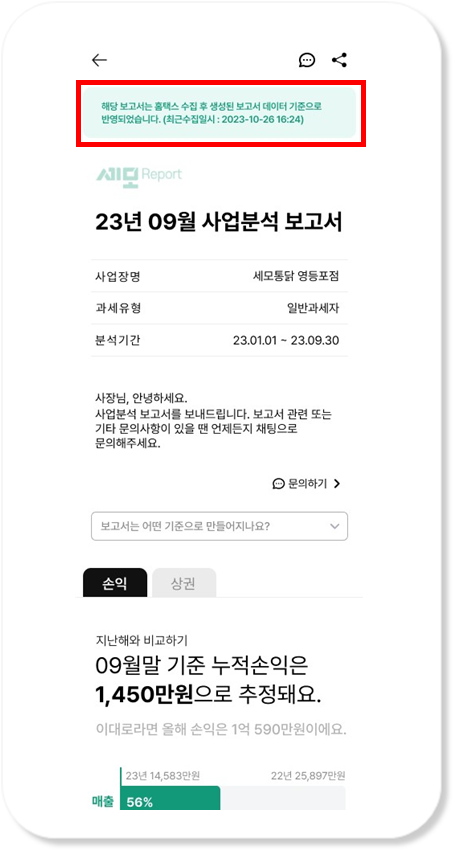
* 미리 검증해서 발송한 보고서는 사장님에게 아래와 같은 메세지가 보여져요
* 실시간 검증하기를 통해 미리 검증한 경우에도, 데이터 검증단계 18\~19일에 수집된 데이터 기준으로 한 번 더 검증을 진행해주세요.
* 18\~19일 데이터 검증을 진행하면 다시 보고서를 발송하지 않아도, 업데이트 된 데이터로\
사장님에게 보여져요
{% endhint %}
{% hint style="info" %}
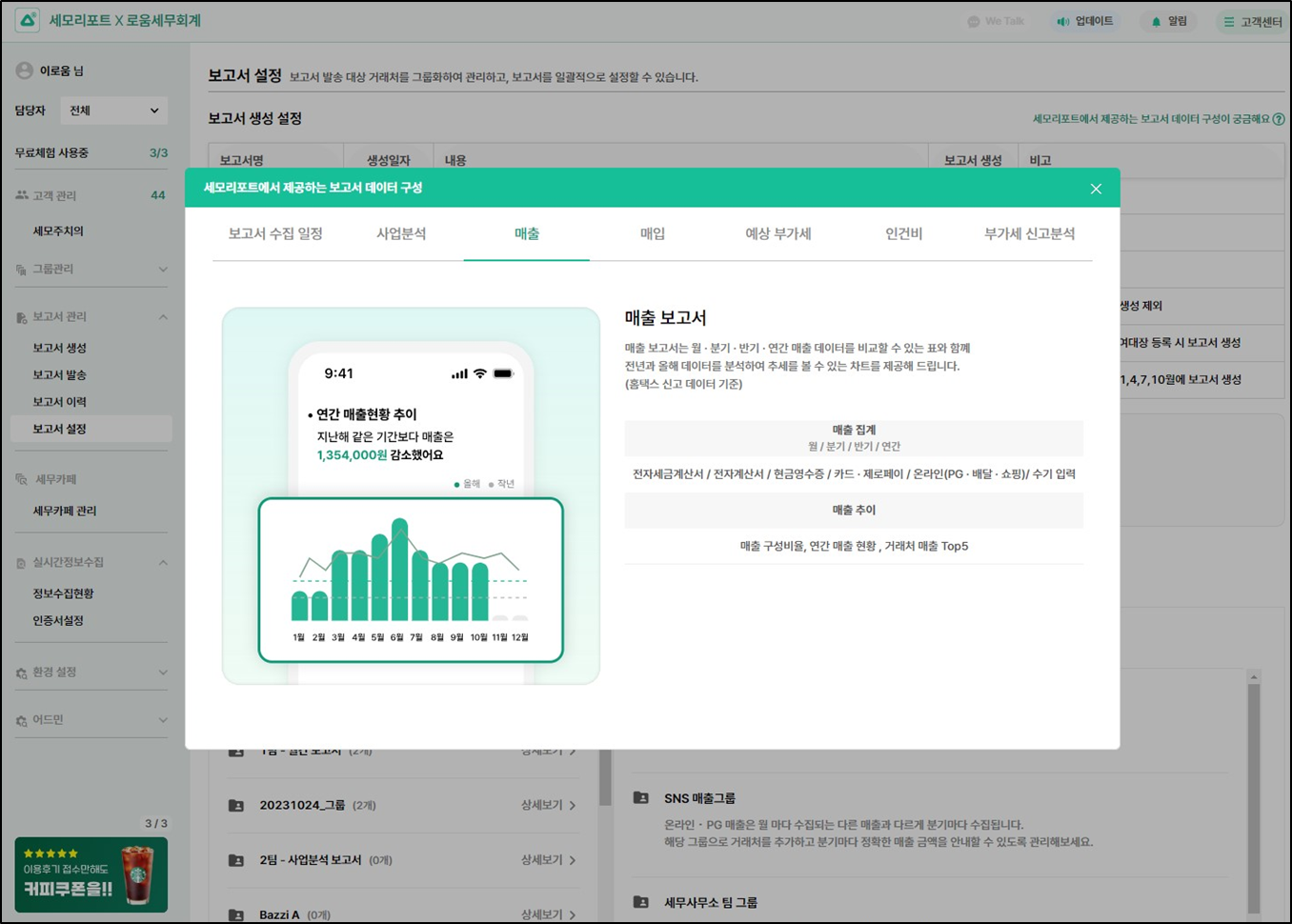
보고서 설정>보고서 종류를 클릭하면 해당 보고서에 대한 설명을 볼수 있어요
{% endhint %}
감사합니다